


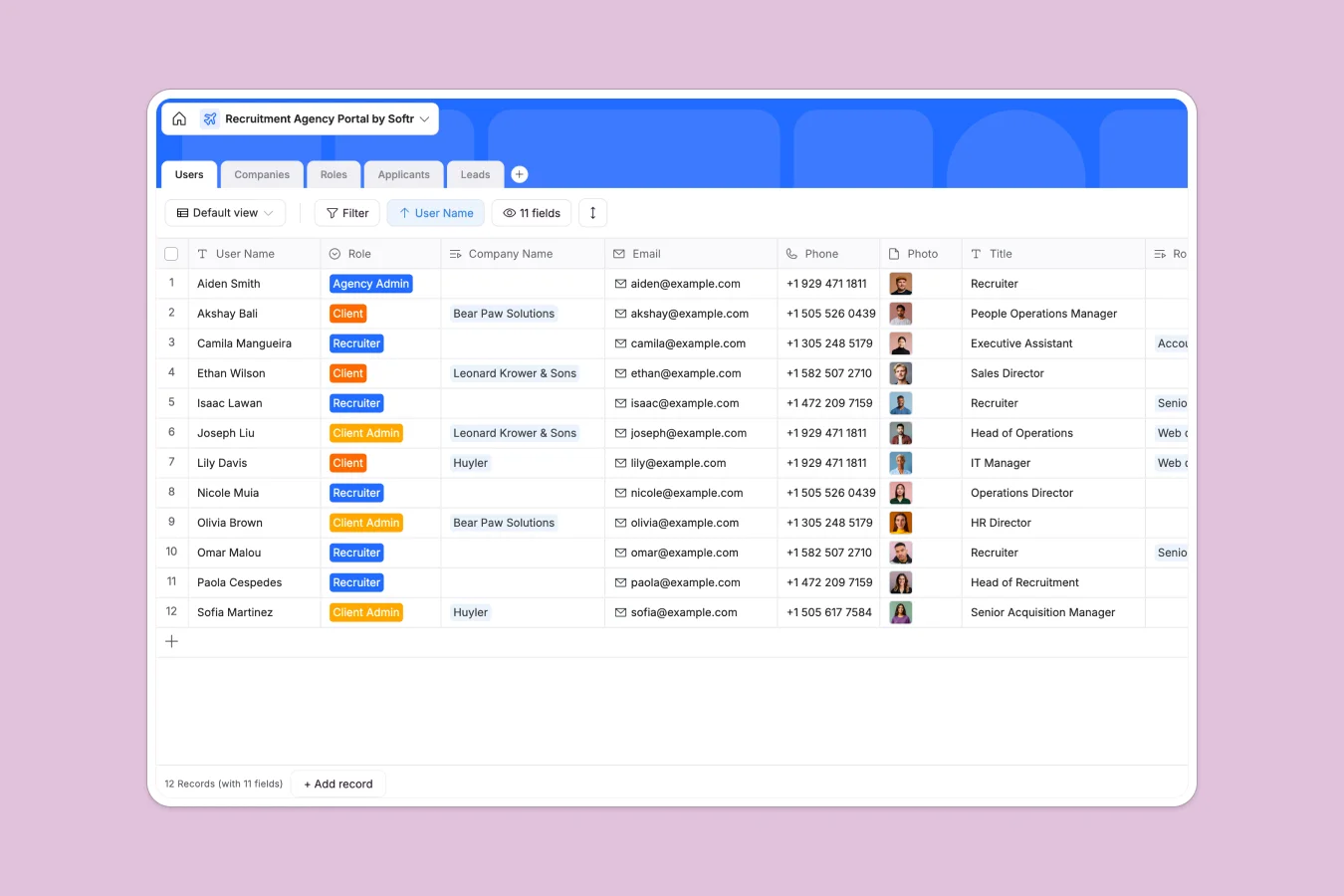
Your Recruitment Agency Portal database at a glance
This template centralizes your entire recruitment operation, moving you away from scattered emails and files. You can track Companies, active Roles, and Applicants in a single, connected system that keeps everyone aligned.
It works by linking critical data together automatically. A candidate in the Applicants table is directly connected to a specific job in the Roles table, which connects to the client in the Companies table.
Why managing recruitment in spreadsheets breaks down
Recruitment involves complex relationships that flat spreadsheets simply cannot handle well. In a spreadsheet, linking a candidate to a role usually means duplicating rows or relying on fragile VLOOKUP formulas that break when data moves.
What a structured database changes
A structured database ensures that every piece of data has a defined home and format. Attachments like resumes stay attached to the candidate record, and status updates are controlled by dropdowns rather than messy free text. This is exactly what Softr Databases are designed for—keeping data clean and reliable.
Instead of copy-pasting client details across multiple sheets, you link records once. One update to a Company record automatically reflects across all linked Roles and assigned Recruiters instantly.
What you can do with this template
Track the full candidate lifecycle
Move applicants through stages like "Phone Screen," "Interview 1," and "Offered" using the built-in status fields. You can easily spot bottlenecks in your pipeline without manually coloring spreadsheet cells.
Manage client relationships and leads
Keep a separate, clean view for Leads and active Companies. You can assign specific assemblers to accounts and track job openings per client effortlessly.
-
Users
Manage portal access for admins, clients, and recruiters with contact details
-
Companies
Store client organization profiles with branding, URLs, and active hiring counts
-
Roles
Track job openings with hiring status, location settings, and timelines
-
Applicants
Monitor candidate progress through pipeline stages with resumes and feedback notes
-
Leads
Capture potential client inquiries with company size data and contact status
Who is this Recruitment Agency Portal database for
This template is designed for recruitment professionals who need to manage multiple stakeholders clearly.
- Recruitment Agencies: Manage multiple clients and job openings in organized pipelines.
- Freelance Recruiters: Keep candidate notes, resumes, and client details in one accessible place.
- HR Consultancies: Track leads and sold retainers alongside active placement projects.
- Executive Search Firms: Maintain privacy and structured data for high-level placements.
How to take it further
Customize the database
You can easily adapt the pipeline stages to match your specific workflow. Add a "Salary Range" currency field to the Roles table or create a new view for "Urgent" placements.
Import your existing data
Don't start from scratch; use the CSV import feature to bring your current roster of candidates and clients into the system. You will immediately benefit from organized relationships and searchability.
Build a full client portal
Once your data is structured, you can use the interface builder to create a secure app. Give clients a login to view their own candidates and approve role descriptions without seeing other clients' data.
With users and permissions, you can ensure Recruiters only see their assigned roles while Agency Admins have full visibility. This turns your database into a professional, revenue-generating software product.
-
1
-
2
-
3
-
4
Frequently asked questions
-
What is a recruitment agency portal database?
-
Why use a no-code database to build a recruitment tool?
-
How can AI help managing data for recruitment?
-
Can I build an app with this recruitment database?
-
Is this Recruitment Agency Portal template free?
-
How keeps this database files organized compared to spreadsheets?
Start building today. It's free!
Build and launch your first app in under 30 minutes.