


Overview
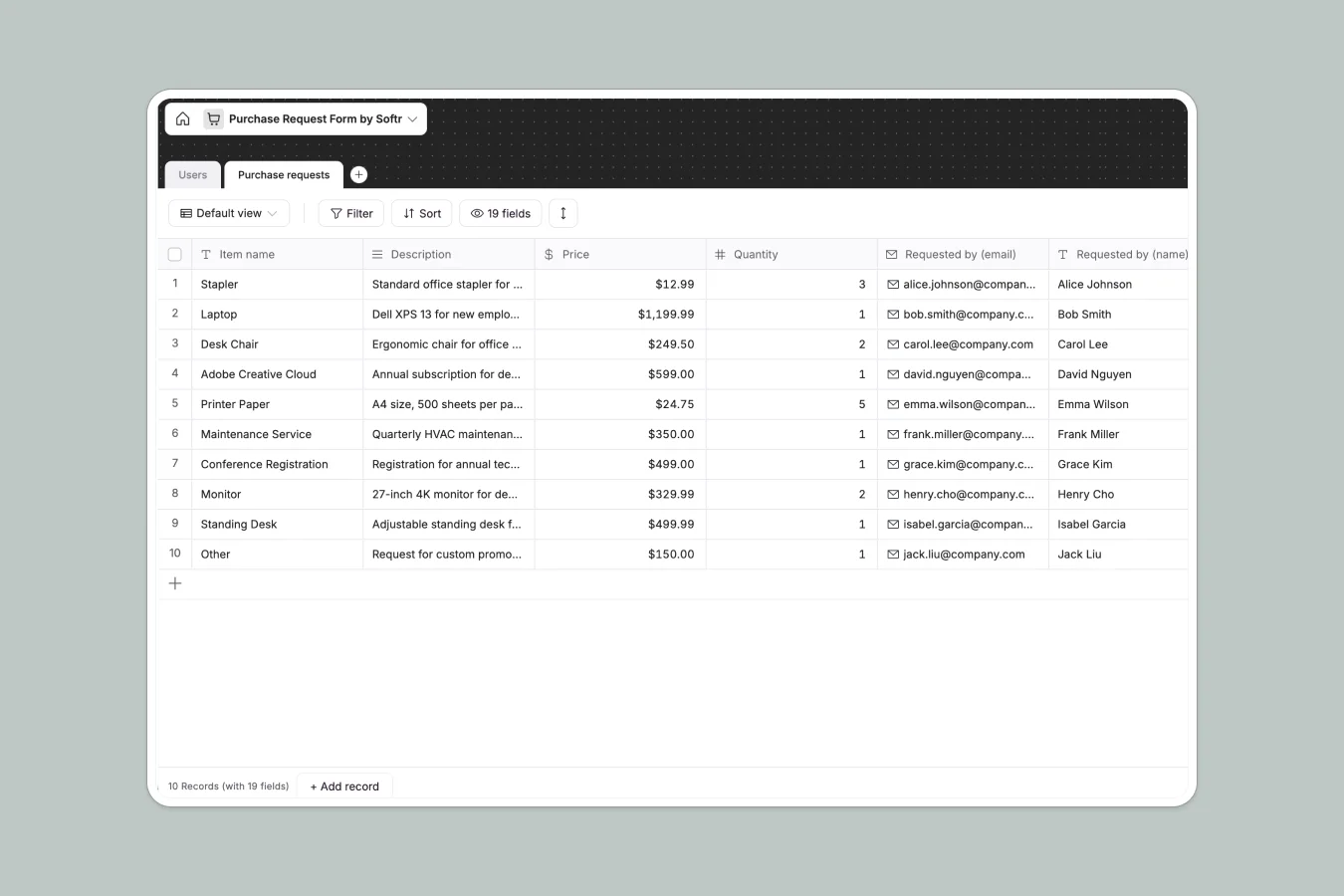
This Purchase Request Database centralizes all procurement requests in a structured system. It tracks item details, pricing, quantities, vendor information, and approval status so teams can submit requests and managers can review them without chasing down spreadsheet versions.
The database includes two core tables: Users (with roles like Admin, Manager, Employee) and Purchase Requests (capturing item name, description, price, quantity, category, vendor details, and approval status). Each request links directly to the employee who submitted it, creating clear ownership and accountability.
Purchase requests are categorized (Office Supplies, Technology, Furniture, Software, Maintenance, Travel, Other) with specialized fields for software subscriptions including service website and subscription type. Vendor information—name, email, address, phone—lives alongside each request for easy reference during procurement.
Why choose a purchase request database over spreadsheets
Spreadsheets quickly become unmanageable for procurement workflows. Teams create multiple tabs or files for different request types, approvers struggle to find pending items, and vendor details get duplicated or lost. As requests pile up, navigation becomes difficult and critical information hides in rows that should have stayed in separate tables.
The power of Softr Databases
Softr Databases enforce proper structure through typed columns—currency for prices, numbers for quantities, datetime for submission dates, and select fields for status tracking. Unlike spreadsheets where any data can land in any cell, databases maintain integrity. The relational structure connects requests to users naturally without fragile VLOOKUP formulas, following the principle: one table for users, one table for requests. This makes your data app-ready from day one with proper relationships between tables.
Core features and functionality
This template structures procurement with predefined categories and conditional fields—software requests include subscription type and service website, while other categories focus on vendor contact information. The Status field (Awaiting approval, Approved) creates a clear approval pipeline, and attachment support lets requesters include quotes or specifications. Because it's a native Softr Database, you can import existing procurement data via CSV and build approval interfaces with proper permissions so employees submit requests while managers review them.
-
Users
Manage team members with profiles, emails, and specific access roles
-
Purchase requests
Track item procurement with costs, vendor info, and approval workflows
Who is this purchase request database for
This database is built for teams managing procurement workflows:
- Operations managers: Centralize all purchase requests and track approval status without hunting through email threads.
- Finance teams: Review spending requests with full vendor details and pricing before budget allocation.
- Department heads: Submit requests for your team and maintain visibility into pending approvals.
- Office administrators: Manage vendor relationships and coordinate purchases across multiple departments efficiently.
- Growing companies: Replace scattered spreadsheets with a structured system as procurement volume increases.
How to take it further
Customize the database. Add specific categories relevant to your industry (Marketing Materials, Lab Equipment, Catering), modify subscription types to include quarterly options, or create custom fields for budget codes and cost centers. Since this is a native Softr Database, editing is straightforward—adjust select field values, rename columns, or add new fields as your procurement process evolves.
Import your existing data. Upload historical purchase requests via CSV to maintain continuity, or connect through API to sync vendor information from your accounting system. This gives you immediate visibility into procurement patterns and spending history.
Build an app on top. The logical next step is creating an internal procurement portal using Softr's interface builder. Employees can submit requests through forms that populate the database, managers see pending approvals in filtered views, and finance reviews spending dashboards. With users and permissions, you control exactly who can submit, approve, or view requests—employees submit but can't see other departments' requests, managers approve for their teams, and admins oversee everything. Because your database is already well-structured with proper relationships between users and requests, building these interfaces becomes straightforward rather than requiring data cleanup first.
-
1
-
2
-
3
-
4
Frequently asked questions
-
What is a purchase request database?
-
Why use a no-code database to build a purchase request system?
-
How is a purchase request database different from spreadsheets?
-
Can I build an app with this purchase request database?
-
Is this purchase request database free?
-
Can I customize this purchase request database?
Start building today. It's free!
Build and launch your first app in under 30 minutes.