


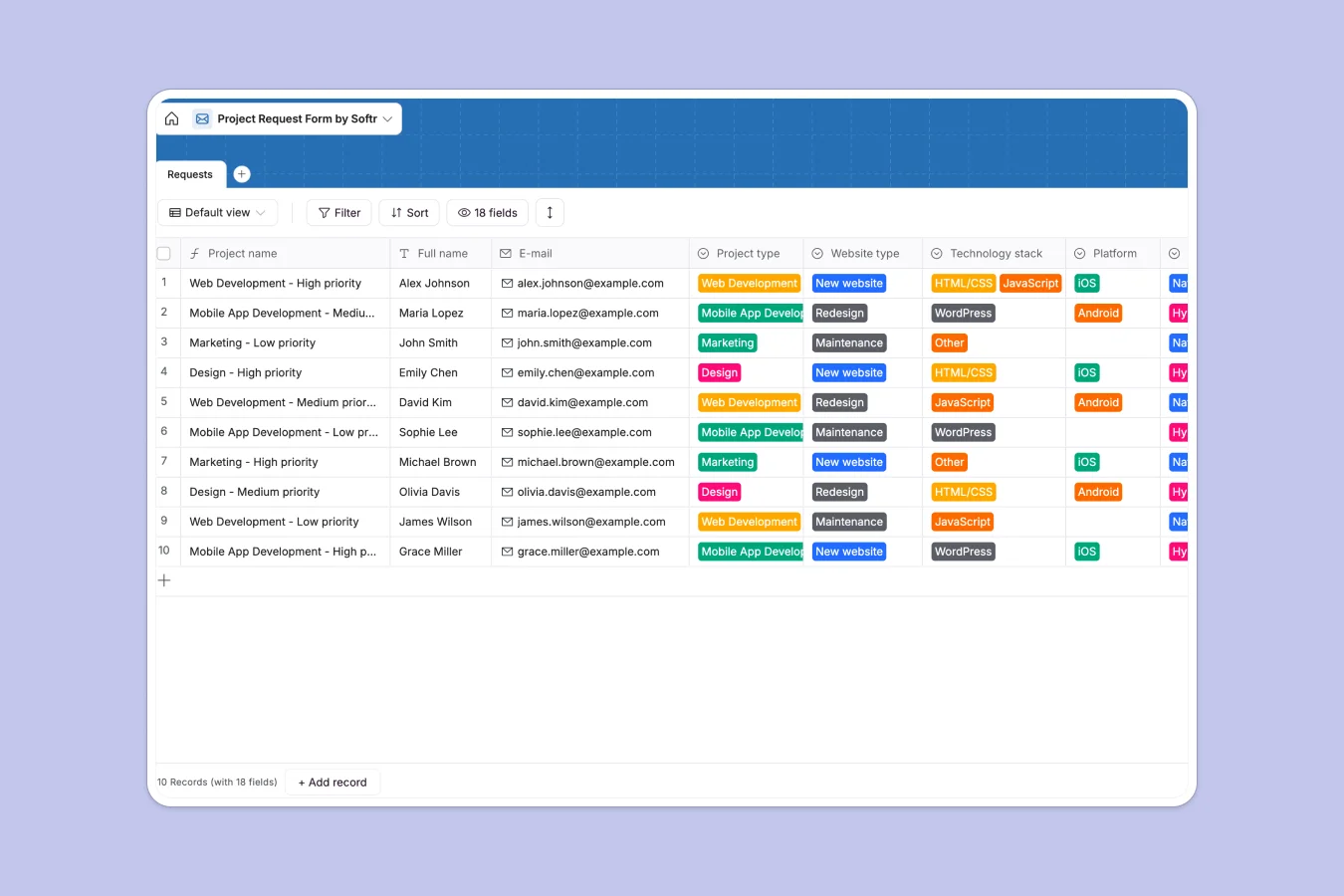
Your Project Request Database at a glance
Stop chasing emails, Slack messages, and loose files. This template centralizes every request into a single source of truth, giving you instant visibility into project types, deadlines, and required assets.
The database uses a main "Requests" table that captures essential details like Budget, Deadline, and Priority alongside specific technical requirements for Web, Mobile, or Design projects. It automatically generates unique project names using formulas to keep your list scannable.
You can easily connect AI to this system to automatically summarize requests or categorize them based on the description, saving you manual triage time.
Why tracking requests in a project request spreadsheet breaks down
Spreadsheets are excellent for calculations but terrible for managing complex intake workflows. As request volume grows, rows get accidentally deleted, cells contain mixed data types, and file attachments get lost in drive folders.
What a structured database changes
A structured database enforces integrity where a spreadsheet accepts chaos. Instead of a free-text column where someone might type "High," "Urgent," or "ASAP," Softr Databases use strict Select fields to ensure consistency. This allows you to group requests by Project type or Priority instantly without cleaning data first.
What you can do with this template
You can enforce required fields so no request arrives without a Budget or Deadline, effectively eliminating back-and-forth emails. Plus, you can store Attached files directly on the record, ensuring specs and assets are always linked to the correct project.
-
Requests
Capture and organize intake forms with project scopes, budgets and deadlines
Who is this Project Request database for
This template is designed for teams that need to bring order to their intake process:
- Project Managers: Triage incoming tickets and assign priorities without manual sorting.
- Agencies: Standardize client intake forms to ensure all requirements are captured upfront.
- Creative Operations: Manage design and development resources based on clear deadlines and asset availability.
How to take it further
1. Customize the database
Add a "Status" field (e.g., "To Do," "In Progress," "Done") to track lifecycle. You can also edit the Project type choices to match your specific service offerings, such as adding "SEO" or "Copywriting."
2. Import your existing data
If you have a backlog of requests in a CSV file, you can import them in one click. This populates your database immediately so you can start prioritizing active work right away.
3. Build a full app around it
When you are ready, turn this database into a client portal or internal tool. By connecting a frontend, you can use users and permissions to ensure clients only see their own requests while your team sees the full queue. This keeps communication clear and data secure.
-
1
-
2
-
3
-
4
Frequently asked questions
-
What is a project request database?
-
Why use a no-code database over a project request spreadsheet?
-
How can AI help managing data for project requests?
-
Can I build an app with this project request database?
-
Is this project request template free?
Start building today. It's free!
Build and launch your first app in under 30 minutes.