


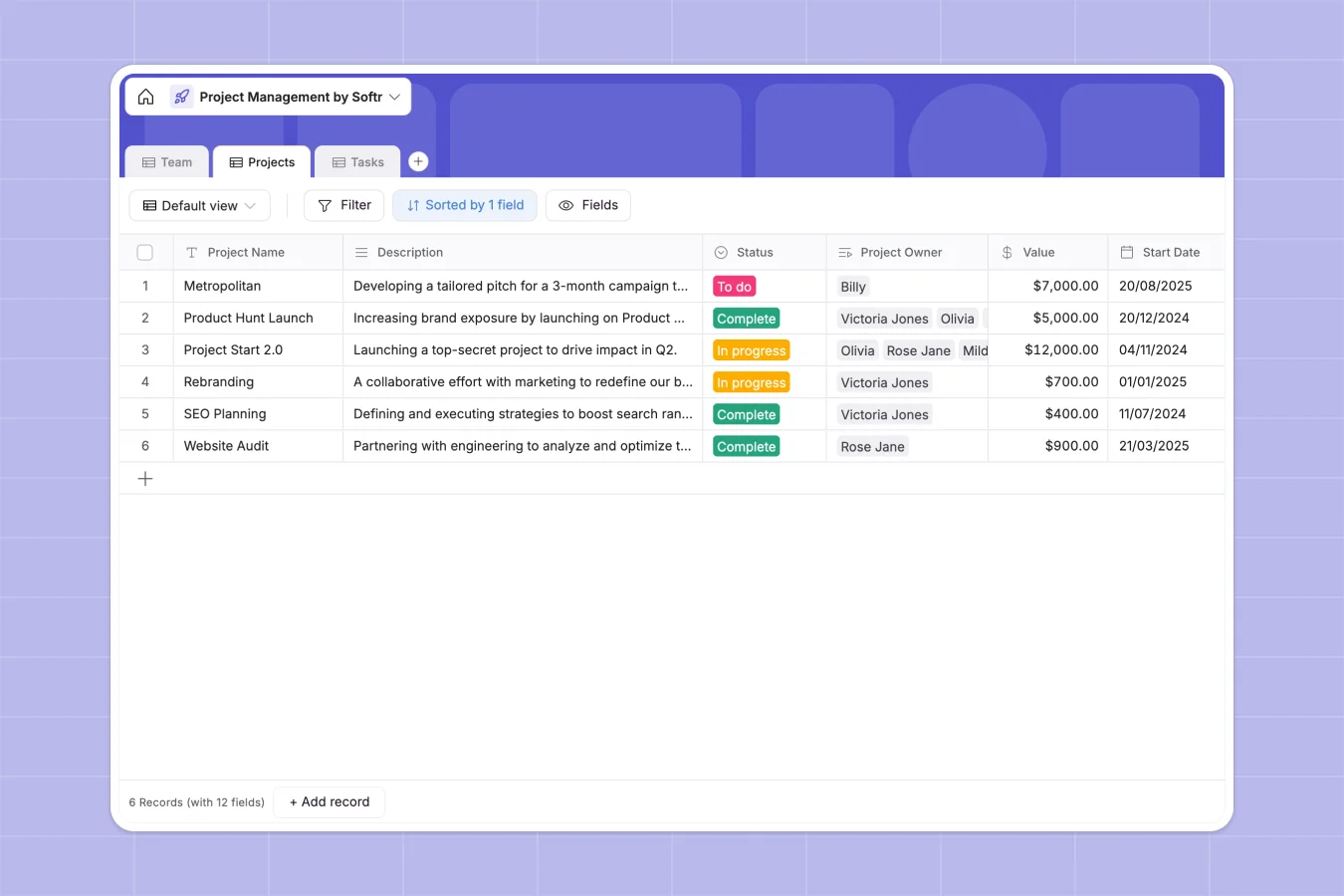
Your Project Management Database at a glance
This ready-to-use template helps you track projects, assign tasks, and manage your team's workload in one unified place. It replaces scattered files and messy docs with a clean, connected system.
It includes pre-built tables for Team members, Projects, and Tasks that automatically link together. When you assign a task to a team member, their details flow seamlessly across related projects without manual updates.
Why a project management spreadsheet gets messy
Managing multiple deliverables and task assignments in standard spreadsheets quickly leads to broken formulas, overwritten cells, and siloed data.
What a structured database changes
In a relational system, every column has a strict format that prevents errors. Dates stay formatted as dates, statuses remain consistent through dropdowns, and task counts update automatically.
Instead of relying on fragile VLOOKUPs, tables naturally connect with each other. You can link a specific priority task to a main project and an assignee without copy-pasting their email across rows. This is exactly what Softr Databases are designed for.
What you can do with this template
Track project health automatically with built-in rollups that count pending tasks and reference project owners. Assign work directly to team members with clear priority levels from low to high.
You can seamlessly manage timelines with Start Date and Deadline fields, ensuring nothing falls through the cracks. Built-in lookups automatically pull the right emails for task assignees, keeping communication perfectly aligned.
-
Team
Manage personnel records with contact info, department roles and project ownership
-
Projects
Organize strategic milestones with budget tracking, ownership and task rollups
-
Tasks
Coordinate specific action items with status tracking, priority levels and deadlines
Who is this Project Management database for
This template provides immediate structure for teams who need clear visibility into their daily work and overarching deliverables.
- Project Managers: Monitor task statuses, track strict deadlines, and see total project value at a glance.
- Department Leads: Gain instant oversight of team workloads across Sales, Design, Engineering, and Marketing.
- Operations Teams: Replace complex, breaking spreadsheets with an organized system that completely prevents data duplication.
How to take it further
Customizing this database takes seconds without any technical skills. You can edit the dropdown choices for departments, add custom fields for project budgets, or adjust standard task statuses to fit your workflow.
Bring your existing ongoing work over instantly. Just import your CSV files or use the built-in API to sync current project details from your older tracking tools.
When your team grows, you can easily build an app on top of this exact structure. Turn this internal database into a client-facing portal or an interactive internal project dashboard. With built-in users and permissions, you can ensure team members only see the projects they own and clients only view their specific deliverables.
-
1
-
2
-
3
-
4
Frequently asked questions
-
What is a Project Management database?
-
Why use a no-code database to build a project management tool?
-
How can AI help managing data for project management?
-
Can I build an app with this project management database?
-
Is this Project Management database free?
-
How is a project database different from a project management spreadsheet?
Start building today. It's free!
Build and launch your first app in under 30 minutes.