


Overview
This Project Budget Tracking database gives teams full visibility into resource utilization and budget health across multiple projects. Instead of wrestling with disconnected sheets, you can track allocated versus actual hours in real time, ensuring projects stay profitable and on schedule.
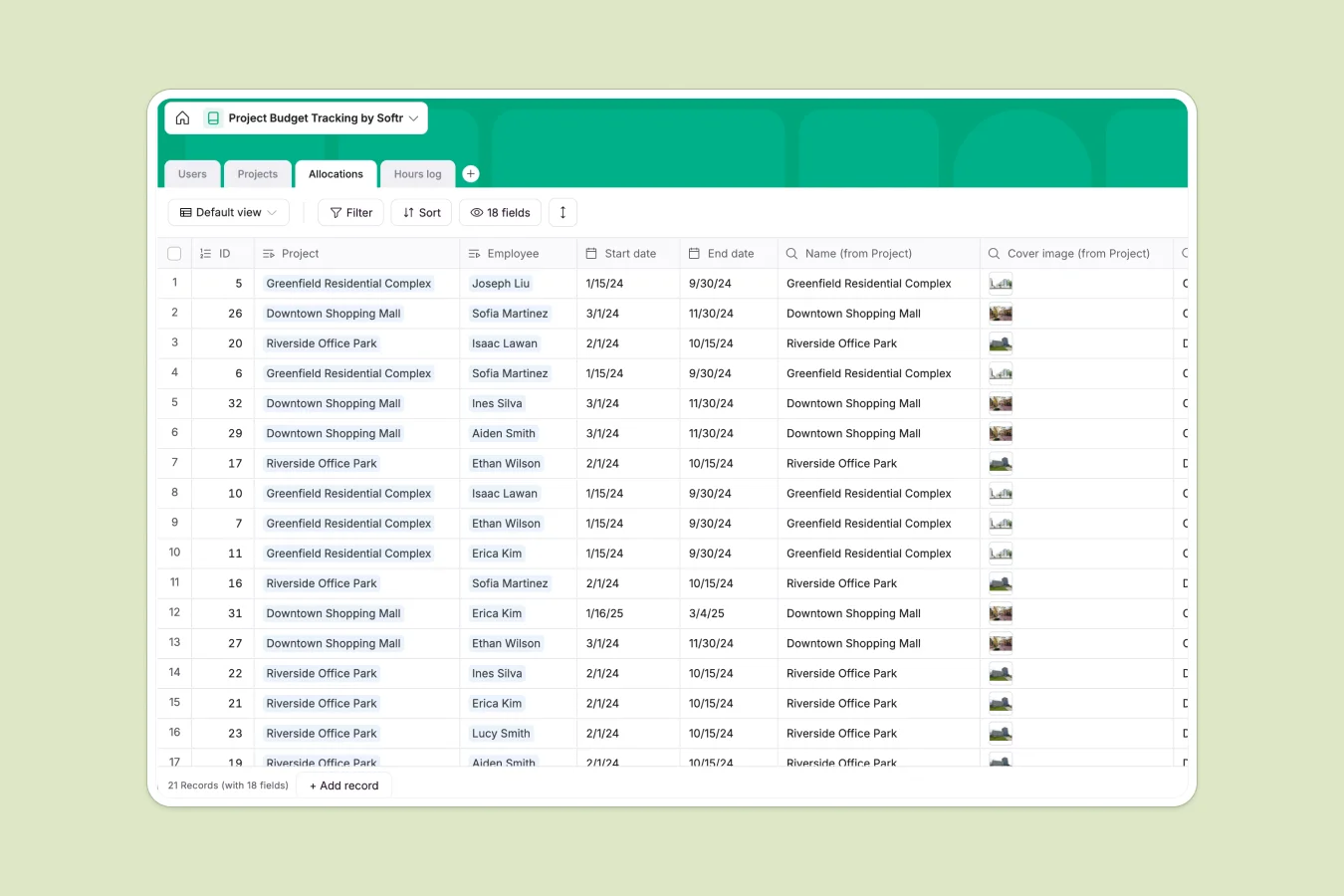
The system connects four key tables: Projects, Users, Allocations, and Hours logs. Managers assign employees to projects in the Allocations table, setting specific hour budgets. As team members submit time in the Hours log, the database automatically calculates utilization percentages and updates status flags like "At risk" or "Off track" instantly based on the pre-built formulas.
Why choose a Project Budget Tracking database over spreadsheets
Spreadsheets like Excel or Google Sheets are great for quick calculations but struggle with ongoing project management. As your team and project list grow, keeping track of cross-project allocations and real-time budget burn becomes a nightmare of broken formulas, copy-paste errors, and version control issues.
The power of Softr Databases
Softr Databases use a relational structure that connects data logically rather than relying on fragile VLOOKUPs. In this template, a single Hours log entry automatically updates the related Project, Employee, and Allocation records simultaneously. You get strict column types that prevent data entry errors and powerful rollup fields that calculate total hours worked without manual maintenance.
Core features and functionality
This template includes built-in formulas that instantly flag projects as "At risk" or "Off track" whenever utilization exceeds 90% or 100%. You can easily manage complex many-to-many relationships, such as one engineer working on multiple projects with different allocations, while Database AI agents can be added to summarize productivity trends or generate status reports automatically.
-
Users
Manage team member profiles, professional titles, and roles within the firm
-
Projects
Monitor active project status, timelines, and total hour budget utilization
-
Allocations
Assign specific personnel to projects and monitor their time usage vs limits
-
Hours log
Record daily time entries and detailed task descriptions for accurate billing
Who is this Project Budget Tracking Database for
This template is designed for service-based businesses, engineering firms, and agencies needing precise control over billable hours.
- Project Managers: Monitor budget burn rates and reallocate resources before projects go off track.
- Site & Structural Engineers: Log hours quickly against specific project allocations without administrative friction.
- Operations Admins: Maintain accurate employee records and track total team utilization in one view.
- Department Heads: Visualize capacity across the organization to plan future project intake effectively.
How to take it further
Customize the database
You can easily adapt this template to your specific billing model. For example, add a "Hourly Rate" currency field to the Users table and create a formula in the Projects table to track budget in dollars, not just hours.
Import your existing data
Move away from your project budget tracking spreadsheet by importing existing project lists and team details via CSV or API. The relationship fields will help map your historical data into a structured format immediately, preserving your records.
Build an app on top
Turn this database into a secure internal tool using Softr's interface builder. You can create a custom portal where employees see only their assigned projects and log time, while managers get a full dashboard of budget health. With granular users and permissions, you ensure sensitive data remains visible only to admins.
-
1
-
2
-
3
-
4
Frequently asked questions
-
What is a project budget tracking database?
-
Why use a no-code database to build a budget tracking system?
-
How can AI help managing data for project budgets?
-
Can I build an app with this database?
-
Is this Project Budget Tracking template free?
-
How is a project budget tracking database different from a spreadsheet?
Start building today. It's free!
Build and launch your first app in under 30 minutes.