


Overview
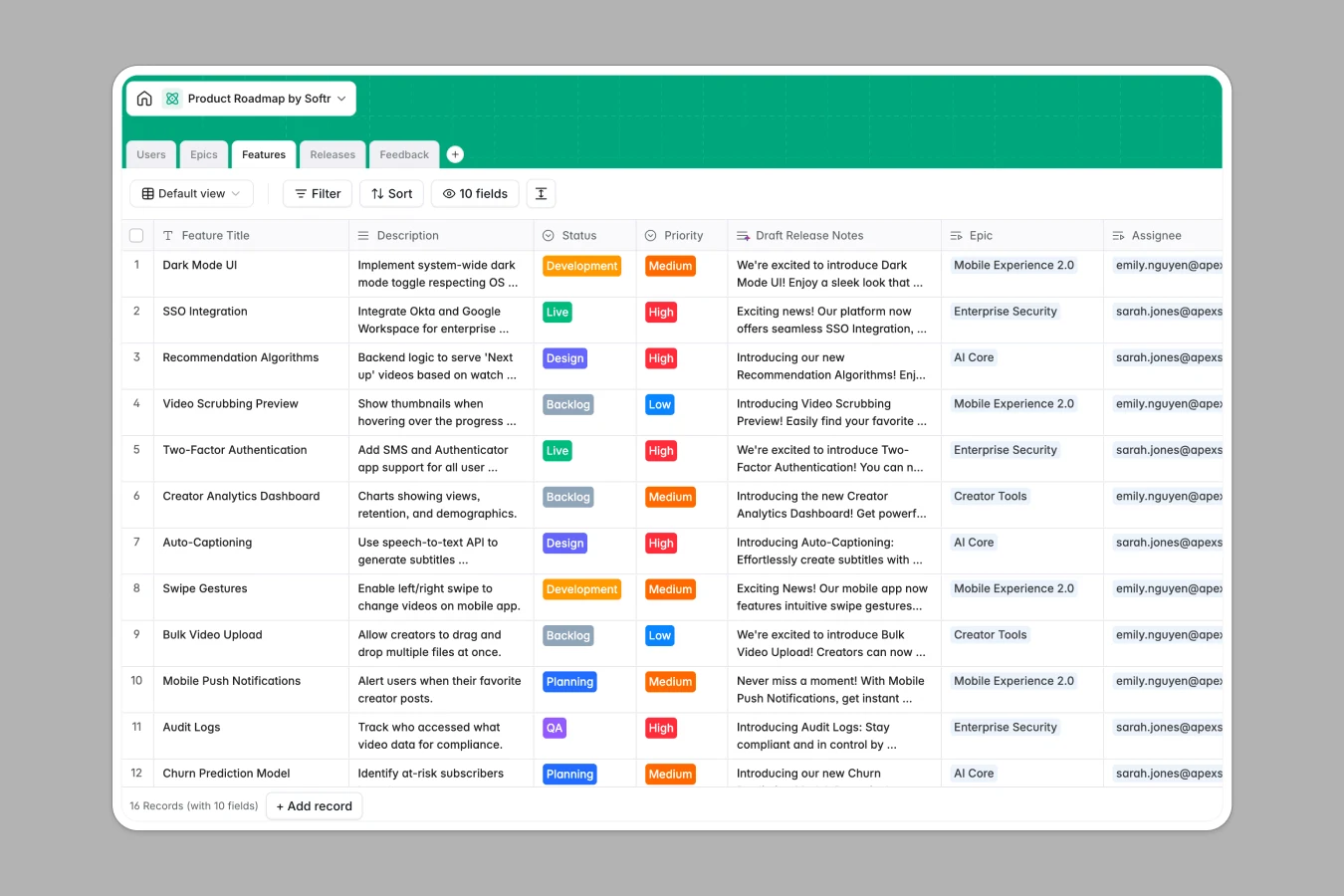
This Product Roadmap Database unifies your product strategy, execution, and user feedback into a single, dynamic system. Instead of maintaining a static product roadmap spreadsheet that becomes outdated the moment it's saved, this template actively connects high-level goals to specific deliverables in real time.
The system is organized into four connected tables: 'Epics' for strategic goals, 'Features' for distinct deliverables, 'Releases' for version planning, and 'Feedback' for tracking user insights. This relational structure allows you to link specific feedback items directly to features, assign features to epics, and roll up progress automatically.
Built-in AI features allow this database to self-maintain and enrich your data. It can automatically analyze sentiment in user feedback, categorize requests, draft release notes for shipped features, and even browse the web to research tech stacks for upcoming development tasks.
Why choose a Product Roadmap database over spreadsheets
The power of Softr Databases
Spreadsheets often fail as roadmaps because they cannot handle complex relationships between epics, features, and feedback without becoming cluttered or fragile. Softr Databases solve this by using a relational model where one table equals one object type, connected by robust links rather than breakable VLOOKUP formulas. This ensures that when you update a release date, every linked feature reflects that change immediately, keeping your data consistent and scalable.
Core features and functionality
This template transforms your roadmap from a list into an intelligent engine using Database AI agents. Agents can automatically categorize incoming feedback as bugs or feature requests and run web searches to recommend libraries for specific features. Additionally, you can visualize progress with rollup fields that count completed features per epic, giving you an instant health check of your strategy without manual calculations.
-
Users
Manage team roles, contact details, and feature assignments for staff
-
Epics
Manage strategic goals with AI-driven summaries of high-level themes
-
Features
Track deliverables using AI for release notes and tech stack research
-
Releases
Organize scheduled deployment versions and launch timelines for the product
-
Feedback
Process user input using AI for sentiment analysis and categorization
Who is this Product Roadmap Database for
The template is designed for product teams that need structure and autonomy:
- Product Managers: Connect strategy to execution and prioritize features based on aggregated user feedback.
- Engineering Leads: Track feature assignments, view technical research, and monitor development status.
- Stakeholders: Get a clear view of high-level progress and release timelines without granular noise.
- Customer Success: Log user feedback centrally and see which requested features are in development.
How to take it further
1. Customize the database
Since this is a native Softr Database, you can easily adapt it to your specific agile process. You might rename the 'Status' options in the Features table to match your workflow (e.g., add "Code Review") or add a new 'Effort Score' column to help with sprint planning.
2. Import your existing data
If you are currently using a spreadsheet, you can switch immediately by importing your data via CSV. Map your existing columns to the template fields to populate your epics and features in seconds.
3. Build an app on top
To maximize the value of your roadmap, use the interface builder to create a full-stack application. You could build a public-facing roadmap where users vote on features, or an internal portal where stakeholders view progress. With granular users and permissions, you can ensure that customers only see what you choose to share, while your internal team retains full editing access.
-
1
-
2
-
3
-
4
Frequently asked questions
-
What is a product roadmap database?
-
Why use a no-code database to build a roadmap system?
-
How can AI help managing data for product roadmaps?
-
Can I build an app with a roadmap database?
-
Is this Product Roadmap template free?
-
How is a roadmap database different from a spreadsheet?
Start building today. It's free!
Build and launch your first app in under 30 minutes.