


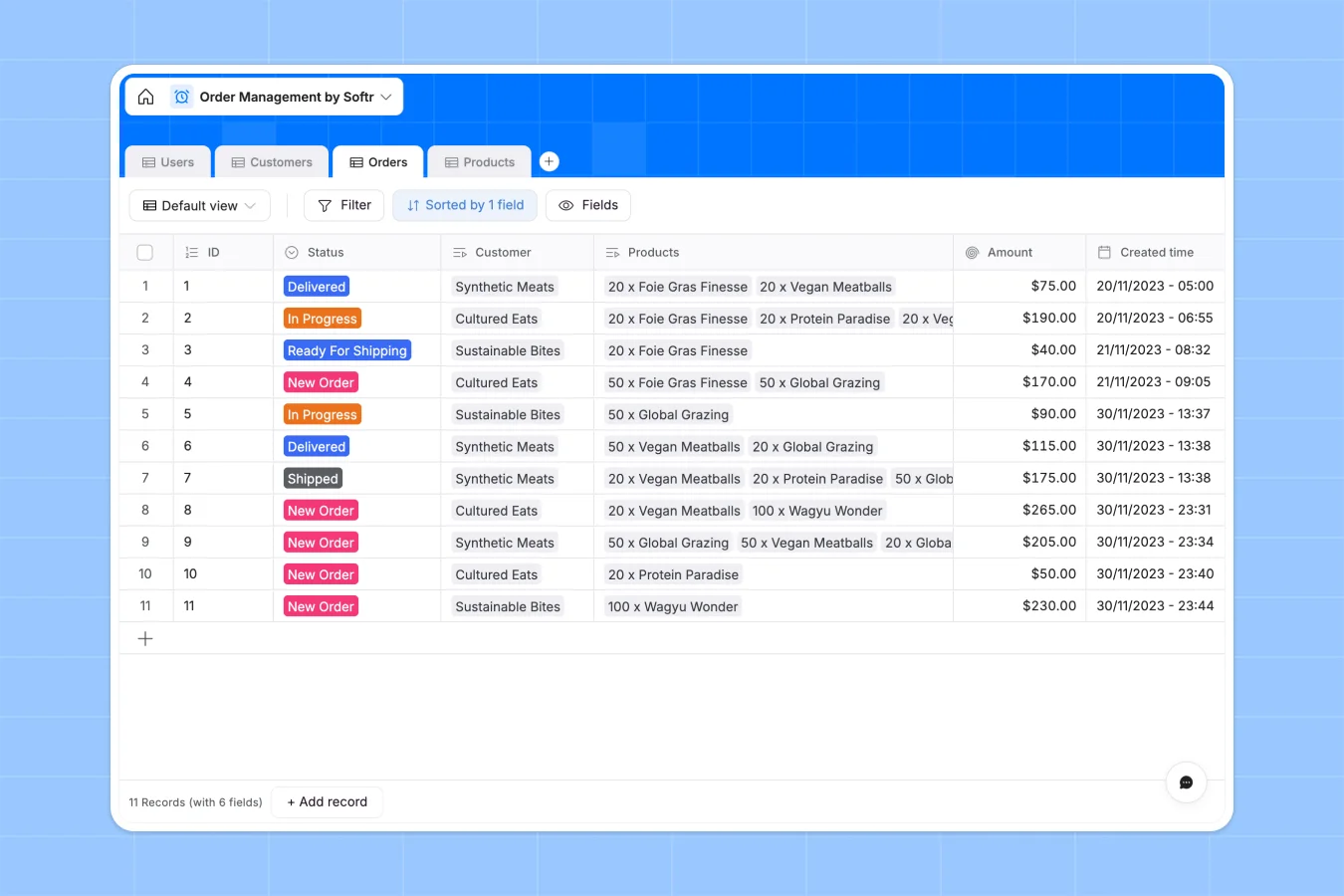
Your Order Management database at a glance
This template centralizes your entire fulfillment process, from new requests to shipped packages. It gives you a single source of truth for tracking what customers bought and what's left in stock without constantly switching tools.
It works by connecting four core tables: Users, Customers, Orders, and Products. When an order is logged, it automatically links to the right customer profile and calculates the total order amount based on the selected products via a native rollup field.
Why managing orders in spreadsheets breaks down
When you track orders in a spreadsheet, rows inevitably get deleted, and keeping product inventory synced with new sales requires complex, fragile formulas. It quickly becomes impossible to trust if an order status is actually up to date.
What a structured database changes
In a database, every piece of information has a strict format that prevents messy, manual entries. Your order summaries calculate automatically, and customer contacts stay securely securely linked to their specific companies without copy-pasting across tabs.
This is exactly what Softr Databases are built for. By enforcing clean structure and native relationships, your data scales safely as your order volume grows, completely eliminating broken VLOOKUPs.
What you can do with this template
You can instantly track complex order statuses from "New Order" to "Delivered," while automatically rolling up total revenues and product counts. Your inventory levels, customer details, and individual users stay neatly organized in their own dedicated tables.
Because every table acts as a designated object, updating a product's price or changing a warehouse manager's role reflects everywhere instantly. You stay fully focused on fulfilling requests rather than formatting rows.
-
Users
Manage internal staff and customer accounts with roles and contact details
-
Customers
Store client company profiles and link them to key contacts and orders
-
Orders
Track purchase lifecycles from initial intake through to final delivery
-
Products
Monitor shop inventory levels and pricing while tracking sales frequency
Who is this Order Management database for
This template is perfectly suited for operations teams that need to fulfill requests reliably and keep inventory strictly aligned.
- Warehouse Managers: See exactly what needs to be packed, instantly update statuses to "Shipped", and monitor inventory levels.
- Sales Representatives: Track which customer purchased what, and monitor order progress without asking the warehouse team.
- Operations Leads: Keep a high-level view of all order volumes and instantly identify bottlenecks in the fulfillment pipeline.
How to take it further
You can easily customize this database to fit your exact operational flow. Simply modify the order status dropdown choices, or add new columns to securely store tracking numbers, internal notes, and shipping carriers.
Next, pull in your existing product catalog or historical sales data to achieve immediate value. You can upload a CSV directly or use the API to sync inventory levels automatically from your existing tools.
When your team is ready, you can build a full application on top of this structured data. You could create a secure internal operations dashboard for the warehouse, or a branded client portal where customers log in to view their own purchase history.
By establishing custom access roles, you can ensure sales reps only see their assigned accounts, while customers only access their own shipped goods. Starting with a cleanly linked database makes building these front-end interfaces drastically faster.
-
1
-
2
-
3
-
4
Frequently asked questions
-
What is an order management database?
-
Why use a no-code database to manage orders?
-
How can AI help managing data for fulfillment?
-
Can I build an app with this order management database?
-
Is this order management template free?
-
How is an order management database different from an inventory spreadsheet?
Start building today. It's free!
Build and launch your first app in under 30 minutes.