


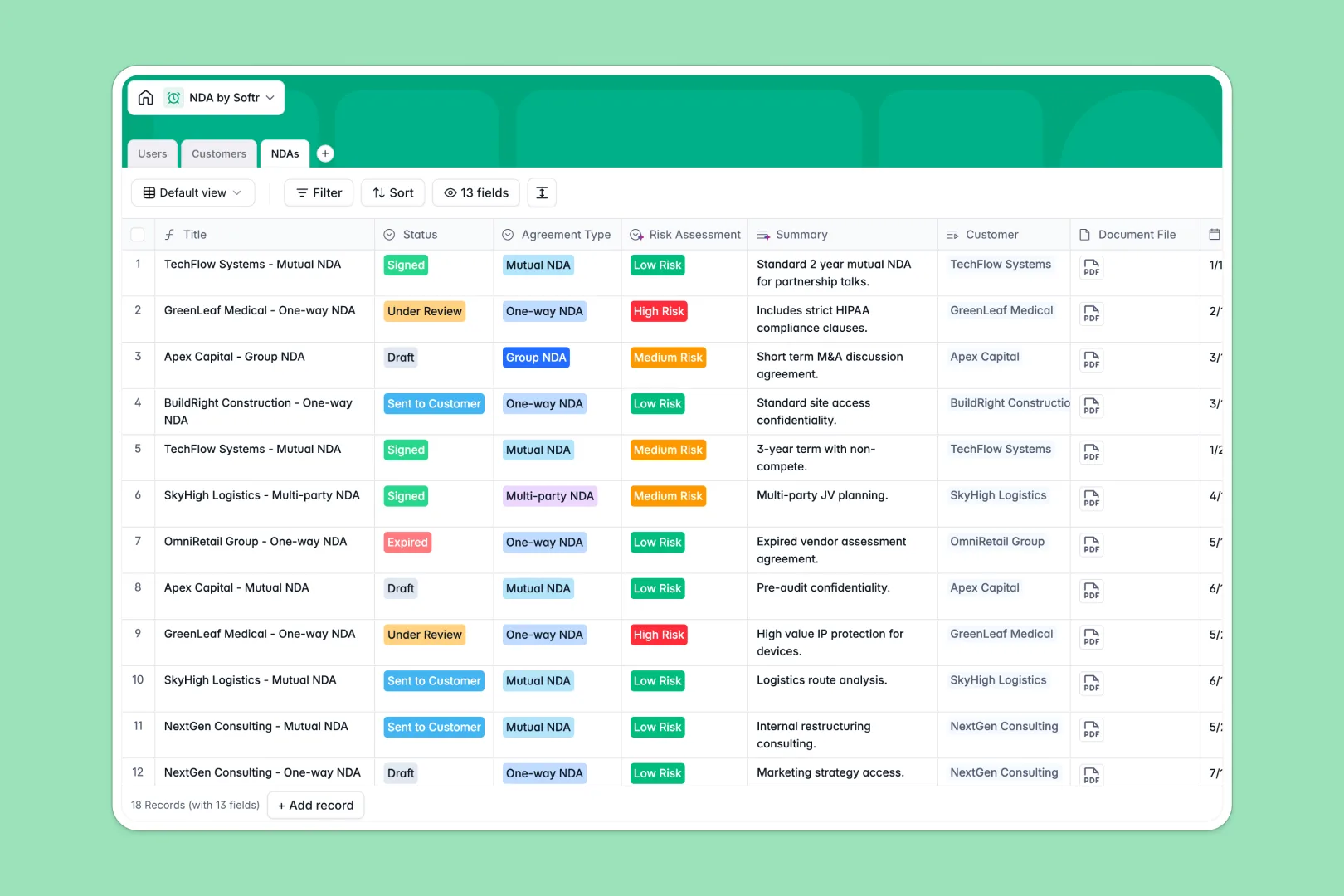
Your NDA Database at a glance
This database centralizes all your legal agreements, external parties, and responsible team members in one secure place. It helps you stay on top of draft statuses, effective dates, and critical contract expirations seamlessly.
This template contains dedicated tables for Users, Customers, and NDAs that securely connect to each other natively. When you assign an agreement to a customer, all their details and active contracts sync automatically without messy VLOOKUPs.
Built-in AI fields automatically research customer websites to summarize their business and industry type. They also assess legal risk levels and summarize special terms instantly whenever a new agreement is drafted.
Why managing NDAs in spreadsheets breaks down
Tracking sensitive legal agreements in a standard spreadsheet quickly becomes chaotic and risky. Rows get accidentally deleted, expiration dates are easily missed, and attaching actual contract files securely is impossible.
What a structured database changes
Unlike spreadsheets, a structured system enforces strict column types so effective dates stay as dates and contract files remain securely attached to the right row. You can link specific agreements directly to customer profiles without copy-pasting data across tabs.
This is exactly what Softr Databases are designed for. Everything stays clean, organized, and scalable no matter how many external parties and contractors you engage.
What you can do with this template
Instantly organize your mutual, one-way, or multi-party agreements while tracking their exact status right from draft to signed. You can easily view all active contracts assigned to specific sales reps or legal team members at any time.
Integrated AI agents automatically fetch company descriptions from customer websites and classify the risk level based on your special terms. This gives your legal team immediate context and risk assessment without tedious manual research.
-
Users
Manage internal staff members with system roles and assigned agreements
-
Customers
Store client profiles with AI-generated research and industry classification
-
NDAs
Track legal agreements featuring AI-powered risk assessment and summaries
Who is this NDA Database for
This database is built for teams that need strict control and visibility over their legal agreements.
- Legal Teams: Maintain a single source of truth for contract statuses, terms, and risk assessments.
- Sales Representatives: Quickly verify if a mutual NDA is signed before sharing sensitive product information.
- Executive Leaders: Get a high-level view of all active agreements and external customer relationships.
- HR Departments: Manage non-disclosure agreements for incoming employees and contractors effortlessly.
How to take it further
You can easily customize this database to fit your exact legal protocols and company workflows. Modify the status dropdowns, add unique agreement types, or create new fields to track renewal notification dates.
Import your historical contract data quickly using a CSV file to get started in minutes. You can also connect via API to automatically push new entries here when a document is officially signed in your external e-signature tool.
When your team expands, you can build an app on top of this data to serve as a proper legal portal. Using native access controls, you can ensure sales reps only see their assigned agreements while the legal department can manage the entire system's pipeline.
-
1
-
2
-
3
-
4
Frequently asked questions
-
What is an NDA database?
-
Why use a no-code database to build an NDA tracking system?
-
How can AI help managing data for NDAs?
-
Can I build an app with an NDA database?
-
Is this NDA database free?
-
How is this database different from an NDA spreadsheet?
Start building today. It's free!
Build and launch your first app in under 30 minutes.