


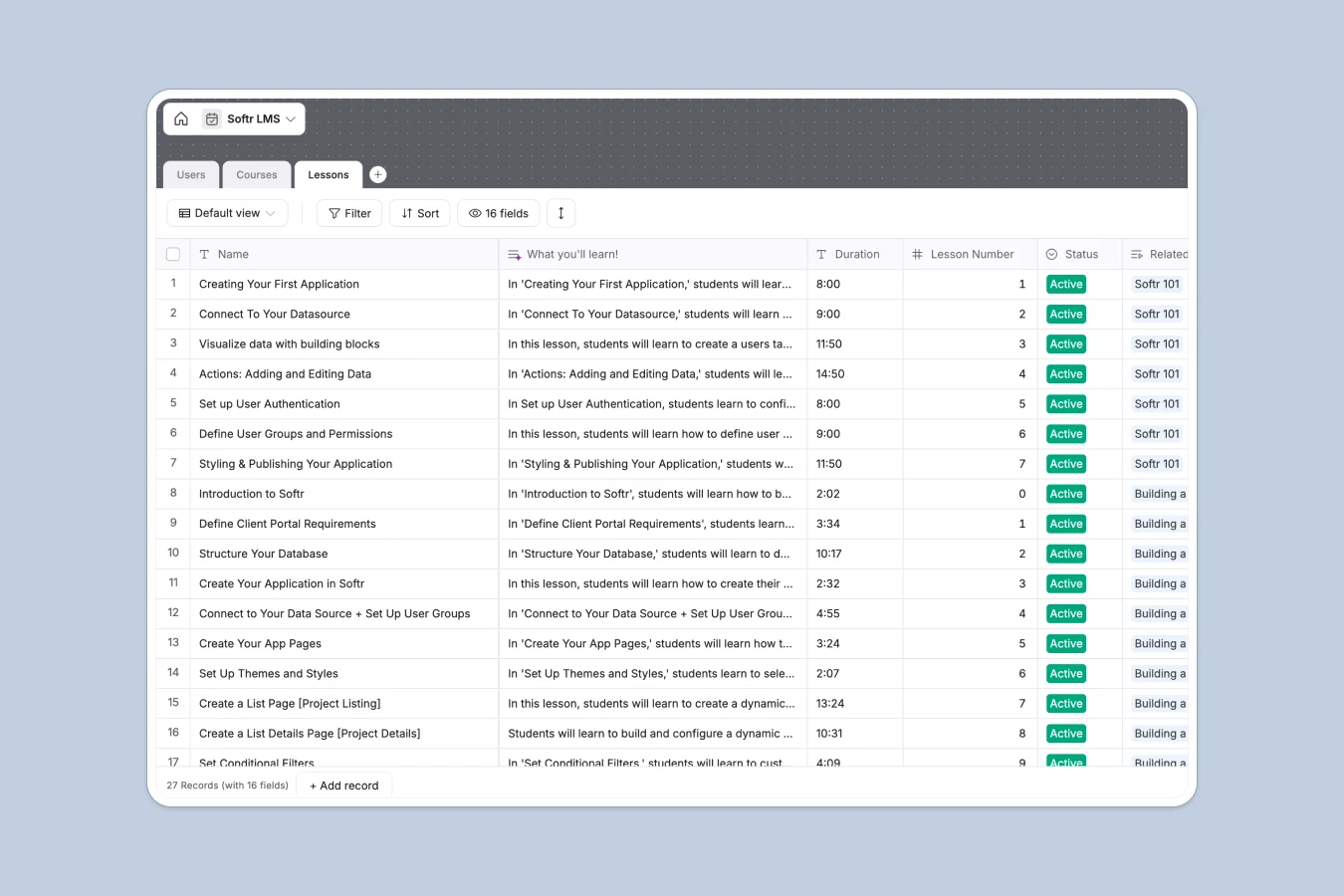
Your LMS Database at a glance
This template replaces scattered spreadsheets with a centralized learning system. It makes it simple to organize courses and track student progression.
The database uses three natively connected tables for Users, Courses, and Lessons. When a student finishes a video, their profile updates directly without manual copy-pasting across spreadsheet tabs.
It also features built-in AI that reads your lesson details and instantly summarizes the outcomes. This automation saves course creators hours of manual writing.
Why managing an LMS in spreadsheets breaks down
Trying to handle courses and student progress in Excel or Google Sheets quickly becomes messy. Tracking which user completed which video module requires fragile formulas that inevitably break as your content scales.
What a structured database changes
A proper structure ensures that every piece of educational material stays organized safely. Video addresses remain clickable links, statuses are standardized, and rollups instantly count lesson totals.
Instead of relying on clunky VLOOKUPs to match students with the courses they are taking, tables inherently link to one another. This is exactly what Softr Databases are designed for.
What you can do with this template
You can map out complete curriculums with sequence logic, ensuring students naturally follow your intended paths.
Thanks to native Database AI agents, you only need to add a video URL and a brief title. The system will then automatically extract and generate the key learning summaries for you.
-
Users
Manage student profiles, learning levels, and track completed lessons
-
Courses
Organize educational programs with summaries, rankings, and lesson links
-
Lessons
Store video content and use AI to generate summaries of learning outcomes
Who is this LMS Database for
This system is built for teams and creators who must deliver structured educational content to their audiences.
- Course Creators: Map out curriculums, organize video links, and track active statuses in one clean view.
- HR Teams: Monitor employee onboarding flows, tracking which training modules your team successfully finishes.
- Community Managers: Maintain a library of live builds and community courses while keeping resources highly accessible.
How to take it further
Customizing this database is incredibly intuitive. You can easily add new course difficulty levels like "Beginner" or "Expert," or adjust the AI prompts to fit your specific teaching style.
If you already have a student list or curriculum log, simply upload your CSV files. This instantly populates your tables with existing users and course details.
When you are ready to give your students a proper learning portal, you can connect this database to an interface builder to launch a web app. Structuring your data cleanly makes building these front-end portals incredibly easy.
By configuring users and permissions, you can ensure that logged-in students only see the learning tracks they are actually enrolled in. This turns administrative records into a secure, gated learning platform.
-
1
-
2
-
3
-
4
Frequently asked questions
-
What is an LMS database?
-
Why use a no-code database to build an LMS?
-
How can AI help managing data for an LMS?
-
Can I build an app with this LMS database?
-
Is this LMS Database free?
-
How is an LMS database different from a spreadsheet?
Start building today. It's free!
Build and launch your first app in under 30 minutes.