


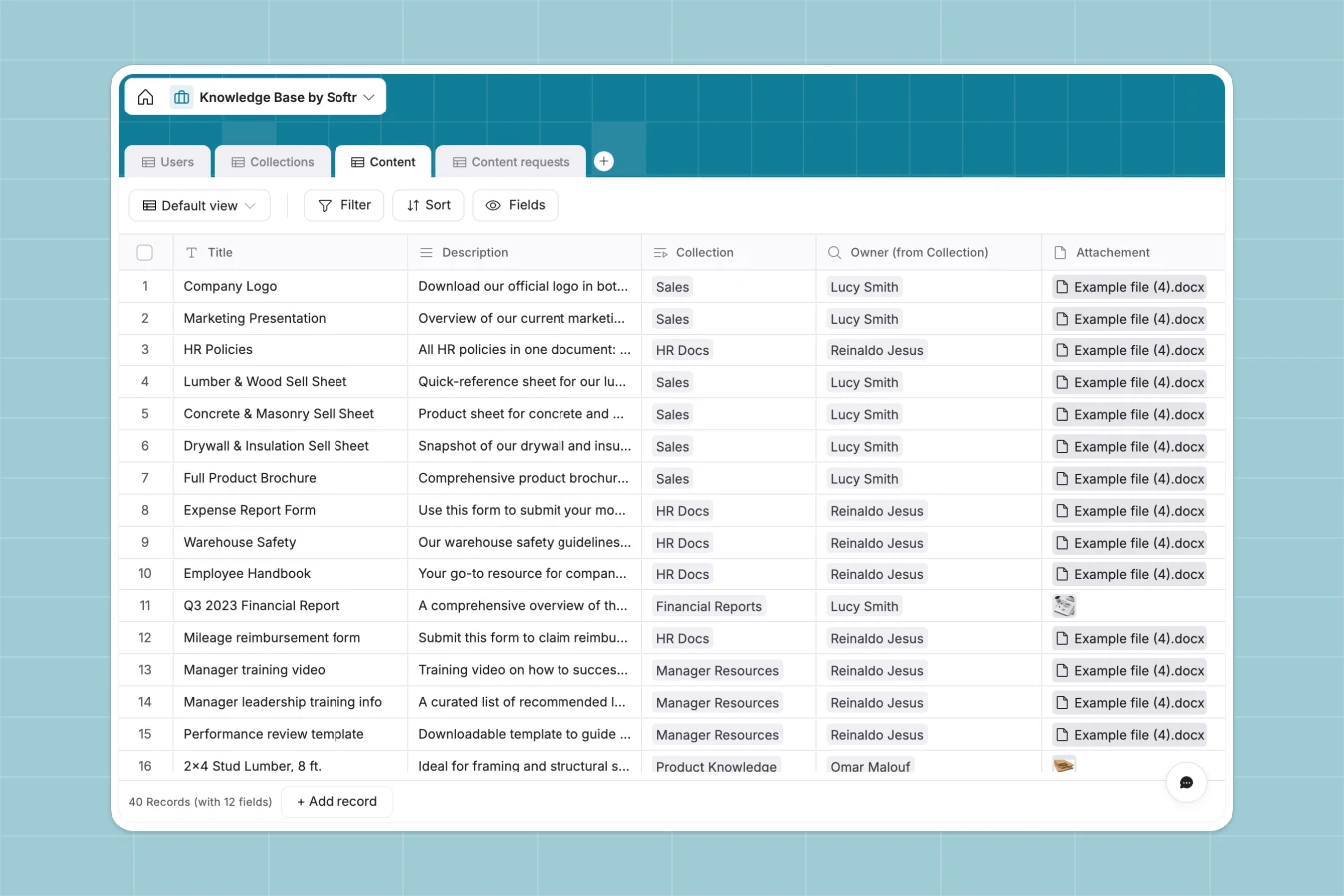
Your Knowledge Base Database at a glance
This knowledge base template centralizes your team's documents, tutorials, and product information. It ensures everyone has access to the right resources without digging through scattered files.
The database links critical information together, linking Users, Collections, and Content natively. You can organize articles by Product Category while automatically tracking who last updated a specific document.
Why a knowledge base spreadsheet gets messy
Tracking company knowledge in a spreadsheet quickly becomes chaotic and difficult to search. Text descriptions get cut off, file attachments are clunky, and finding the correct version of an important policy is nearly impossible.
What a structured database changes
In a database, information is organized into purpose-built fields. Attachments stay directly tied to the record, and long-form text fields remain easy to read as they scale.
Instead of manual copy-pasting or fragile formulas, tables link to each other naturally. A single content piece automatically links to its collection and owner so relationships stay clean.
This is exactly what Softr Databases are designed for. They keep your essential resources structured, connected, and scalable.
What you can do with this template
Categorize your assets by distinct teams like Sales, IT, or Customer Service for easy retrieval. Manage all your standard operating procedures safely in a centralized view.
You can also actively track documentation needs using the built-in Content Requests table. This ensures your knowledge base grows exactly how your organization requires.
-
Users
Manage team members with profiles, roles, and administrative access levels
-
Collections
Organize knowledge assets into thematic groups managed by specific owners
-
Content
Store technical product documentation, attachments, and category metadata
-
Content requests
Track inquiries and submissions for new knowledge base documentation
Who is this Knowledge Base database for
This template helps growing teams keep their standard operating procedures organized and easily accessible.
- Operations teams: Standardize company procedures and track new content requests in a single, reliable view.
- Customer Service: Access product categories and SKUs instantly to answer customer inquiries faster and more accurately.
- HR and IT: Organize essential employee onboarding documents and technical troubleshooting guides into clear collections.
How to take it further
Start by customizing the database to fit your exact internal terminology. You can easily add new Product Categories or modify team roles to match your company's actual structure.
Next, import your existing documentation directly into the tables. You can easily upload a CSV of your current articles or use the API to sync documents from external tools.
When your team is ready, turn this database into a fully searchable internal app. By configuring permissions, you can ensure Managers and Admins can edit company guidelines, while standard Employees have secure, view-only access.
-
1
-
2
-
3
-
4
Frequently asked questions
-
What is a knowledge base database?
-
Why use a no-code database to build a company wiki?
-
How can AI help managing data for a knowledge base?
-
Can I build an app with this knowledge base database?
-
Is this Knowledge Base Database free?
-
How is a knowledge base database different from a spreadsheet?
Start building today. It's free!
Build and launch your first app in under 30 minutes.