


Overview
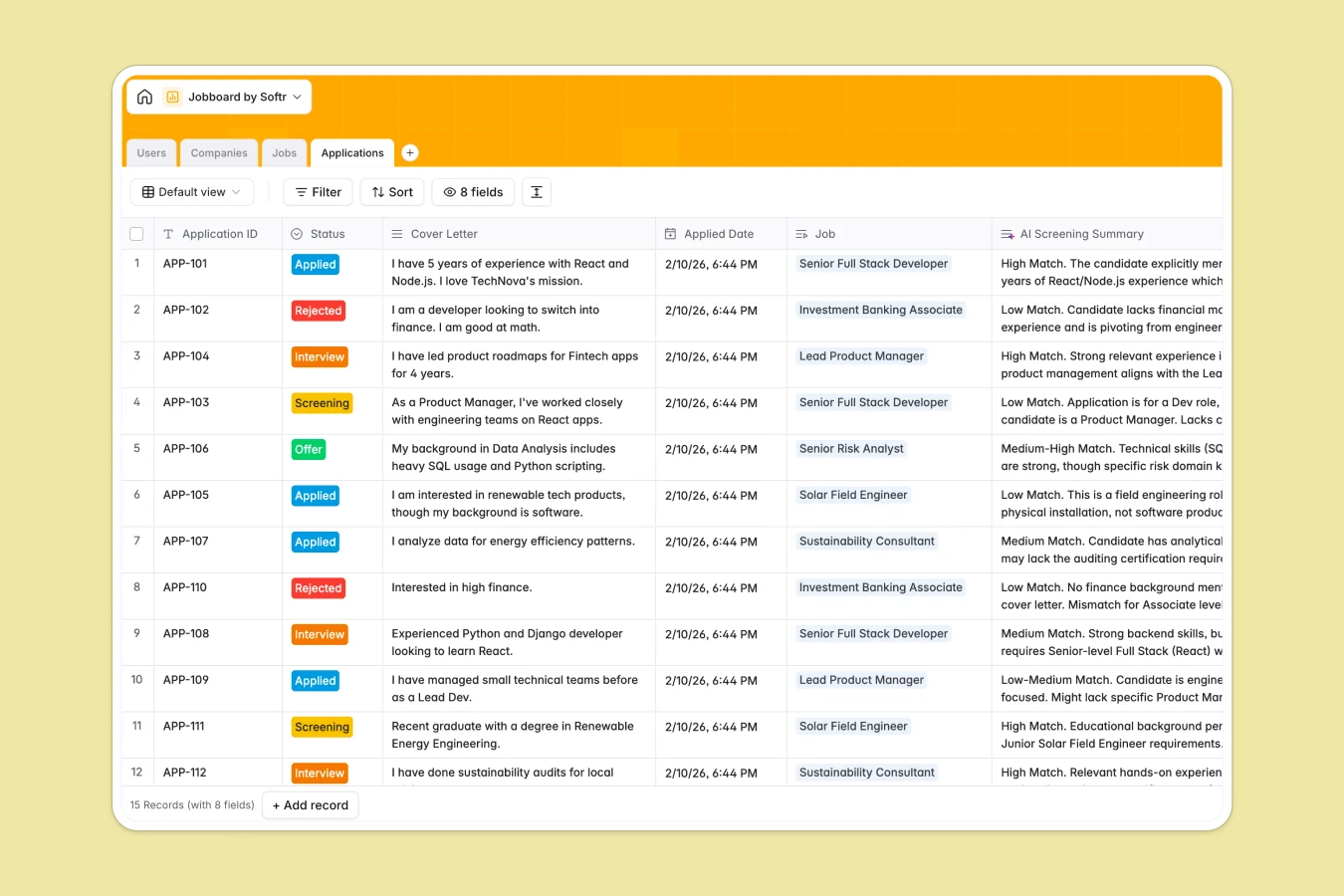
This Jobboard Database template serves as a centralized backend for managing the entire recruitment lifecycle, from company profiles to candidate applications. It structures four key components—Users, Companies, Jobs, and Applications—into a relational system where every applicant is automatically linked to the correct job opening and hiring company. This organization eliminates the data fragmentation often found in file-based tracking systems.
Beyond basic storage, the template leverages automation to handle manual work. It uses built-in AI to auto-generate detailed job descriptions based on titles, research company industries via the web, and even screen candidates by summarizing their fit against job requirements. This transforms a static list of jobs into a dynamic hiring engine.
Why choose a Jobboard Database over spreadsheets
Spreadsheets are excellent for calculations but struggle to manage the complex, interconnected relationships involved in a job board, such as linking multiple applications to a single job post without duplicating data.
The power of Softr Databases
Unlike flat files, Softr Databases use a relational structure that acts significantly more like software than a ledger. You can link a "Candidate" record directly to an "Application" and a "Job" without relying on fragile VLOOKUP formulas that break when rows are sorted. This database also supports rich field types like attachments for resumes and company logos, enforcing data integrity—one table equals one object—so your hiring pipeline scales without becoming unmanageable.
Core features and functionality
This template goes beyond simple row tracking by integrating Database AI agents that work for you in the background. For example, when a new company is added, the AI can search the web to write a bio and classify its industry automatically. Additionally, the "AI Screening Summary" field instantly analyzes a candidate's cover letter against the job title, saving recruiters hours of initial review time.
-
Users
Manage candidate and recruiter profiles with contact info and roles
-
Companies
Store company profiles with AI-generated bios and industry classification
-
Jobs
List job openings using AI to generate detailed role descriptions
-
Applications
Track job submissions with AI-powered screening for candidate fit
Who is this Jobboard Database for
This template is designed for recruiting professionals and community managers who need a structured way to handle hiring data:
- Recruitment Agencies: Manage multiple client companies and distinct job pools within a single secure workspace.
- HR Departments: Centralize internal applications, track candidate status, and store resumes securely in one place.
- Niche Community Managers: Curate industry-specific job listings and manage company profiles efficiently without code.
- Startup Founders: Launch a functional MVP job board quickly to connect talent with opportunities.
How to take it further
1. Customize the database
You can easily adapt this template to your specific niche. For instance, you could modify the "Industry" select options in the Companies table to match your market focus, or add a "Salary Currency" field to the Jobs table to support international listings.
2. Import your existing data
If you are currently using a jobboard spreadsheet, you can switch immediately by exporting your data to CSV. Use the import function to bulk-upload your existing companies, jobs, and candidates directly into the respective tables, mapping columns to the correct field types.
3. Build an app on top
The true power of this database is realized when you build a frontend using the interface builder. You can create a public-facing job board where candidates can search and apply, while giving recruiters a private portal to manage their own listings. By configuring users and permissions, you ensure that companies can only edit the jobs they posted, turning this database into a fully functional SaaS application.
-
1
-
2
-
3
-
4
Frequently asked questions
-
What is a jobboard database?
-
Why use a no-code database over a jobboard spreadsheet?
-
How can AI help manage a job board?
-
Can I build a candidate portal with this database?
-
Is this job board template free?
-
How do I handle resumes and logos in this database?
Start building today. It's free!
Build and launch your first app in under 30 minutes.