


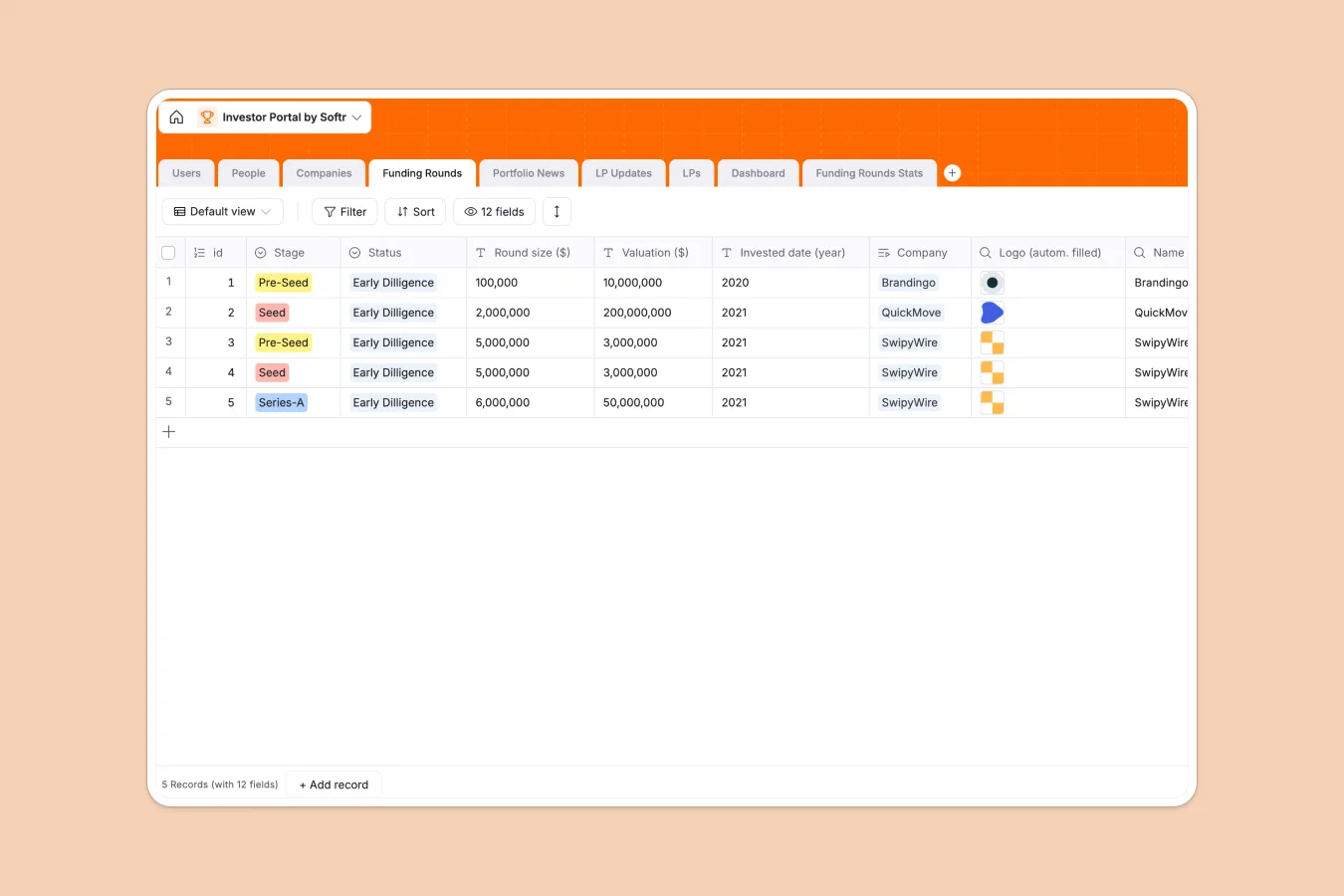
Your Investor Portal database at a glance
This template centralizes your entire investment portfolio, connecting Limited Partners (LPs) directly to the companies they fund and the updates they need. It replaces scattered files with a single source of truth for tracking funding rounds, valuations, and capitalization tables.
The structure relies on relational connections: `LPs` are linked to specific `Companies` and `LP Updates`, ensuring that every stakeholder is associated with the correct assets without duplicate data entry. You can track detailed metrics like "Round size" and "Valuation" in the `Funding Rounds` table while automatically rolling up data to investor profiles.
With built-in capabilities, you can also automate portfolio monitoring. For example, the `Portfolio News` table helps you organize press mentions and updates, keeping your firm and your investors informed without manual web searching.
Why managing investor relations in spreadsheets breaks down
Spreadsheets are notoriously insecure and manual for managing sensitive investment data. Relying on static files leads to version control nightmares, broken links between investors and their respective portfolio companies, and the constant risk of emailing sensitive PDFs to the wrong person.
What a structured database changes
A structured database ensures data integrity by enforcing clear relationships between tables. Instead of copying an investor's name across fifty rows, you link a single `LP` record to multiple `Companies` and `Funding Rounds`, establishing a secure connection that updates everywhere instantly. This is exactly what Softr Databases are designed for—keeping complex relationships clean and scalable.
What you can do with this template
You can instantly visualize your fund's performance by tracking funding stages from "Pre-Seed" to "Series-C" with dedicated select fields and lookup columns. The database handles the complexity of calculating holdings and valuations, allowing you to attach secure documents directly to `LP Updates` records.
Furthermore, you can leverage Database AI agents to automate market research. Instead of manually Googling, configure an agent to scrape the web for the latest "Portfolio News" or enrich company profiles with current logos and descriptions automatically.
-
Users
Manage administrative and associate platform users with specific access roles
-
People
Track individual contacts and stakeholders linked to companies and investors
-
Companies
Centralize portfolio company data including industry, location and logo assets
-
Funding Rounds
Monitor investment stages, valuations and round sizes for portfolio companies
-
Portfolio News
Log media coverage and external articles related to tracked organizations
-
LP Updates
Manage reporting workflow and document status for limited partner communications
Who is this Investor Portal database for
This template is designed for investment professionals who need to maintain trust and transparency.
- Venture Capital Firms: Manage deal flow, track portfolio company metrics, and streamline reporting to limited partners.
- Investment Syndicates: Organize backer information and distribute confidential updates securely without email chains.
- Family Offices: Monitor asset allocation and performance across direct investments and funds in one view.
How to take it further
Customize the database
Make this template your own by modifying the "Industry" or "Country" select choices to match your investment thesis. You can easily add new fields to the `Funding Rounds` table, such as "IRR" or "MOIC," to track the specific financial metrics that matter to your firm.
Import your existing data
Move away from static files quickly by importing your existing investor lists and portfolio sheets via CSV. The system maps your columns automatically, instantly populating your `People` and `Companies` tables so you can start working immediately.
Build a secure portal app
Data is just the foundation; the real value comes from turning this database into a secure client-facing app using the interface builder. You can create a login area where LPs can only see their own investments and updates, effectively shipping a professional investor portal in hours. By configuring users and permissions, you ensure strict access control, protecting sensitive valuation data while giving investors on-demand access to their reports.
-
1
-
2
-
3
-
4
Frequently asked questions
-
What is an investor portal database?
-
Why use a no-code database to build an investor portal?
-
How can AI help managing data for investor relations?
-
Can I build a secure app with this investor portal database?
-
Is this Investor Portal template free?
-
How is this better than tracking investments in Excel?
Start building today. It's free!
Build and launch your first app in under 30 minutes.