


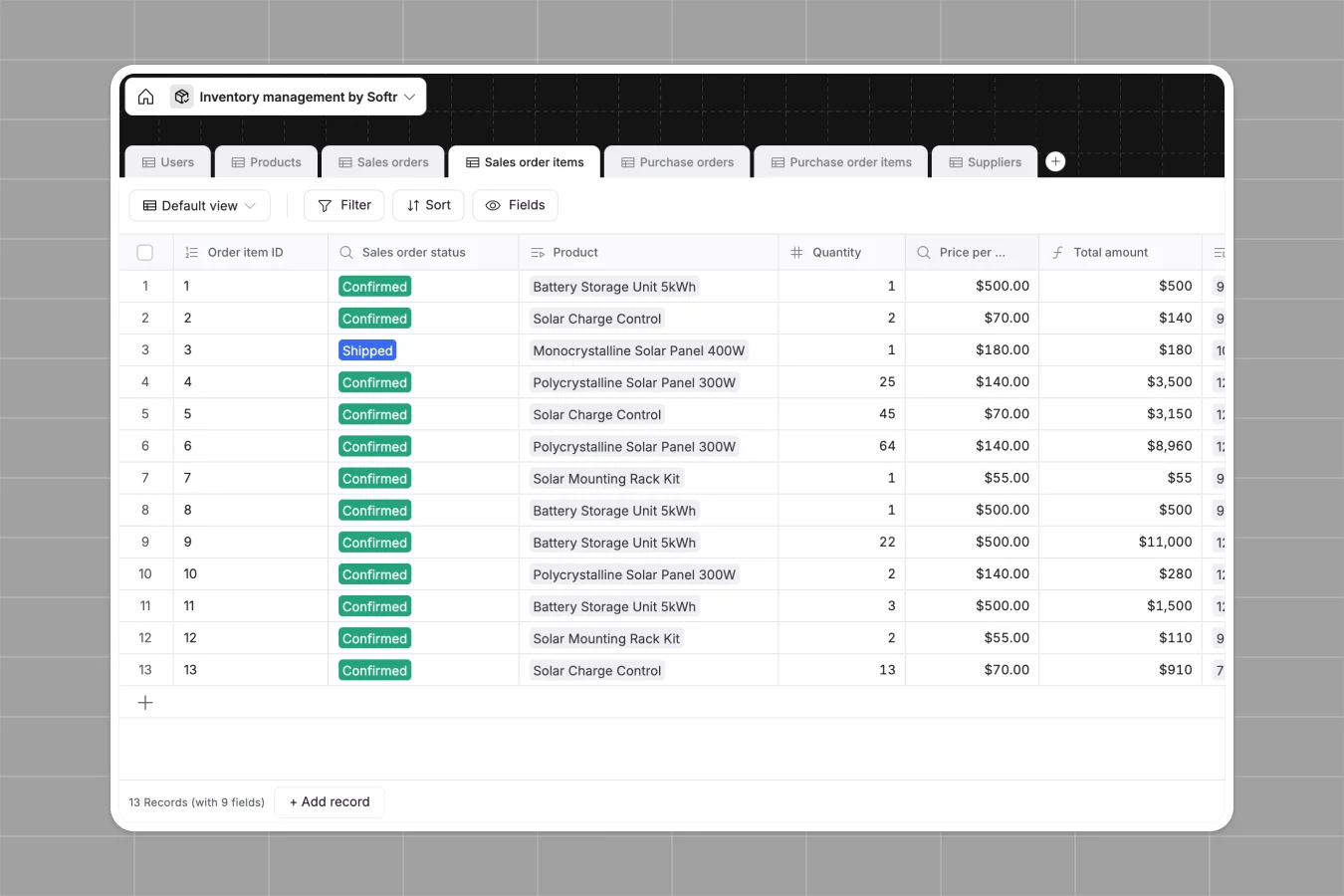
Your Inventory Management database at a glance
This template tracks your products, sales, and purchase orders in one interconnected system. It helps you maintain accurate stock levels and manage suppliers without the chaos of manual updates.
You get dedicated tables for Products, Suppliers, Sales orders, and Purchase orders. When a sales order is processed, formulas automatically update your available units and flag low inventory levels.
Why inventory gets messy in spreadsheets
Tracking stock across multiple spreadsheet tabs quickly becomes a nightmare. Formulas break, data gets mixed up, and you can't easily link a purchase order to the exact supplier without fragile lookups.
What a structured database changes
In a database, every piece of information has a strict format. Product images stay beautifully attached to item rows, and statuses like "Shipped" or "Delivered" operate as clean, unchangeable dropdowns.
Instead of relying on complex formulas, tables connect directly to each other. You can link a handful of purchase order items to a specific supplier perfectly every time. This is exactly what Softr Databases are designed for.
What you can do with this template
Instantly track exactly how many units are purchased, sold, and available. Automated formulas alert you when stock levels hit "Low" or "High" so you can react immediately.
Manage the full lifecycle of your goods from draft purchase orders to delivered customer sales. Every transaction is logged with timestamps and connected precisely to your underlying product catalog.
-
Users
Manage warehouse and sales staff with access roles and contact info
-
Products
Track stock levels, pricing, and automated inventory status alerts
-
Sales orders
Monitor customer orders from confirmation to delivery with sales tracking
-
Sales order items
Detailed line items for sales orders linking products to quantities
-
Purchase orders
Manage procurement requests and supplier communications for restocking
-
Purchase order items
Breakdown of specific products and costs within each purchase order
Who is this Inventory Management database for
This template is built for teams that need robust control over their stock and suppliers.
- Warehouse Managers: Track expected stock, monitor available units, and manage supplier purchase orders directly.
- Sales Managers: Log incoming sales orders, accurately track revenue, and monitor order delivery statuses seamlessly.
- Operations Leads: Keep product catalogs clean, link suppliers to specific items, and prevent critical stock-outs.
How to take it further
Start by customizing the database to fit your actual operations. You can quickly add new product categories, change order statuses, or adjust the "Low" inventory threshold formula limits.
Next, bring in your existing stock data. You can easily import your current product list and supplier contacts via CSV to get up and running instantly.
When your team is ready, consider building a full app around this data. Using a drag-and-drop interface builder, you can turn this database into an operational dashboard for your employees. You can safely configure users and permissions so sales reps only see their own orders, while warehouse staff focuses strictly on incoming purchase orders and supplier logs.
-
1
-
2
-
3
-
4
Frequently asked questions
-
What is an inventory management database?
-
Why use a no-code database to build an inventory tool?
-
How can AI help managing data for inventory?
-
Can I build an app with this inventory database?
-
Is this inventory management template free?
-
How is an inventory database different from an inventory spreadsheet?
Start building today. It's free!
Build and launch your first app in under 30 minutes.