


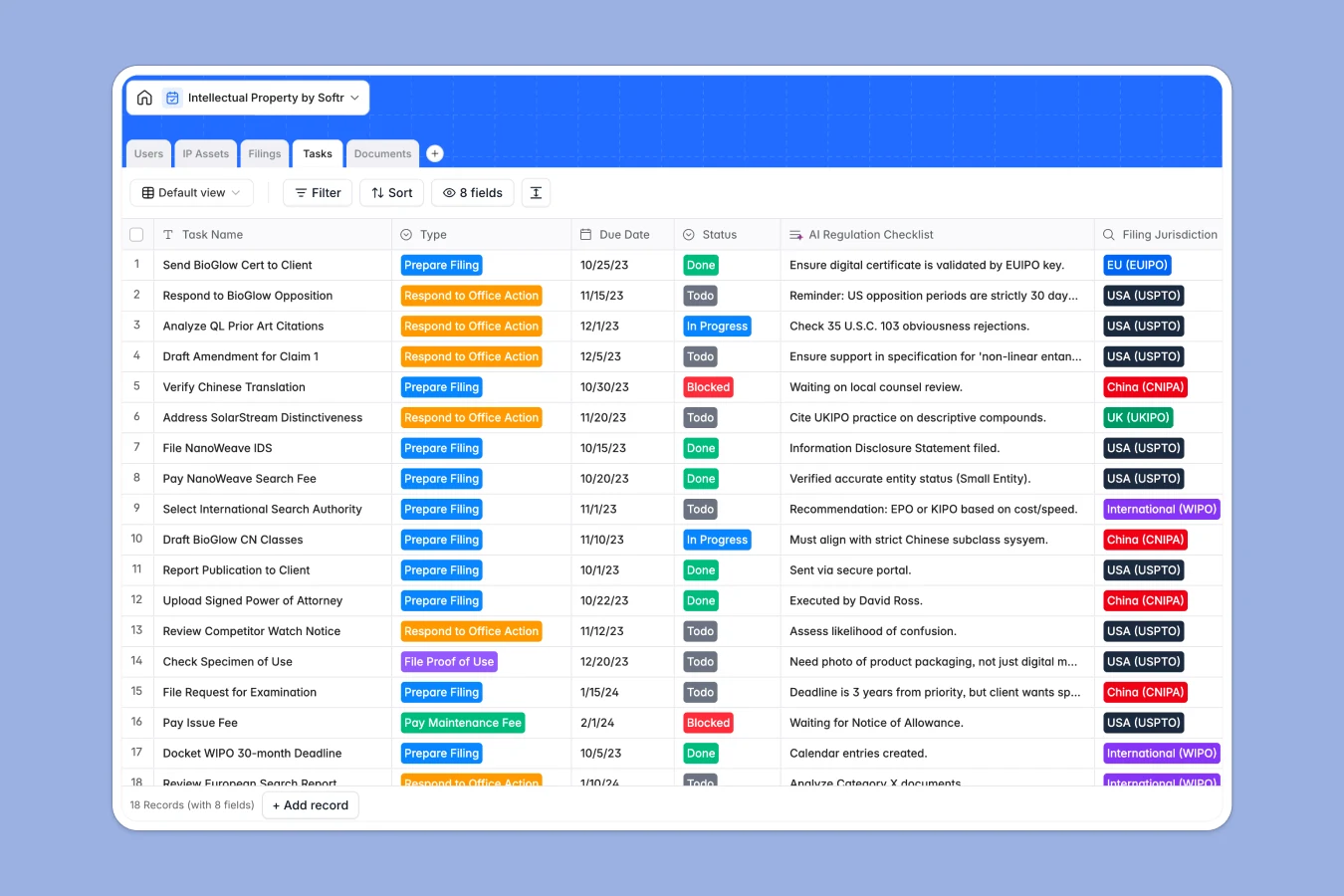
Your Intellectual Property Database at a glance
This template replaces scattered sheets with a unified system to track patents, trademarks, and copyrights globally. It gives your legal team instant visibility into asset statuses, specific filings, and upcoming renewal deadlines.
It connects five distinct tables—IP Assets, Users, Filings, Tasks, and Documents—into one cohesive engine. This means you can view a trademark and instantly see every related jurisdiction filing, assigned attorney, and official certificate.
Built-in AI fields help you stay securely ahead by automating legal research. They instantly generate conflict checks for new assets and compile regulation checklists specific to each international jurisdiction.
Why managing intellectual property in spreadsheets breaks down
Tracking IP portfolios in an intellectual property spreadsheet quickly turns into a massive liability as your portfolio scales. As you add jurisdictions, renewal dates, and office action deadlines, scattered tabs inevitably lead to missed deadlines and costly abandonment.
What a structured database changes
In a database, core structure is enforced automatically so critical dates and standardized legal statuses cannot be overwritten by accident. Important files, like registration certificates, stay permanently attached to their precise legal filings instead of getting lost in shared drives.
Instead of duplicating client data across unlimited sheet tabs, records link directly without using fragile VLOOKUPs. This reliable infrastructure is exactly what Softr Databases are built for, providing a scalable foundation to manage high-stakes legal data securely.
What you can do with this template
Centralize your entire repository of trademark, patent, and copyright applications across jurisdictions like the USPTO, EUIPO, and WIPO. You can assign urgent tasks to specific attorneys while automatically calculating total global filings per primary asset.
You can also leverage AI automation to natively draft conflict checks and compliance checklists based on filing details. This turns a static tracker into an active legal assistant that eliminates hours of manual administrative research.
-
IP Assets
Store patents and trademarks with AI-powered conflict checks for assets
-
Users
Manage attorneys and clients with roles, contact details and hourly rates
-
Filings
Track asset applications across global jurisdictions with status monitoring
-
Tasks
Manage filing deadlines using an AI regulation checklist for compliance
-
Documents
Store official certificates and legal briefs with versioned file records
Who is this Intellectual Property database for
This template is built for legal teams, IP managers, and agencies who need a reliable, risk-free system of record to protect their assets.
- Corporate Legal Departments: Track internal company assets, renewal dates, and maintenance fees to prevent IP abandonment.
- IP Law Firms: Manage multiple client portfolios and store legal briefs or drawing specimens securely tied to case filings.
- In-house IP Managers: Oversee global filing strategies across different jurisdictions without losing track of local office deadlines.
How to take it further
Customizing your database is immediate and requires absolutely no technical skills. You can easily modify the dropdown choices to fit your specific application processes or add new global jurisdictions.
Ditch your legacy spreadsheet completely by using a simple CSV import to bulk upload your historical portfolio. This instantly populates your assets, filings, and users so your team can start tracking immediately.
When your practice is ready, you can seamlessly turn this foundation into a powerful client portal or internal app. Thanks to built-in users and permissions, you can ensure external clients only view their own trademark and patent applications while attorneys manage everything. Well-structured databases make building these secure apps completely effortless.
-
1
-
2
-
3
-
4
Frequently asked questions
-
What is an intellectual property database?
-
Why use a no-code database to build an IP tracking tool?
-
How can AI help managing data for intellectual property?
-
Can I build an app with this IP tracking database?
-
Is this Intellectual Property Database free?
-
How is an IP database different from an intellectual property spreadsheet?
Start building today. It's free!
Build and launch your first app in under 30 minutes.