


Overview
This template centralizes franchise operations by connecting headquarters, owners, and store managers in a single system. It replaces disjointed files with a structured database to track locations, monitor financial performance, and ensure quality standards across the entire network.
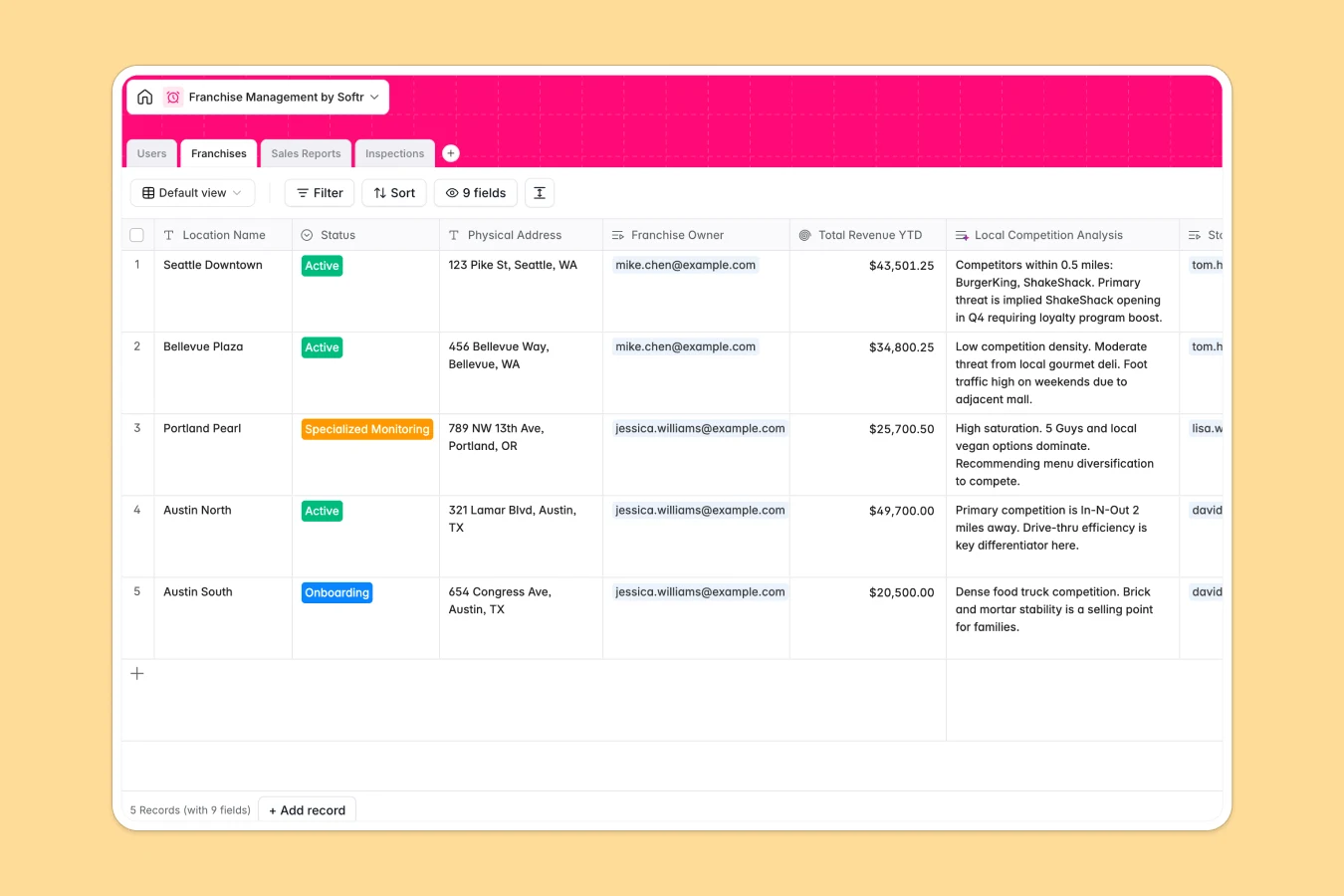
The system relies on four connected tables: Users manage access for admins and owners, while Franchises tracks location status and revenue. Sales Reports link directly to specific locations for real-time tracking, and Inspections connect auditors to franchises for quality control. Built-in AI agents automatically analyze local competition and generate remedial action plans based on inspection findings, keeping operations efficient.
Why choose a Franchise Management database over spreadsheets
Spreadsheets struggle to handle the complexity of franchise networks, often leading to scattered files and disconnected data. As you add locations, simple rows fail to capture the critical relationships between store managers, inspection reports, and sales data efficiently.
The power of Softr Databases
Softr Databases handle data complexity that breaks standard spreadsheets. Instead of using fragile VLOOKUPs to link sales reports to franchise locations, this database uses native relational fields to connect owners, stores, and inspections securely. The "one table = one object" principle ensures that user data stays separate from financial records while remaining perfectly linked, providing a scalable foundation that spreadsheets cannot match.
Core features and functionality
This template includes specialized tools for scaling operations. It features a rollup field to calculate "Total Revenue YTD" automatically from weekly reports and uses Database AI agents to perform web searches for real-time local competitor analysis. Additionally, AI agents instantly generate remedial action plans from inspection notes, turning raw audit data into clear checklists for store managers to follow.
-
Users
Manage system access for HQ staff and store managers with roles and info
-
Franchises
Track store locations and use AI to analyze local market competition
-
Sales Reports
Log weekly revenue and use AI to evaluate financial performance sentiment
-
Inspections
Audit store quality and generate AI-powered remedial action plans
Who is this Franchise Management Database for
This template is designed for franchise networks looking to move beyond manual tracking:
- HQ Operations Managers: Monitor network-wide performance and streamline compliance audits without chasing email attachments.
- Franchise Owners: Track individual store sales, revenue trends, and operational status in a centralized view.
- Regional Auditors: Conduct inspections and generate standardized quality scores and action plans instantly.
How to take it further
Customize the database
Tailor the system to your specific operational model. You might update the "Role" options in the Users table to match your hierarchy or modify the "Status" fields in the Franchises table to reflect your specific onboarding stages.
Import your existing data
Migrate your current franchise list and historical sales data easily. You can import CSV files directly into the Franchises and Sales Reports tables to populate your database immediately and start tracking trends without manual entry.
Build an app on top
Turn this database into a secure portal using the interface builder. Create separate administrative views for HQ staff while giving Franchise Owners restricted access to only see their own locations and reports. With users and permissions, you can ensure store managers can submit sales reports but cannot view sensitive data from other franchises, creating a secure internal tool.
-
1
-
2
-
3
-
4
Frequently asked questions
-
What is a franchise management database?
-
Why use a no-code database to build a franchise system?
-
How can AI help managing data for franchise operations?
-
Can I build an app with this franchise database?
-
Is this franchise management template free?
-
How is this different from a franchise management spreadsheet?
Start building today. It's free!
Build and launch your first app in under 30 minutes.