


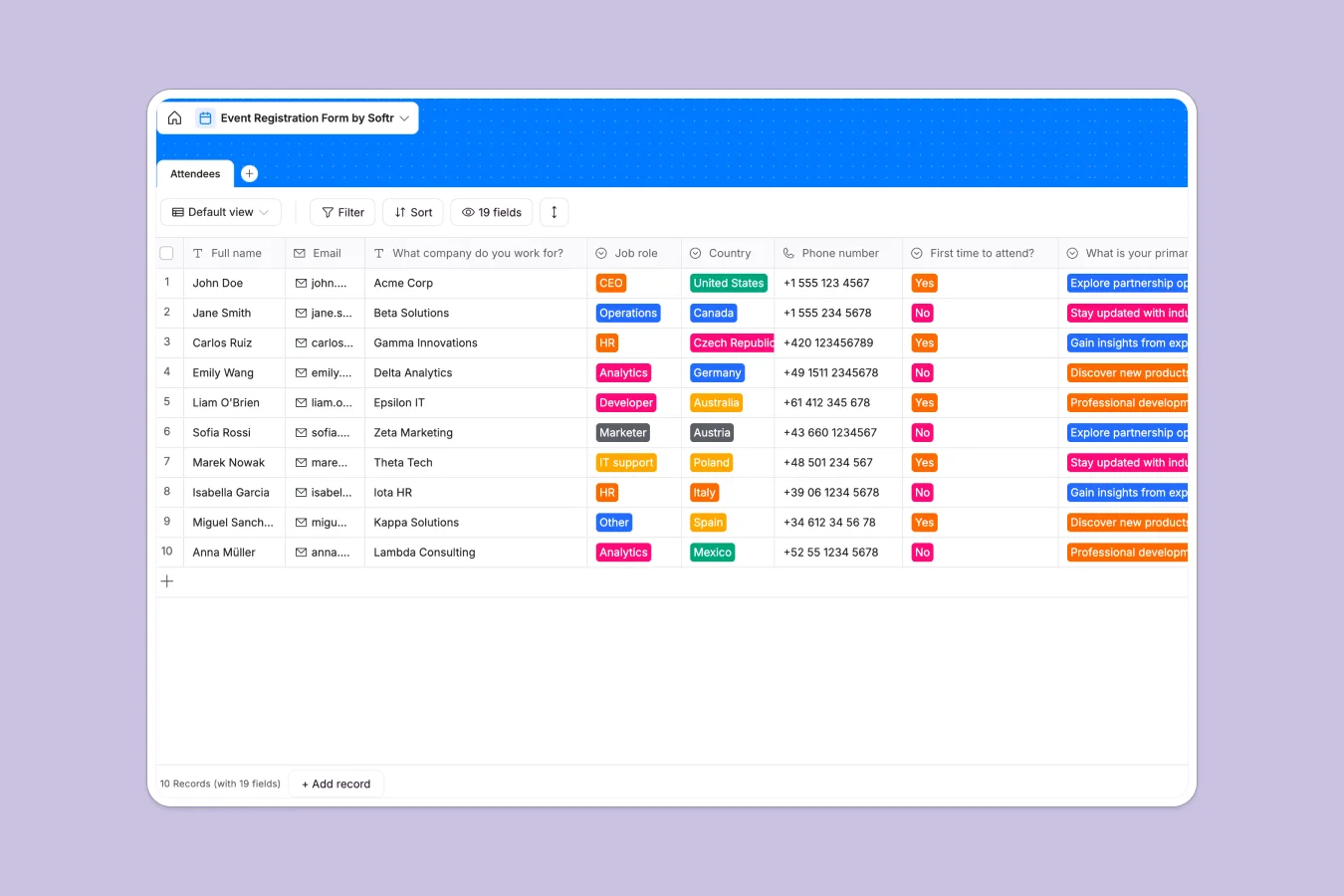
Your Event Registration Database at a glance
This template centralizes every attendee detail, from dietary restrictions to accommodation preferences, ensuring nothing gets lost. It replaces messy sign-up sheets with a clean, organized system for managing guest logistics.
You can track T-shirt sizes, hotel choices, and networking preferences in specific fields, keeping data consistent. Everything is formatted to help you export lists for catering or badges instantly.
Why tracking event registrations in spreadsheets breaks down
Spreadsheets are notorious for messy data—attendees type "Small" instead of "S" or describe allergies in paragraphs that are hard to filter. As your guest list grows, scrolling through hundreds of rows to find accommodation needs becomes a logistical nightmare.
What a structured database changes
A database enforces structure so data stays clean—select fields ensure guests pick from specific T-shirt sizes or hotel options. This prevents typos and makes counting totals for catering or swag manageable and accurate.
Instead of fighting with broken formulas to tally meals, Softr Databases handle data types natively. You can instantly see who requested a vegan meal or who needs a hotel room without manual sorting.
What you can do with this template
You can immediately filter attendees by dietary restrictions to send accurate counts to your caterers.
Easily group guests by accommodation choice to manage room blocks at hotels. Database AI agents can even automatically tag VIPs based on their job titles or enrich profiles with company data.
-
Attendees
Manage individual guest registrations including contact info, roles and logistics
Who is this Event Registration database for
This template is designed for teams managing logistical details for conferences, workshops, or company offsites.
- Event Planners: Track hotel and meal preferences to ensure seamless supplier coordination.
- Marketing Teams: Capture lead sources and networking interests to measure event ROI.
- HR Departments: Manage internal company retreats, T-shirt sizes, and travel logistics.
How to take it further
Customize the database
Update the "Accommodation" choices to match your actual hotel partners or modify the "Meal selection" menu. Since this is a native Softr Database, adding new fields for flight details or session tracks takes seconds.
Import your existing data
If you already have a guest list in a CSV file, import it directly to populate your attendee list instantly. This lets you switch from static files to a dynamic system immediately.
Build a full app around it
Turn this database into a public registration portal using the interface builder. You can create a form for guests to register themselves while keeping the backend data private.
With users and permissions, you can give your catering team access only to dietary views while keeping personal contact info visible only to organizers.
-
1
-
2
-
3
-
4
Frequently asked questions
-
What is an event registration database?
-
Why use a no-code database to build an event system?
-
How can AI help managing data for events?
-
Can I build an app with this event database?
-
Is this event registration template free?
-
How is this database different from an event registration spreadsheet?
Start building today. It's free!
Build and launch your first app in under 30 minutes.