


Overview
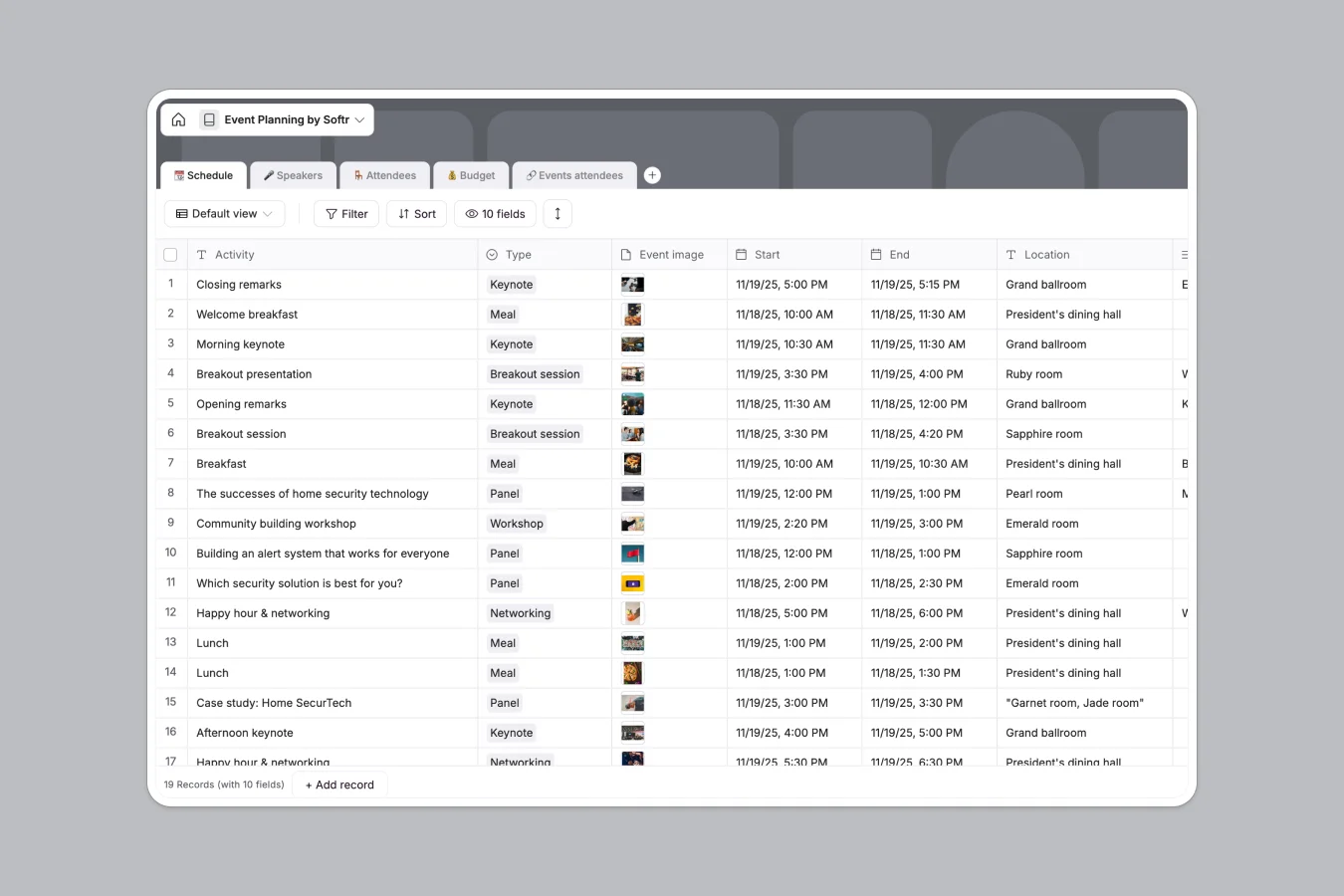
This template provides a comprehensive system to orchestrate successful events without the chaos of scattered files. It centralizes every critical component of your planning process, ensuring nothing slips through the cracks—from the initial budget proposal to the final keynote session.
The structure connects five core tables to create a seamless workflow. The Schedule table links directly to Speakers, allowing you to assign sessions without duplicating data, while the Budget table automatically calculates variances between estimated and actual costs. You can also manage Attendees and track their specific session registrations through the connected Events attendees table.
Why choose an Event Planning database over spreadsheets
The power of Softr Databases
Spreadsheets often break when you try to link speaker bios to multiple session times or track complex budgets across categories. Softr Databases solve this with native relationships that keep your data consistent. Instead of fragile VLOOKUPs, you use linked records to connect speakers to their specific time slots and track which attendees are going to which sessions.
Core features and functionality
This template goes beyond simple listing by offering automated budget tracking with built-in formulas to flag overspending immediately. You can also leverage Database AI agents to automatically research speaker backgrounds, draft session descriptions, or categorize expense items, turning your static data into an intelligent planning assistant.
-
📆 Schedule
Organize event sessions with times, locations, and linked speaker profiles
-
🎤 Speakers
Manage guest presenters with contact info, company roles, and slide uploads
-
🪑 Attendees
Track event participants and administrators with contact data and magic links
-
💰 Budget
Monitor event expenses by comparing estimated costs against actual spending
-
🔗 Events attendees
Connect registered participants to specific sessions within the event schedule
Who is this Event Planning database for
This event management system is designed for teams who need to coordinate complex logistics efficiently:
- Event Managers: Track keynote speakers, breakout sessions, and venue details in real time.
- Marketing Operations: Manage speaker assets, photos, and slide decks in one central repository.
- Community Leads: Organize attendee lists and track RSVPs for workshops and networking sessions.
- Finance Teams: Monitor itemized expenses against total budgets with automatic variance calculations.
How to take it further
Customize the database
Make this template your own by adding specific fields relevant to your event type. For example, you can add a "Dietary Restrictions" select field to the Attendees table or create a "Equipment Needed" checklist in the Schedule table to ensure AV requirements are met for every session.
Import your existing data
Don't start from scratch—upload your existing guest lists, speaker spreadsheets, or venue schedules via CSV or sync via API. This allows you to migrate your current planning documents into a structured database in seconds.
Build an app on top
Turn this database into a fully functional event portal using the interface builder. You can build a public website where attendees view the agenda and register for sessions, while creating a private portal for speakers to upload their slides. With users and permissions, you can ensure speakers only edit their own profiles while admins retain full control over the budget and schedule.
-
1
-
2
-
3
-
4
Frequently asked questions
-
What is an event planning database?
-
Why use a no-code database over an event planning spreadsheet?
-
How can AI help managing data for event planning?
-
Can I build an app with an event planning database?
-
Is this event planning template free?
-
How does the budget tracking work in this template?
Start building today. It's free!
Build and launch your first app in under 30 minutes.