


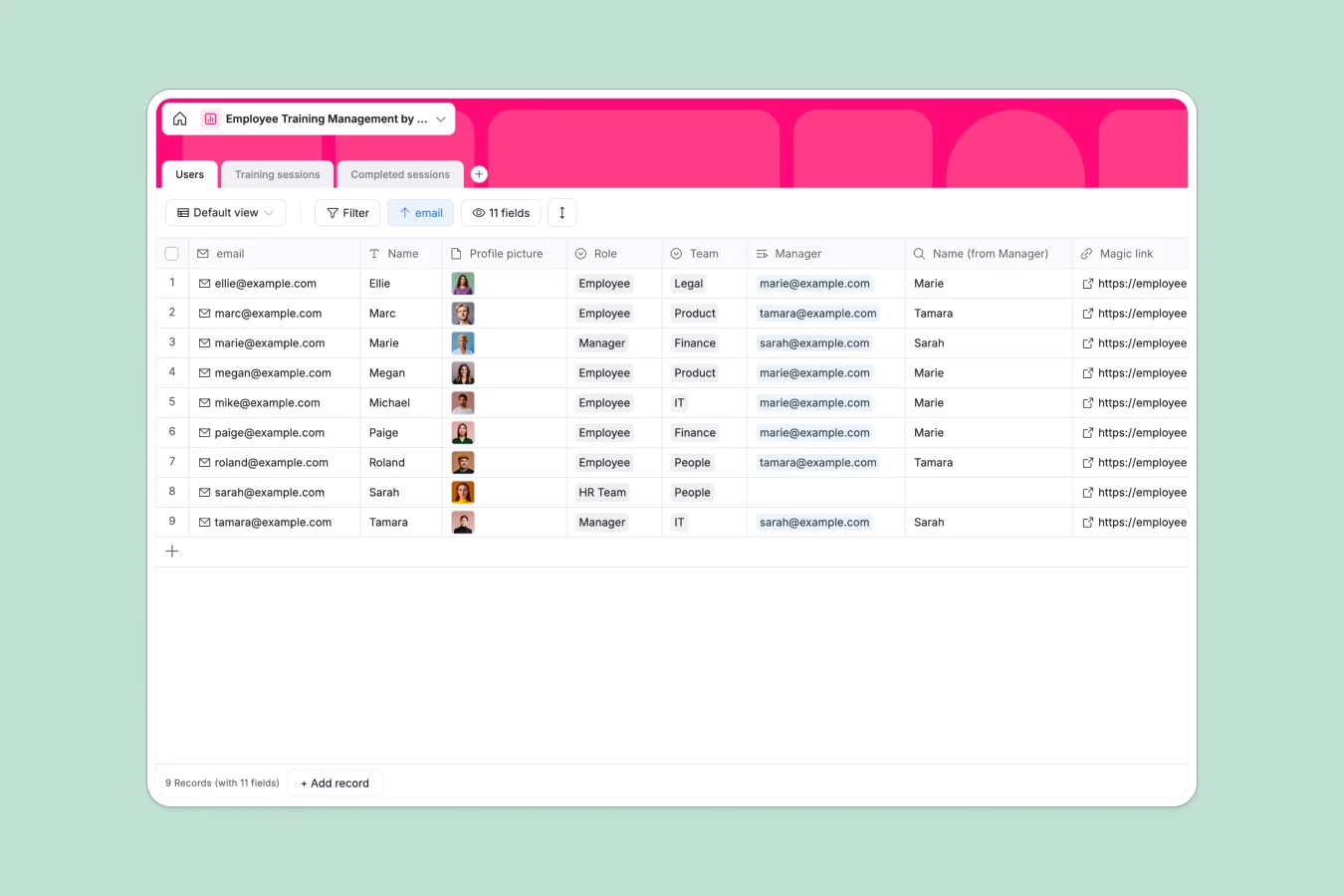
Your Employee Training Database at a glance
This template centralizes your entire learning development process, giving HR and managers a clear view of who has completed mandatory training. It eliminates the guesswork of tracking progress via email or disparate files.
The system relies on three connected tables: one for Users (employees), one for Training sessions, and a dedicated table for Completed sessions. This structure allows you to assign specific courses to departments like "IT" or "Legal" and log exactly when a user finishes a session.
Why tracking training in spreadsheets gets messy
Spreadsheets force you to duplicate employee names for every single training session they attend, creating a nightmare of repetitive rows. If an employee changes teams or email addresses, you have to find and update that data in dozens of different places to maintain accuracy.
Softr Databases handle this differently by separating "Users" and "Sessions" into their own distinct tables. When you record a completion, you simply create a link between the two—keeping your data clean, ensuring referential integrity, and eliminating manual entry errors.
What you can do with this template
You can easily store essential training assets, such as support materials and cover images, directly attached to the session record. The template also tracks logistics like meeting rooms or online links, ensuring everyone knows exactly where to go.
Furthermore, the "Completed sessions" table allows you to capture digital signatures and timestamps automatically. This creates an audit-proof record of compliance that is difficult to maintain reliably in a standard spreadsheet.
-
Users
Manage employee profiles, team assignments, and manager-subordinate hierarchies
-
Training sessions
Schedule educational workshops with room assignments, materials, and duration
-
Completed sessions
Record finished training programs with attendee signatures and submission timestamps
Who is this Employee Training database for
- HR Managers: Centralize onboarding/upskilling and ensure no mandatory compliance training slips through the cracks.
- Team Leads: Monitor skill gaps and track which direct reports have completed assigned workshops.
- Operations Teams: Manage logistics for training sessions, including meeting room allocation and material distribution.
How to take it further
Customize the database
You can easily adapt the "Role" or "Team" choices to match your actual organization structure. Consider adding a "Renewal Date" field to the Training sessions table if you need to track certifications that expire annually.
Import your existing data
Don't start from scratch—export your current employee roster to CSV and import it directly into the Users table. You can also populate existing course catalogs in bulk to get up and running immediately.
Build a full app around it
When you are ready, turn this database into a self-service portal using the interface builder. You can create a secure login where employees only see their own assigned courses and progress.
By configuring users and permissions, you can allow Managers to view their team's status while letting standard Employees only mark their own sessions as complete and upload signatures.
-
1
-
2
-
3
-
4
Frequently asked questions
-
What is an employee training database?
-
Why use a no-code database instead of a training spreadsheet?
-
How can AI help manage training data?
-
Can I build an app for employees to log their own training?
-
Is this employee training template free?
-
How do I handle recurring training certifications?
Start building today. It's free!
Build and launch your first app in under 30 minutes.