


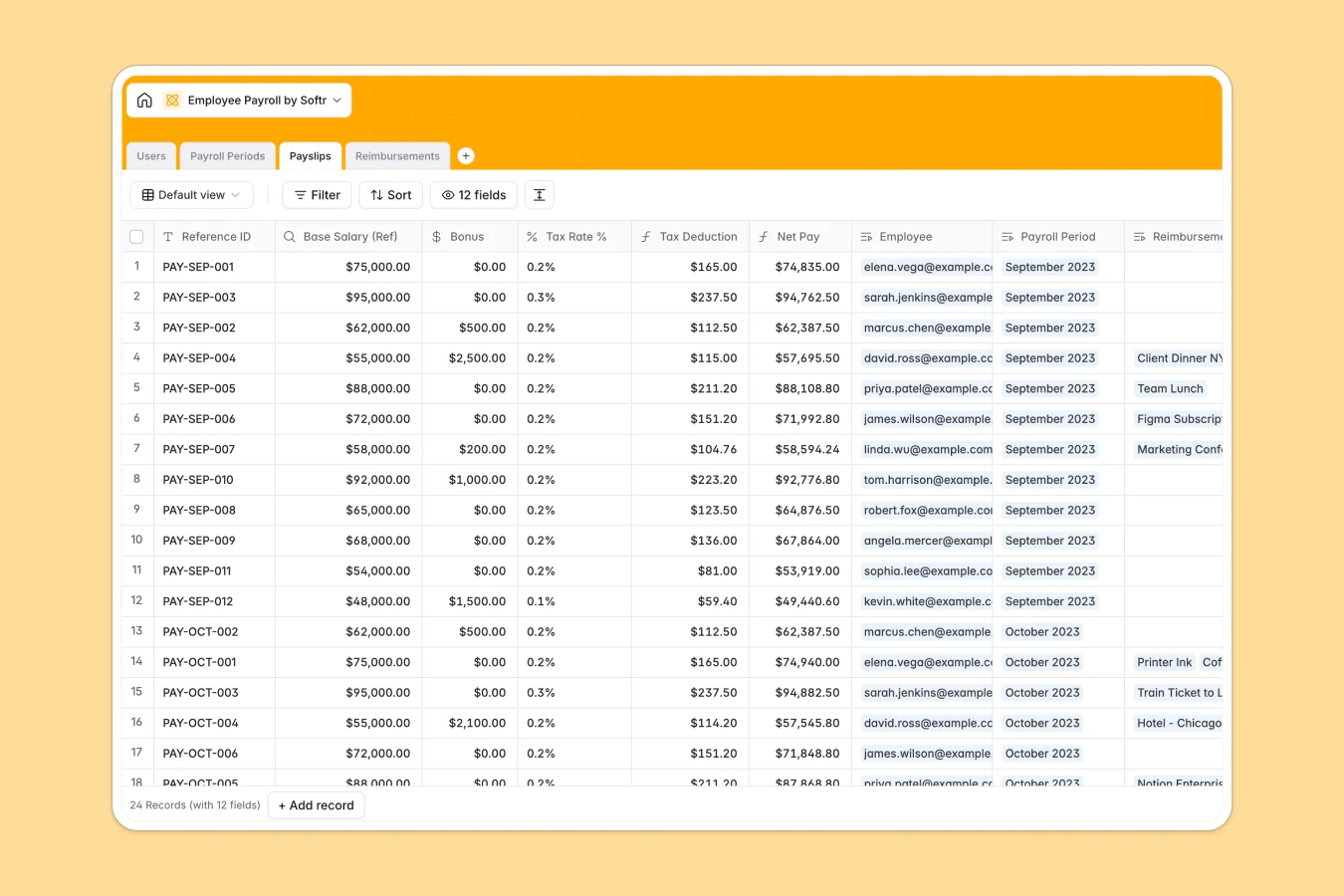
Your Employee Payroll database at a glance
This template centralizes employee compensation, recurring pay cycles, and approved expense claims in a single structured system. It eliminates manual payout calculations and ensures every adjustment is documented accurately.
Four connected tables organize your workflow: Users stores base salaries and banking details, Payroll Periods manages cycle dates and statuses, Payslips calculates net pay, and Reimbursements tracks employee expense receipts.
Moving past broken payroll formulas and disconnected compensation records
Managing payroll across static files creates costly calculation mistakes, miscommunicated bonuses, and lost expense receipts. When salary adjustments live separately from pay cycle records, reconciling monthly totals requires tedious cross-referencing.
What a structured database changes
In a structured database, values maintain strict data types so currency, dates, and percentages never format incorrectly. Formulas calculate tax deductions and net pay automatically using linked records rather than fragile row lookups.
Linking expense claims directly to specific payslips ensures approved reimbursements roll up into payout totals automatically. This is exactly what Softr Databases are designed for, giving your team a clean foundation to track compensation.
What you can do with this template
This template comes ready to handle complete monthly or weekly payroll runs with pre-configured formulas for taxes and deductions. You can update cycle statuses from Draft to Paid and immediately see rollups calculate total company payroll costs.
You can also configure Database AI agents to automatically categorize submitted reimbursement receipts or extract key details from uploaded expense files.
-
Users
Manage employee profiles, role assignments, job titles, and base salary
-
Payroll Periods
Schedule pay cycles, monitor period status, and track aggregate costs
-
Payslips
Calculate individual net earnings with bonuses, taxes, and reimbursements
-
Reimbursements
Process employee expense claims with receipts, categories, and approvals
Who is this Employee Payroll database for
This database provides a clean, secure structure for tracking company-wide compensation and expenses:
- People Operations: Track base salaries, update bank details, and review expense claims in one place.
- Finance Managers: Calculate cycle totals, review tax deductions, and approve monthly payouts accurately.
- Small Business Owners: Manage direct team payouts and recurring pay cycles without complex payroll software.
- Department Leads: Submit and verify team reimbursement receipts before payroll processing begins.
How to take it further
1. Customize the database
Tailor the database fields to match your local compliance rules and compensation structure. You can add select choices for regional tax brackets, create custom fields for health benefits, or add new expense categories.
2. Import your existing data
Bring your existing team data into the template instantly using CSV import or direct API connections. Map employee names, salary rates, and bank account numbers directly to the Users table in minutes.
3. Build a full app around it
When you are ready to give your team self-service access, use the AI app generator to generate an interface on top of this database. You can configure granular users and permissions so employees only view their own payslips while finance admins can review and approve all company payouts.
-
1
-
2
-
3
-
4
Frequently asked questions
-
What is an employee payroll database?
-
Why use a no-code database to build an employee payroll tool?
-
How can AI help managing data for employee payroll?
-
Can I build an app with this employee payroll database?
-
Is this Employee Payroll database template free?
-
Can I customize tax rates and calculation formulas?
Start building today. It's free!
Build and launch your first app in under 30 minutes.