


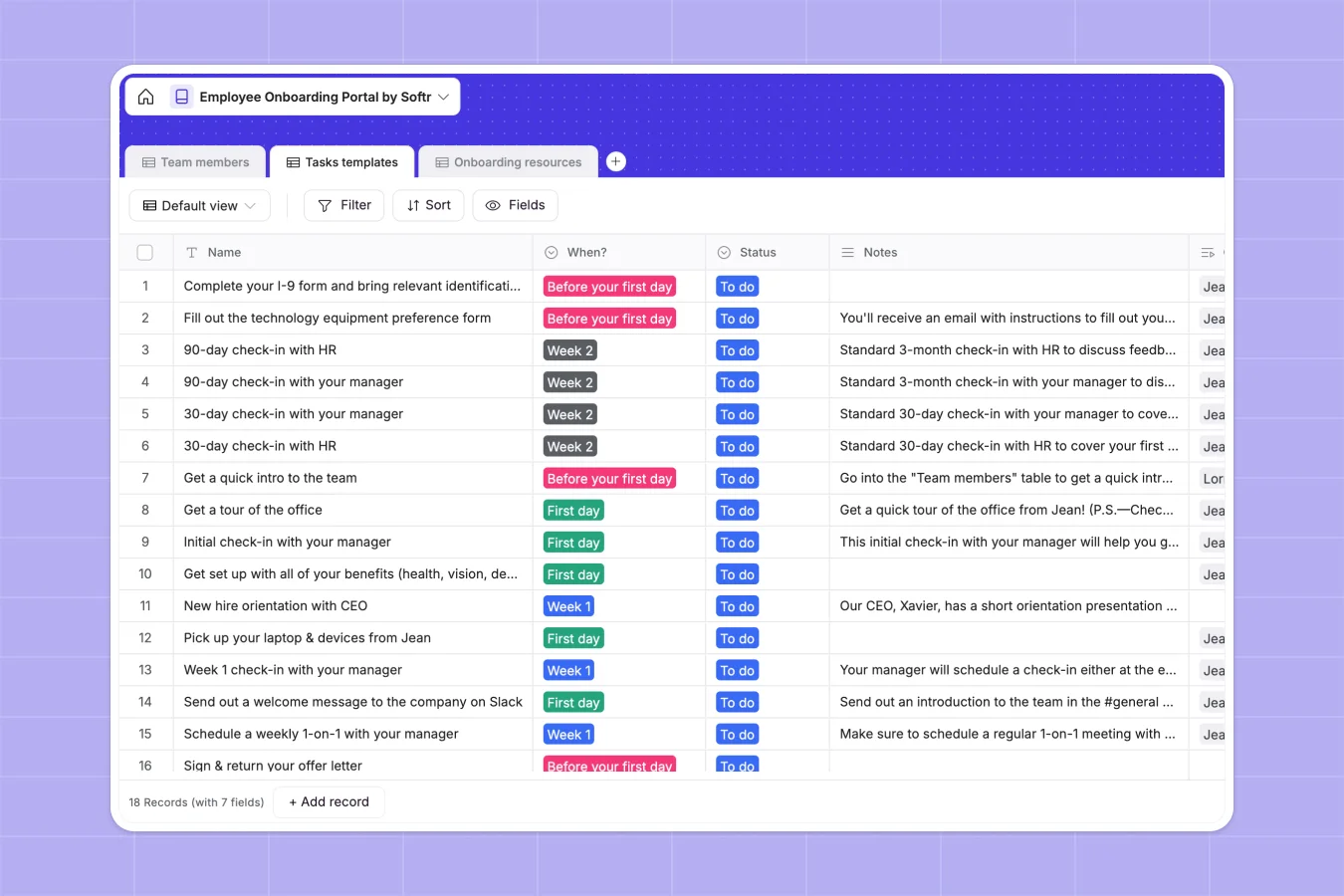
Your Employee Onboarding database at a glance
This template helps you track new hires and manage onboarding tasks effectively. It keeps team details, checklists, and key documents perfectly organized.
Three connected tables power your workflow. When you assign a task to a team member, relevant onboarding documents and links attach automatically.
New employees always know exactly what to do from their first day to week two. You get a clear real-time overview of everyone's training progress.
Why employee onboarding gets messy in spreadsheets
Managing new hires in spreadsheets quickly becomes chaotic. Formulas break, crucial documents get lost in endless columns, and tracking progress is a manual nightmare.
What a structured database changes
Spreadsheets force you to cram attachments, dates, and checkboxes into rigid rows. A structured database gives every piece of data its correct format naturally.
You can securely store employee photos, automatically link task lists to new hires, and upload PDF guides all in one place. This is exactly what Softr Databases are designed for.
Databases scale perfectly as your team grows. You never have to worry about copying and pasting broken VLOOKUPs across different tabs again.
What you can do with this template
See exactly where each employee is in their onboarding journey. Track progress from "Before your first day" all the way through "Week 2" effortlessly.
Group essential documents natively alongside the tasks that require them. Check off completed items in real time without digging through shared folders.
-
Team members
Track employee profiles, department roles, and onboarding progress status
-
Tasks templates
Standardize onboarding workflows with milestone timing and completion logs
-
Onboarding resources
Centralize training materials and documents linked to specific setup tasks
Who is this Employee Onboarding database for
This template provides a reliable foundation for any team bringing on new talent.
- HR Managers: Track start dates, completion status, and employee details in a single view.
- Department Heads: Monitor training progress across Engineering, Sales, or Marketing teams easily.
- Operations Teams: Standardize task templates so nothing slips through the cracks during orientation.
How to take it further
Start customizing your database immediately to match your company's exact workflow. Add new departments to the 'Team' select field or adjust task timelines to fit your schedule.
Bring your existing records over in seconds using a simple CSV import. You can upload your current new hire lists and immediately link them to task templates.
When you are ready, you can use the interface builder to create a custom employee portal. This allows new hires to log in, view required resources, and check off their own tasks securely.
Thanks to built-in users and permissions, employees only see their assigned tasks, while HR sees the big picture. Starting with a structured database makes building these custom internal tools completely effortless.
-
1
-
2
-
3
-
4
Frequently asked questions
-
What is an employee onboarding database?
-
Why use a no-code database to build an onboarding system?
-
How can AI help managing data for employee onboarding?
-
Can I build an app with this employee onboarding database?
-
Is this Employee Onboarding Database free?
-
Where do spreadsheets fall short for onboarding tracking?
Start building today. It's free!
Build and launch your first app in under 30 minutes.