


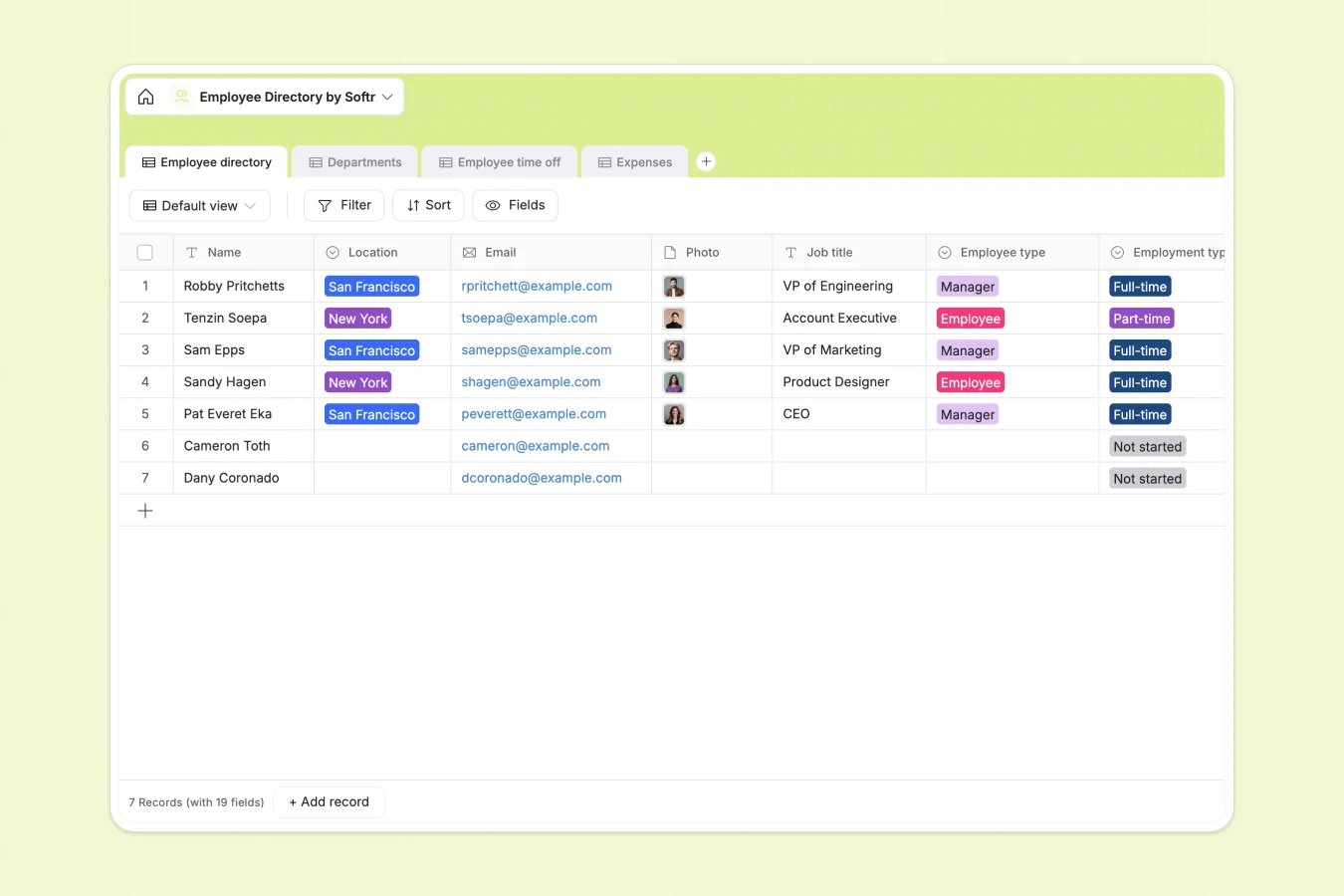
Your Employee Directory database at a glance
This template centralizes your team's information, giving you a clear, structured view of everyone in the company. It eliminates scattered files by keeping personal details, department roles, and emergency contacts neatly tracked in a single source of truth.
The system connects four straightforward tables: Employee directory, Departments, Time off, and Expenses. When a team member requests vacation or submits a meal receipt, those records automatically connect back to their main profile.
Why tracking teams in an employee directory spreadsheet gets messy
Relying on a basic spreadsheet to manage personnel quickly turns into a headache of endless scrolling, mixed formatting, and broken data.
What a structured database changes
In a traditional spreadsheet, attaching expense receipts or assigning staff to specific department heads requires confusing workarounds. Columns get filled with mixed data types, and adding time-off histories clutters the main personnel view.
A real system connects these pieces cleanly without fragile VLOOKUPs. By using native relations, department head details, aggregate headcounts, and direct reports stay perfectly synced across your records effortlessly.
This is exactly what Softr Databases are designed for. Dedicated column types ensure dates stay as dates, emails stay clickable, and attached photos or expense receipts remain securely organized.
What you can do with this template
Instantly look up an employee's emergency contact, job title, and location without sifting through unrelated data. You can track exact headcount per department automatically relying on strictly defined rollups.
You can also manage vacation balances and expense reimbursements directly linked to individual profiles. No more digging through flooded inboxes to find a submitted travel receipt from last month.
-
Employee directory
Store personal details, roles and contact info for all team members
-
Departments
Organize staff into functional groups with designated leadership and counts
-
Employee time off
Manage vacation and sick leave requests with specific dates and reasons
-
Expenses
Track business spending with category logs, amounts and receipt attachments
Who is this Employee Directory database for
This template is designed for teams that need to maintain organized personnel records without wrestling with complex HR software.
- HR Managers: Keep track of onboarding statuses, employment types, and emergency contacts instantly.
- Department Heads: Monitor team structures, time-off requests, and direct reports in a clear view.
- Operations Leads: Process travel and home office expenses naturally backed by securely stored receipts.
- Company Founders: Maintain a high-level overview of headcount and employee distributions across locations.
How to take it further
Start by customizing the database structure to fit your exact operational needs. You can easily add new expense categories or update the list of employee interests to match your team's unique culture.
Next, seamlessly import your existing personnel list. Use a quick CSV upload to bring in all your current staff names, job titles, and start dates to get the system active immediately.
When your team is ready, you can transform this raw data into a secure internal application. By utilizing an interface builder, you can create an engaging company intranet where staff can view their colleagues' profiles or search for direct reports natively.
You can enforce strict users and permissions so teams only interact with the insights they should. This lets employees securely submit their own time-off requests or expense receipts while keeping sensitive HR data locked down perfectly.
-
1
-
2
-
3
-
4
Frequently asked questions
-
What is an employee directory database?
-
Why use a no-code database to build an internal HR tool?
-
How can AI help managing data for an employee directory?
-
Can I build an app with an employee directory database?
-
Is this Employee Directory template free?
-
How is an employee directory database different from an employee spreadsheet?
Start building today. It's free!
Build and launch your first app in under 30 minutes.