


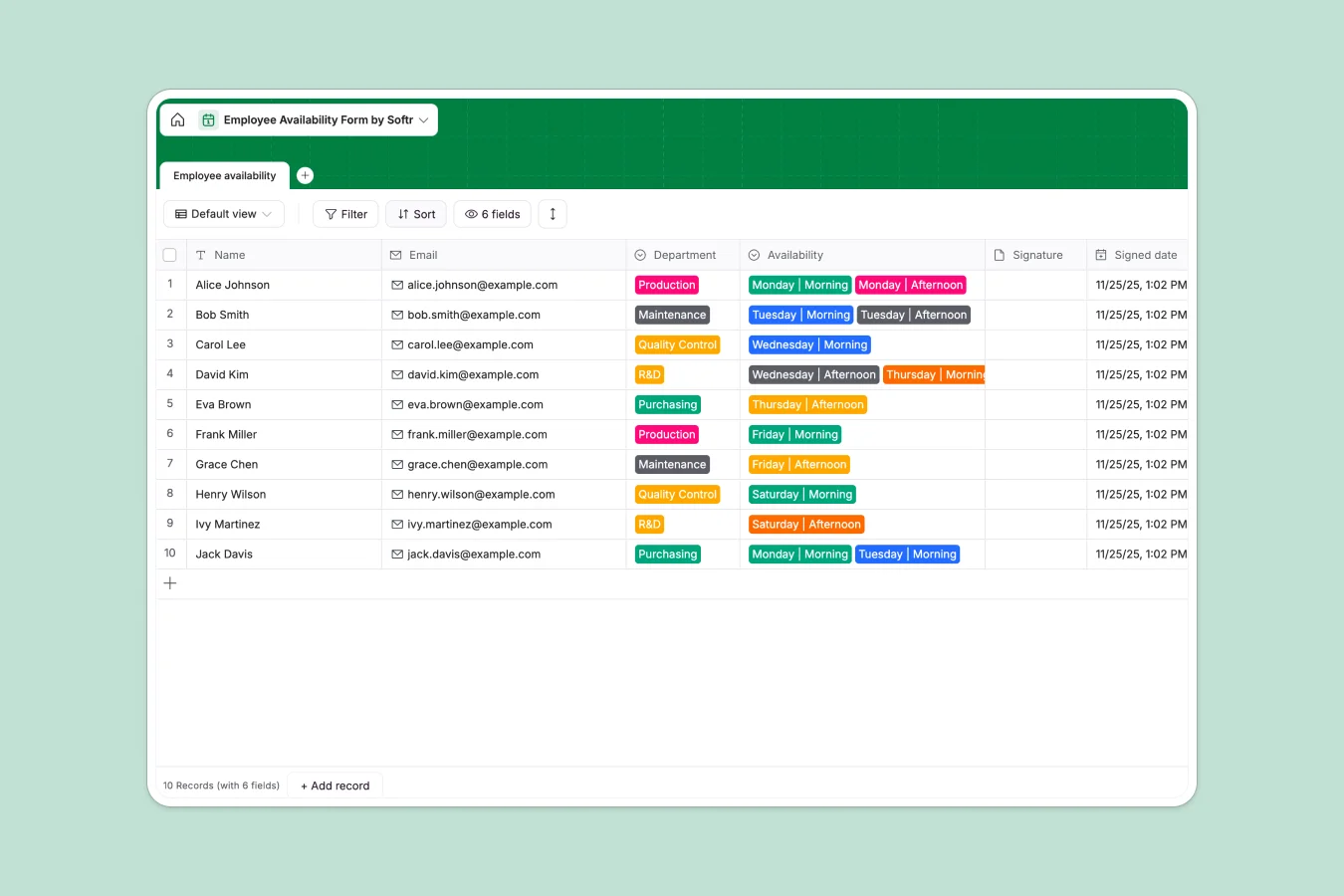
Your Employee Availability Database at a glance
Track team working hours, shift preferences, and department schedules in one clean, structured workspace.
Log employee names, contact details, and their specific availability by day and shift. It automatically timestamps submissions and securely stores signature attachments.
Why managing employee availability gets messy in spreadsheets
Relying on an employee availability spreadsheet usually leads to accidentally deleted rows, messy formatting, and constantly out-of-date schedules.
What a structured database changes
A rigid structure ensures your scheduling data stays incredibly clean as your team grows. Dropdowns for departments like Production or Maintenance ensure standardized inputs every single time.
Important files like signature attachments stay securely tied to the exact employee record, rather than floating aimlessly in an unmanageable shared drive.
This exact level of structure is what Softr Databases are designed for—giving you a reliable, scaleable scaleable home for critical team data.
What you can do with this template
Quickly capture Morning and Afternoon availability from Monday to Saturday without dealing with broken sheet formatting.
Keep your work records fully compliant by attaching digital team member signatures directly to their schedule submissions.
-
Employee availability
Log staff working hours by department with formal signature verification
Who is this Employee Availability Database for
This structured database is perfect for teams that need to organize shift work effortlessly.
- Production Managers: Quickly see who is available for morning or afternoon factory shifts.
- HR Coordinators: Keep accurate records of submitted availability with timestamped digital signatures.
- Maintenance Leads: Plan coverage effectively by filtering staff schedules by department.
How to take it further
Customize the database. You can easily tweak the departments or add entirely new shift options to match your exact business hours.
Import your existing data. Upload a CSV file of your current staff roster so you don't have to start from scratch.
Build a full app around it. When your operations team is ready, you can turn this database into an interactive employee portal using a no-code interface builder.
By leveraging users and permissions, you can ensure staff only securely log in to view and update their own schedules, keeping everyone's personal data private.
-
1
-
2
-
3
-
4
Frequently asked questions
-
What is an employee availability database?
-
Why use a no-code database over an employee availability spreadsheet?
-
How can AI help managing employee availability?
-
Can I build an app with this availability database?
-
Is this Employee Availability Database template free?
-
Can I customize the shifts and departments in this template?
Start building today. It's free!
Build and launch your first app in under 30 minutes.