


Overview
This template provides a professional system to organize donor profiles, track fundraising campaigns, and log every interaction in a centralized workspace. Instead of scattering contact details and financial records across multiple files, this database unifies your fundraising operations so you never miss a follow-up or a pledged gift.
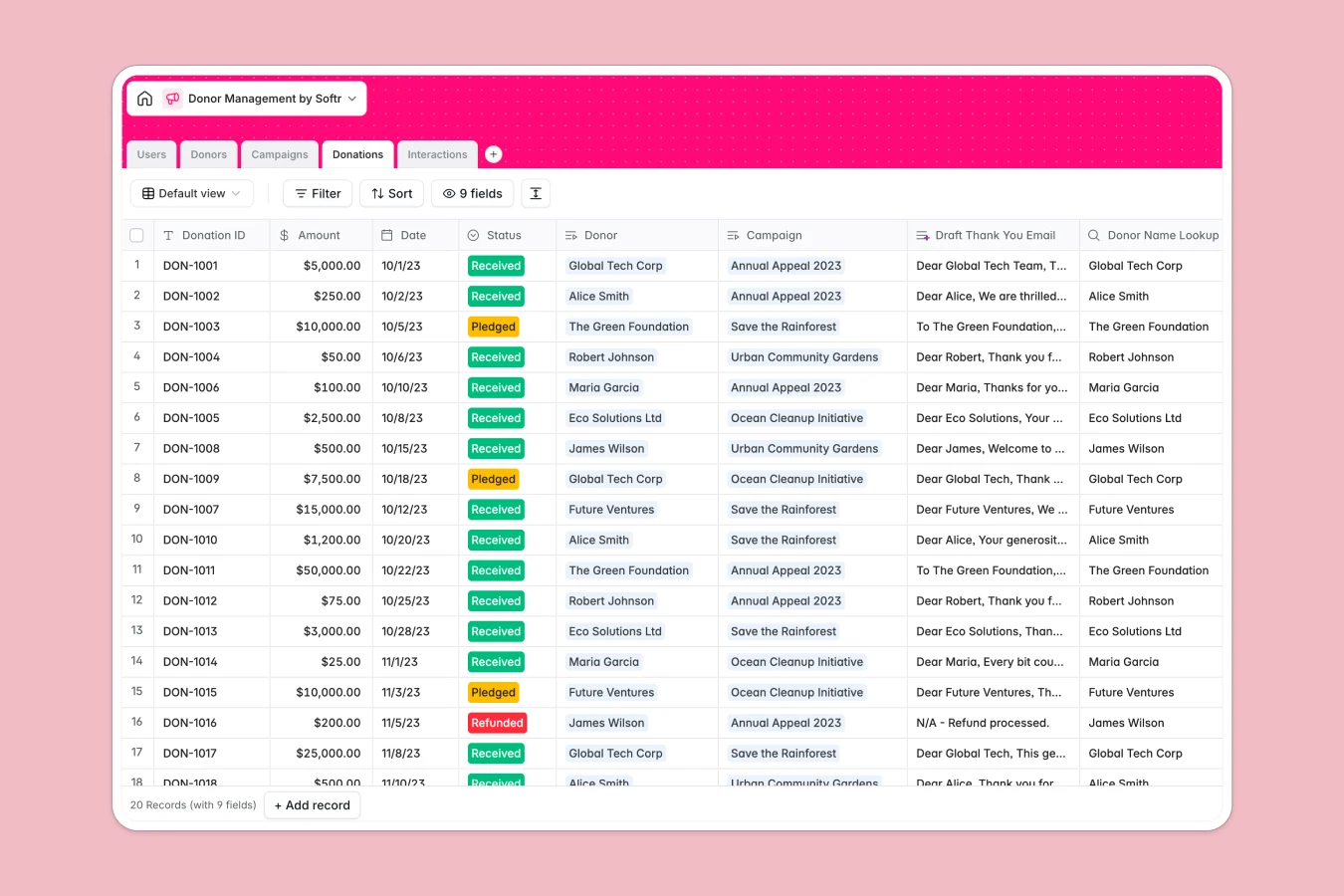
The system is built on linked tables for Donors, Campaigns, Donations, and Interactions. This relational structure allows you to view a donor's complete history, calculate their lifetime value using rollups, and attribute specific gifts to fundraising goals automatically. You can also assign staff members to specific donors to ensure accountability in relationship management.
Included AI features streamline administrative tasks by automatically generating donor profile summaries from web data, drafting personalized thank-you emails, and analyzing the sentiment of interaction logs.
Why choose a Donor Management database over spreadsheets
Spreadsheets often become unmanageable as your donor list grows, leading to duplicate entries and broken formulas.
The power of Softr Databases
Softr Databases solve scalability issues by enforcing strict data types and using native relationships between tables. Unlike spreadsheets that rely on fragile VLOOKUPs, this database links a donation to a specific donor and campaign securely, ensuring your financial reporting is always accurate. The "one table = one object" principle keeps your data clean, allowing you to track complex metrics like "Total Raised" via rollups without manual calculation errors.
Core features and functionality
This template handles more than just static rows; it actively works for you. Database AI agents can automatically research donor backgrounds via the web to enrich profiles and classify the sentiment of meeting notes. Additionally, the system safeguards data integrity with specific field types for currency, emails, and dates, making it a reliable foundation for your fundraising strategy.
-
Users
Manage database staff and administrators with specific roles and access levels
-
Donors
Store donor profiles with AI-generated summaries of their giving capacity
-
Campaigns
Track fundraising initiatives with progress goals and AI-crafted descriptions
-
Donations
Record financial gifts with AI-drafted personalized thank-you correspondence
-
Interactions
Log donor communications using AI to categorize and analyze meeting sentiment
Who is this Donor Management database for
This template is designed for non-profit teams and fundraisers who need to move beyond Excel.
- Non-Profit Managers: Track campaign goals and monitor overall fundraising performance.
- Fundraising Officers: Manage individual portfolios, log meetings, and automate thank-you notes.
- Development Teams: Centralize donor data to ensure institutional memory and continuity.
- Community Leads: Organize stakeholder interactions and classify relationship sentiment.
How to take it further
1. Customize the database
You can easily adapt this template to matched your specific fundraising model. For instance, you might modify the "Interaction Type" options to include specific event types or add a status field to track grant application stages.
2. Import your existing data
Migrate from your current tools by importing existing donor lists and donation records via CSV. This immediately populates your tables, allowing you to see lifetime values and campaign totals instantly.
3. Build an app on top
Turn this database into a secure internal CRM where staff can only view donors assigned to them. Using the interface builder, you can create a user-friendly frontend for your team. You can also configure users and permissions to give major donors access to a private portal where they can view their own donation history and download tax receipts.
-
1
-
2
-
3
-
4
Frequently asked questions
-
What is a donor management database?
-
Why use a no-code database over a spreadsheet for fundraising?
-
How can AI help managing data for donor relations?
-
Can I build an app with this donor management database?
-
Is this Donor Management template free?
-
How is this database different from a donor spreadsheet?
Start building today. It's free!
Build and launch your first app in under 30 minutes.