


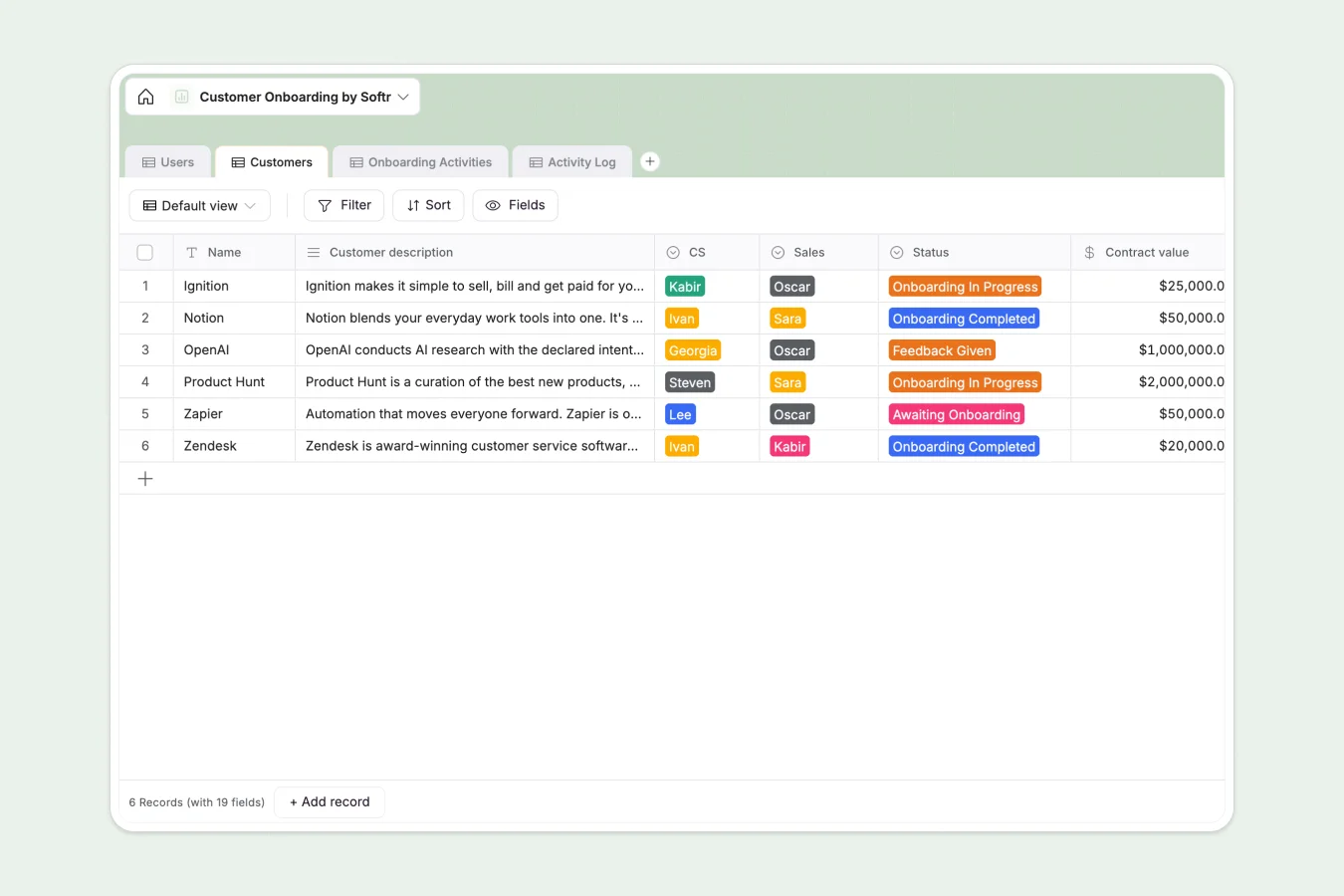
Your Customer Onboarding Database at a glance
Stop managing complex entry phases in disjointed tabs. This template helps you standardize how new clients move from "Contract Signed" to "Fully Live" without manual tracking errors.
It works by separating your standard Onboarding Activities from specific Customers. When a new client joins, you simply link them to the standard milestones in the Activity Log, ensuring every step—from the kick-off agenda to the final training—is tracked and assigned to the right CS member.
Why tracking onboarding in spreadsheets breaks down
Managing multiple customers on different timelines in a single grid quickly becomes unmanageable as your client base grows.
What a structured database changes
Spreadsheets force you to duplicate lists of tasks for every new client, leading to massive, scrolling sheets where history gets lost. If you change a standard process step, you have to update it in fifty different rows manully.
Softr Databases fix this by relational design. You define your standard process once, and it serves as the blueprint for every new customer interaction, keeping your data clean and scalable.
What you can do with this template
Standardize the customer journey: Define the "Agenda" and "Order" for activities like Technical Setup or Executive Review once, ensuring every CS manager follows the same playbook.
Monitor portfolio health: Use the "Customers" table to instantly view who is "Awaiting Onboarding" versus "Live," and track potential delays in the Activity Log without digging through email threads.
-
Users
Manage internal staff profiles, roles, and contact details for the CS team
-
Customers
Track client onboarding status, contract values, and key stakeholders
-
Onboarding Activities
Define standardized onboarding milestones and agendas for the customer journey
-
Activity Log
Record specific customer interactions, meeting notes, and upcoming tasks
Who is this Customer Onboarding database for
This template is designed for teams that need to professionalize their implementation process:
- CS Leaders: Monitor team capacity, go-live dates, and overall portfolio status at a high level.
- Onboarding Specialists: Track daily to-dos, log agenda notes, and manage specific client milestones.
- Sales Teams: Hand over account details and "Champion" contact info seamlessly after closing the deal.
How to take it further
Customize your process
Adapt the "Onboarding Activities" table to match your specific methodology. Add fields for distinct go-live criteria, technical requiremens, or upload fields for signed contracts.
Import existing clients
Don't start from scratch. Use the CSV import feature to bring your current client roster and their status directly into the Customers table to get an immediate view of your pipeline.
Build a client portal
Turn this internal tracker into a secure external app. Use the interface builder to give clients a login where they can see their own progress bar, upload required documents, and view upcoming meeting agendas. With users and permissions, you can ensure they only see their own onboarding data while your team sees the full picture.
-
1
-
2
-
3
-
4
Frequently asked questions
-
What is a Customer Onboarding database?
-
Why use a no-code database instead of a customer onboarding spreadsheet?
-
How can AI help manage onboarding data?
-
Can I give customers access to this database?
-
Is this Customer Onboarding template free?
Start building today. It's free!
Build and launch your first app in under 30 minutes.