


Overview
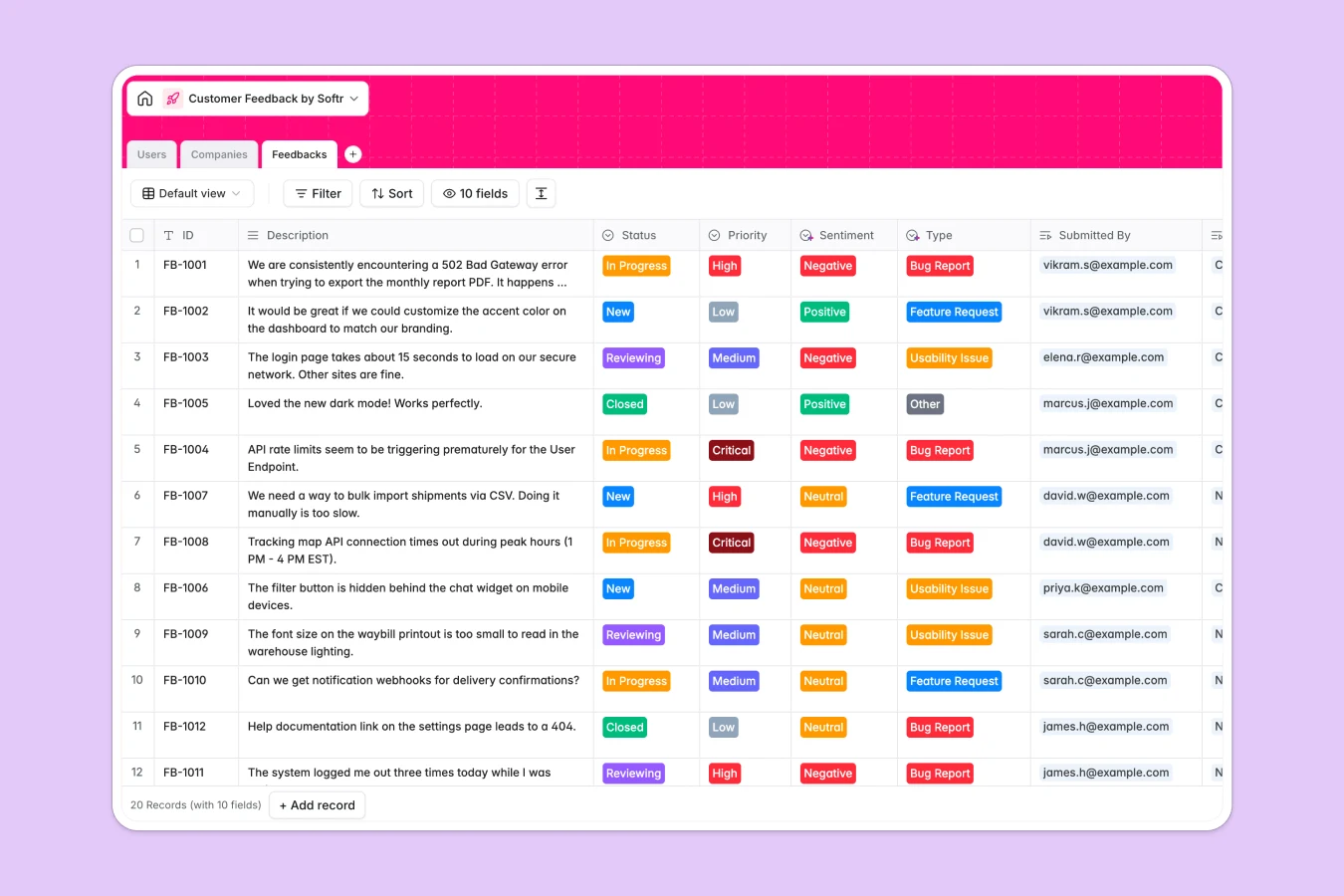
This template centralizes product suggestions, bug reports, and general input into a structured system, replacing scattered emails and disjointed files. It allows teams to capture feedback from various sources, link it directly to specific users and companies, and track the progress of every request from "New" to "Closed" without losing context.
The database consists of three connected tables: Users, Companies, and Feedbacks. When a user submits an item, it automatically links to their profile and their organization, while a rollup field on the Companies table calculates the total volume of feedback per client. This relational structure ensures you can view feedback in isolation or aggregated by account to identify your most vocal customers.
With built-in fields for sentiment analysis and industry enrichment, this system goes beyond simple logging. You can leverage AI to automatically categorize the tone of feedback or enrich company profiles with domain data, giving you deeper insights into who is asking for what.
Why choose a Customer Feedback database over spreadsheets
Managing feedback in spreadsheets quickly becomes unmanageable as rows multiply and context gets lost in hidden cells.
The power of Softr Databases
Unlike flat spreadsheets that rely on fragile VLOOKUPs to connect data, Softr Databases use native relational ties. This means you can link a single feedback item to a specific User and Company instantly, ensuring data integrity. Instead of messy columns with mixed text and dates, this database enforces strict types—like "Select" for status (New, In Progress) and "Created At" timestamps—keeping your roadmap clean and actionable.
Core features and functionality
This template includes advanced capabilities that spreadsheets lack, such as automatic rollups to count total feedback per company and dedicated fields for sentiment tracking. By using Database AI agents, you can even automate the categorization of feedback types or fetch company logos and domains based on email addresses, turning raw data into strategic insights automatically.
-
Users
Manage user accounts, roles, and profiles for admins and customers
-
Companies
Store client organizations and profiles enriched with AI data
-
Feedbacks
Centralize customer reports with priority levels and sentiment insights
Who is this Customer Feedback for
This template is designed for teams that need to listen to their users and iterate faster:
- Product Managers: Prioritize feature requests based on frequency and customer value.
- Customer Success Teams: Log client issues and track resolution status in real time.
- Founders: Identify high-value opportunities and spot churn risks through sentiment analysis.
- Support Leads: Organize bug reports and ensure critical issues are flagged immediately.
How to take it further
1. Customize the database
Tailor the database to your specific workflow. You can easily modify the "Status" options to match your development cycle (e.g., add "Shipped" or "In QA") or update the "Type" choices to specific product categories within your business.
2. Import your existing data
Don't start from scratch. Use the CSV import feature to bring in past feedback logs from Excel, Google Sheets, or Typeform exports instantly. This populates your tables while maintaining the correct data structure.
3. Build an app on top
The true power of this template is transforming it into a client-facing portal. Using the interface builder, you can create a feedback board where users can submit requests and vote on others. By configuring users and permissions, you ensure customers only see what you chose to share, while your internal team retains full administrative access to prioritize the roadmap.
-
1
-
2
-
3
-
4
Frequently asked questions
-
What is a Customer Feedback database?
-
Why use a no-code database to build a feedback system?
-
How can AI help managing data for customer feedback?
-
Can I build an app with this customer feedback database?
-
Is this Customer Feedback template free?
-
How is this database different from a customer feedback spreadsheet?
Start building today. It's free!
Build and launch your first app in under 30 minutes.