


Overview
Managing corporate travel requires tracking multiple moving parts—from flight details and hotel bookings to expense approvals and employee preferences. This database centralizes every aspect of business travel, allowing teams to request trips and managers to approve them in a single, structured system.
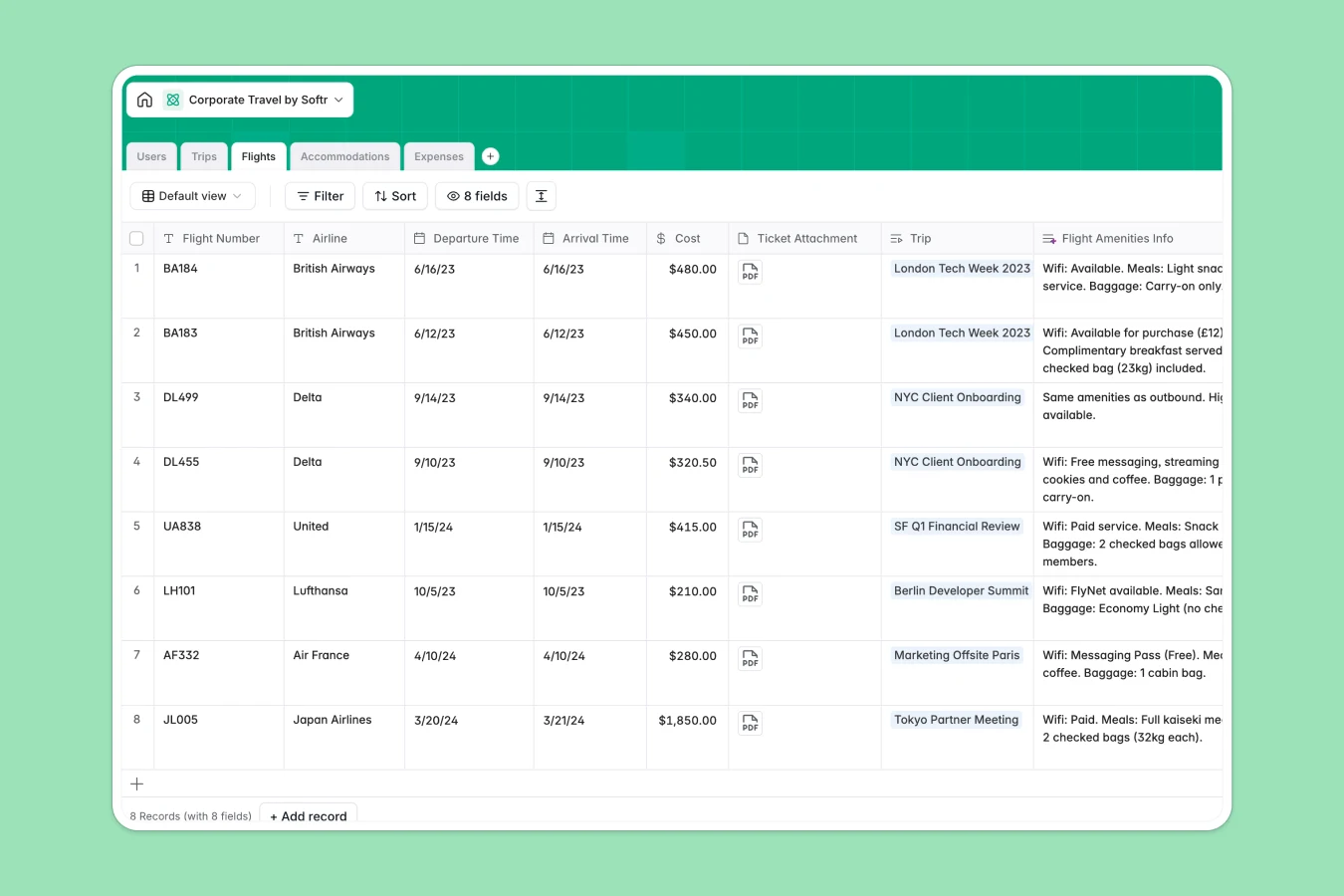
The template connects five core tables: Users, Trips, Flights, Accommodations, and Expenses. Instead of scattered files, every expense and booking is automatically linked to the specific trip and traveler, ensuring total visibility into spending and schedules.
Integrated AI features automate manual work by generating travel safety guides, researching flight amenities, summarizing hotel ratings, and auto-classifying expense receipts instantly.
Why choose a Corporate Travel Database over spreadsheets
The power of Softr Databases
Spreadsheets quickly become unmanageable with broken VLOOKUPs and messy formatting when tracking complex itineraries and costs. Softr Databases solve this by using relational tables that link travelers to their specific trips and expenses securely. This structure ensures data integrity, enforces currency and date formats, and keeps sensitive employee information organized—something a simple corporate travel spreadsheet cannot do effectively.
Core features and functionality
This template goes beyond storage by using Database AI agents to enrich your data automatically. It can instantly fetch amenities for flights, summarize hotel reviews from the web, and classify expense descriptions into categories like "Meals" or "Transport." These automated insights save hours of manual research and data entry associated with traditional spreadsheets.
-
Users
Manage employee profiles, travel preferences, and organizational roles
-
Trips
Coordinate trip details with AI-generated travel guides and cost tracking
-
Flights
Store flight data and get AI insights on airline amenities and services
-
Accommodations
Log lodging details with AI-powered hotel summaries and rating snapshots
-
Expenses
Record spending and receipts using AI for automatic expense categorization
Who is this Corporate Travel Database for
This template streamlines travel management for growing teams and departments.
- Office Managers: Centralize booking details and maintain accurate records of employee travel preferences.
- Finance Teams: Track approvals, monitor total costs by department, and streamline expense reconciliation.
- HR Departments: Ensure travel policy compliance and keep traveler profiles and safety info up to date.
- Traveling Sales Teams: Submit trip requests and upload expense receipts easily from the road.
How to take it further
Customize the database
Tailor the template to your specific company policies easily. You can add new approval status options, rename expense categories to match your accounting software, or include fields for loyalty program numbers without breaking any formulas.
Import your existing data
Migration is effortless. Upload your existing employee lists, past trip records, or current expense logs directly via CSV, or use the API to sync with your existing HR or finance tools instantly.
Build an app on top
Turn this database into a full internal travel portal using the interface builder. You can create a dashboard where employees can only see their own trips while managers view all pending approvals. With robust users and permissions, you can securely manage access to sensitive data like passport details or receipts.
-
1
-
2
-
3
-
4
Frequently asked questions
-
What is a corporate travel database?
-
Why use a no-code database to build a travel management tool?
-
How can AI help managing data for corporate travel?
-
Can I build an app with this corporate travel database?
-
Is this Corporate Travel Database free?
Start building today. It's free!
Build and launch your first app in under 30 minutes.