


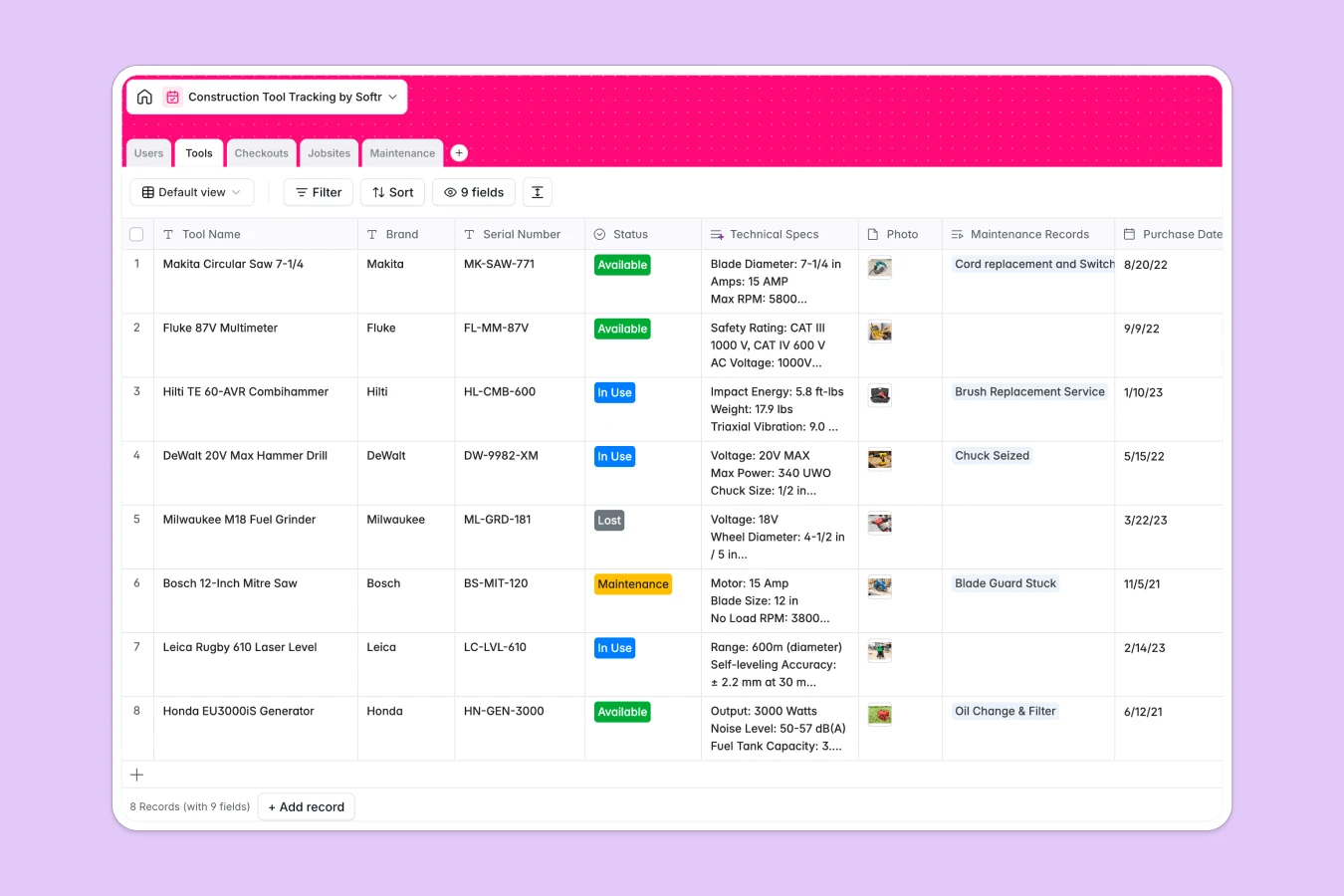
Your Construction Tool Tracking Database at a glance
The template brings full visibility to your equipment, ensuring you know exactly who has what at which jobsite.
It seamlessly connects Tools, Users, and Jobsites through dedicated tables, meaning every checkout is automatically logged to the right worker and location.
Thanks to built-in AI, the database automatically searches the web for technical specifications and suggests complete repair manuals when maintenance issues are logged.
Why tracking construction tools gets messy in spreadsheets
Managing construction equipment across multiple field teams usually ends in a tangled mess of broken formula links and lost tracking rows.
What a structured database changes
Spreadsheets force you to copy and paste data across tabs manually, which is where critical context goes missing. A structured database enforces clean column types, ensuring dates stay dates and text stays text.
You simply link a piece of equipment directly to a worker and a jobsite in one click, without frail formulas breaking. This is exactly what Softr Databases are designed for.
What you can do with this template
Keep a live count of tools currently on any active site via automated rollups, without manually counting rows. You can log secure checkouts and track overdue equipment before it goes completely missing.
With native AI features, you also get automated maintenance instructions and web-searched technical specs directly inside your inventory. This template gives you a robust tracking system that is ready to use immediately.
-
Users
Manage worker profiles, specific roles, and real-time tool assignment data
-
Tools
Track equipment inventory with AI-powered technical specification generation
-
Checkouts
Monitor tool movements, due dates, and active assignments across locations
-
Jobsites
Organize work locations and audit the current count of tools on each site
-
Maintenance
Track repairs using AI to generate step-by-step technical solutions
Who is this Construction Tool Tracking database for
This tracking system is built for field teams that need strict control over their equipment lifecycle.
- Site Managers: Track exact tool locations and identify overdue equipment in real time.
- Maintenance Technicians: Access automated repair solutions and track historical service costs.
- Foremen: Assign equipment to specific workers quickly without endless paperwork.
How to take it further
Customize the database instantly to fit your exact field workflow. You can easily add completely new statuses, require specific photo attachments, or adjust the roles for your crew.
Import your existing list of tools and jobsites via CSV in seconds to get up and running right away. You can also connect via API to automatically sync new tool purchases from your procurement software.
When your crew is ready, you can easily turn this database into a robust mobile web app. Field workers check in, update statuses, or report broken equipment directly from their phones.
Combine it with native users and permissions so workers only see the tools they borrowed, while managers oversee every jobsite. Building this secure portal is effortless because your database is already structured properly.
-
1
-
2
-
3
-
4
Frequently asked questions
-
What is a construction tool tracking database?
-
Why use a no-code database to build a tool tracking system?
-
How can AI help managing data for tool tracking?
-
Can I build an app with this construction tool tracking database?
-
Is this Construction Tool Tracking Database free?
-
How is a tool database different from a tool tracking spreadsheet?
Start building today. It's free!
Build and launch your first app in under 30 minutes.