


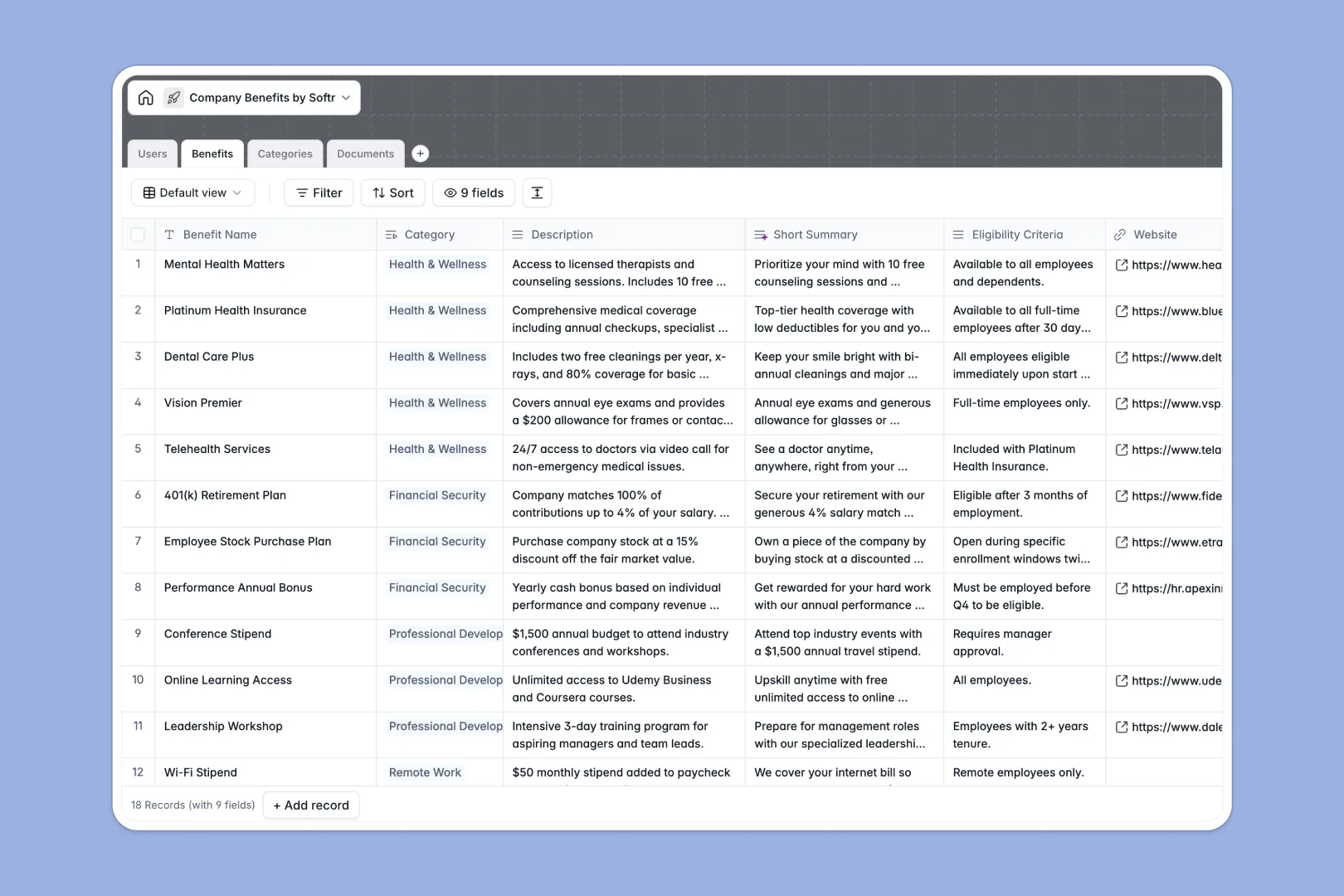
Your Company Benefits database at a glance
This template provides a single source of truth for all your company perks, insurance plans, and essential documents. It eliminates the confusion of scattered PDFs and outdated HR wikis.
It connects a directory of employees with specific categories of benefits and their related policy documents. Update an insurance provider once, and the associated claim forms and eligibility rules update everywhere automatically.
Native Database AI agents automatically summarize long policies into quick elevator pitches and generate search keywords. It can even search the live web to draft general descriptions for your benefit categories without any manual entry.
Why company benefits get messy in spreadsheets
Tracking employee perks and insurance forms in a standard company benefits spreadsheet quickly turns into a nightmare. You inevitably end up with broken links, mixed formatting, and outdated files hidden in overflowing cells.
What a structured database changes
Instead of cramming complex policies and file attachments into tiny spreadsheet rows, a structured database gives every piece of information its proper place. Critical documents stay attached directly to the specific benefit they belong to natively.
You can easily link an employee's profile to the perks they are eligible for without relying on fragile formulas. This is exactly what Softr Databases are designed for—keeping HR data clean and connected as your team grows.
What you can do with this template
Instantly categorize your benefits and track the total number of perks per category using automated rollups. You can efficiently manage your centralized repository of claim forms, user guides, and FAQs securely.
Let AI do the heavy lifting by automatically producing relevant search tags for each perk. Your team gets a ready-to-use catalog that they can maintain effortlessly from day one.
-
Users
Manage employee profiles with roles and departmental access levels
-
Benefits
Catalog perks using AI to generate summaries and searchable keywords
-
Categories
Group benefits using AI-generated descriptions for logical organization
-
Documents
Store policy PDFs and claim forms with version tracking and links
Who is this Company Benefits database for
This template is designed for teams that need to organize and communicate employee perks clearly and efficiently.
- HR Managers: Centralize insurance plans, compliance documents, and eligibility rules in one secure place.
- People Operations: Streamline onboarding by providing new hires with an easy-to-navigate directory of perks.
- Department Heads: Ensure their teams have immediate access to up-to-date claim forms and wellness policies.
How to take it further
Customize the database
Easily modify the template to match your specific offerings. Add new benefit categories or update the document types to include your unique internal procedure guides.
Import your existing data
Migrate your current company benefits spreadsheet using a simple CSV upload. You can also connect via API to sync employee profiles directly from your existing HR software.
Build a full app around it
When you're ready, turn this database into a secure employee portal using Softr's interface builder. Combine your structured data, front-end interface, and automated workflows into one seamless platform.
You can easily configure users and permissions to ensure employees only see the benefits relevant to their department or role. A solid database foundation makes building this custom HR application incredibly fast and reliable.
-
1
-
2
-
3
-
4
Frequently asked questions
-
What is a company benefits database?
-
Why use a no-code database to build a benefits portal?
-
How can AI help managing data for company benefits?
-
Can I build an app with this company benefits database?
-
Is this Company Benefits Database free?
-
How is this benefits database different from a company benefits spreadsheet?
Start building today. It's free!
Build and launch your first app in under 30 minutes.