


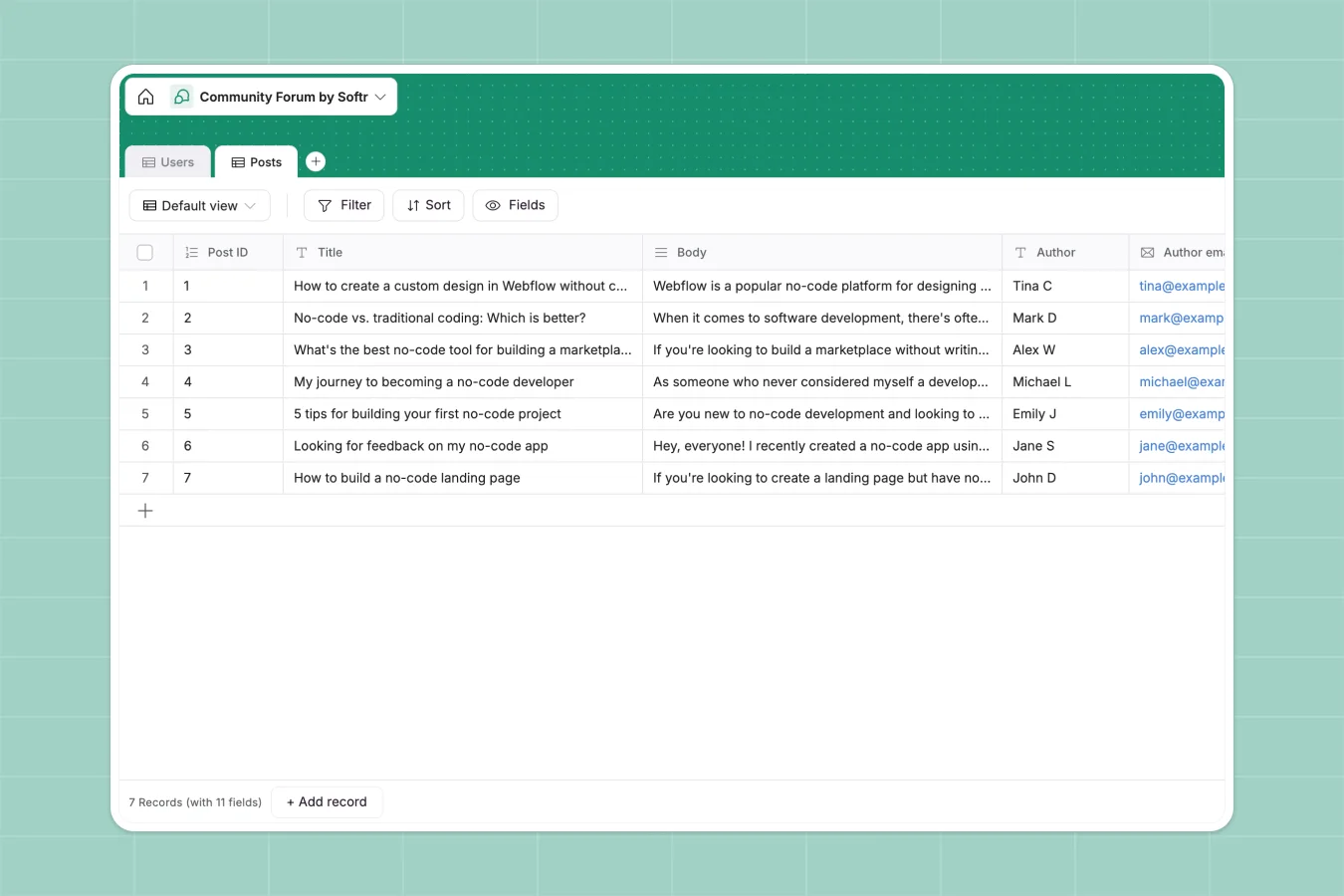
Your Community Forum database at a glance
This template provides a structured backend to manage community members, discussions, and content categories in one central place. It replaces messy email threads or static sheets with a dynamic system that tracks who is posting what.
The structure organizes data into distinct tables for Users and Posts. This ensures that member details like roles and avatars are kept separate from the actual content, making it easier to moderate discussions and filter topics like Tutorials or Feedback.
Why managing communities in spreadsheets breaks down
Trying to run a community discussion inside a spreadsheet is a user experience nightmare. Cells aren't designed for long-form text, images don't display properly, and creating a readable flow of conversation is impossible.
What a structured database changes
In a proper database, rich text formatting, images, and attachments are handled natively without breaking your layout. You can categorize content strictly so "Feedback" never gets mixed up with "Tutorials" due to a typo.
This is exactly what Softr Databases are designed for—keeping content organized and accessible. Instead of scrolling through endless rows of truncated text, every post has its own clear record.
What you can do with this template
You can immediately start logging posts with specific categories and author details. Attachments and links are stored securely, ensuring resources shared by the community are never lost.
With Database AI agents, you could even automate moderation by analyzing post content for guidelines or auto-tagging discussions based on keywords.
-
Users
Manage community profiles with contact info, avatar images and moderator roles
-
Posts
Store forum content with categories, attachments and author links for members
Who is this Community Forum database for
This template is perfect for teams and creators who need to organize discussions without building custom software.
- Community Managers: Track engagement, manage member roles, and organize feedback topics efficiently.
- Product Teams: Centralize user requests and bug reports in a structured format rather than chat logs.
- Support Leads: Maintain a library of tutorials and resources that are easy to search and update.
How to take it further
Customize the database
You can easily adapt the category options to match your specific topics, such as adding "Feature Requests" or "Events." You might also add a status field to track if a post has been resolved or reviewed.
Import your existing data
If you have a list of pre-approved members or an archive of past discussions, you can import them via CSV instantly. This lets you populate your forum framework with valid data from day one.
Build a full app around it
A database is just the backend; the real power comes when you build a visual forum on top using the interface builder. You can create a fully functional community site where users log in to post and comment directly.
With users and permissions, you can ensure only Moderators can delete posts while Members can only edit their own content. This turns a simple dataset into a secure, interactive platform.
-
1
-
2
-
3
-
4
Frequently asked questions
-
What is a community forum database?
-
Why use a no-code database to build a forum?
-
How can AI help managing data for a forum?
-
Can I build an app with this forum database?
-
Is this Community Forum template free?
-
How is this different from a community forum spreadsheet?
Start building today. It's free!
Build and launch your first app in under 30 minutes.