


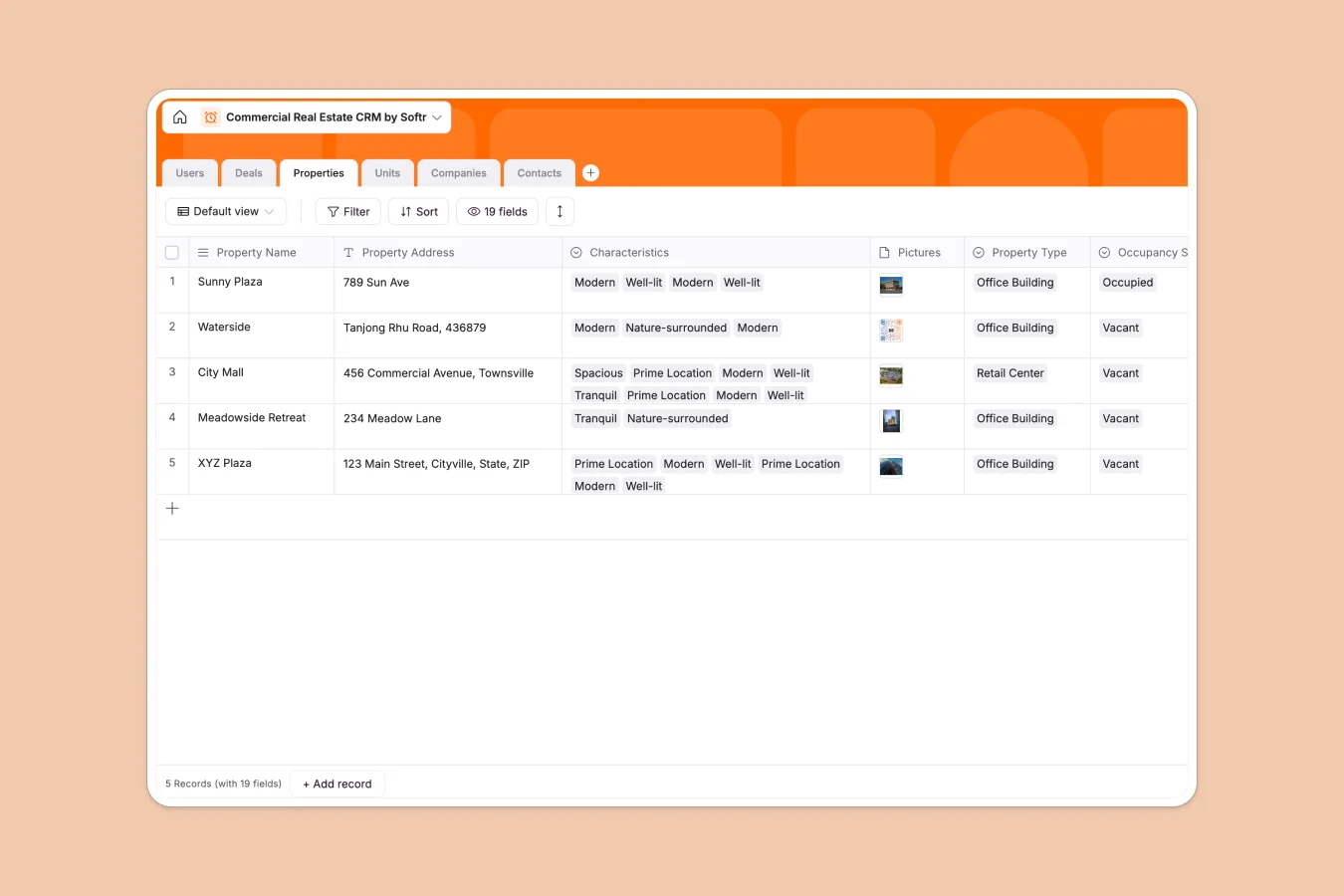
Your Commercial Real Estate CRM database at a glance
Structure properties, units, and lease agreements in one centralized system so you never lose track of a critical renewal or client detail. This ready-to-use template replaces scattered files with a clean, interconnected foundation for your entire brokerage.
The template automatically links your Properties and Units tables natively to specific Deals, Companies, and Contacts. This means you can view a landlord's entire active portfolio or simply track an agent's active pipeline without manually cross-referencing files.
Why commercial real estate gets messy in spreadsheets
Tracking multi-unit leasing, diverse property types, and complex tenant-landlord relationships quickly turns standard spreadsheets into a chaotic mess of broken formulas and duplicated rows.
What a structured database changes
A relational system ensures your data stays organized and scalable. Instead of typing the same building details repeatedly across multiple deal rows, you create one property record and link it to dozens of units, tenants, and deals seamlessly.
This is exactly what Softr Databases are designed for. Every column has a strict type—from dynamic lease end calculations to currency values—keeping your CRM data clean, standardized, and error-free as your portfolio grows.
What you can do with this template
Instantly track pipeline stages, segment companies by landlord or tenant roles, and monitor occupancy statuses across all your active units in real time.
You can effortlessly assign specific agents to deals and properties, giving your team a clear, reliable view of who is managing which lease. Everything is ready to use immediately, providing complete clarity over your firm's total lease value without complex configuration.
-
Users
Manage internal staff and real estate agents with contact info and roles
-
Deals
Track lease negotiations and real estate transactions at various stages
-
Properties
Store location details, characteristics, and occupancy statuses for buildings
-
Units
Organize specific rentable spaces within properties including lease terms
-
Companies
Maintain a directory of landlord and tenant organizations with active deals
-
Contacts
Centralize lead and client representative details linked to their companies
Who is this Commercial Real Estate CRM database for
This ready-to-use system is perfect for teams managing complex property portfolios and fast-moving lease pipelines.
- Commercial Brokers: Track deal stages from initial contact to signed leases while keeping all associated documents organized in one view.
- Property Managers: Monitor occupancy rates, unit availability, and critical lease start and end dates across multi-unit buildings instantly.
- Real Estate Agencies: Consolidate agent assignments and easily visualize company-wide sales pipelines against total lease values.
How to take it further
Easily customize this database to exactly match your firm's specific workflow. You can add new property characteristics like zoning codes, modify your custom deal stages, or tweak the native formulas right within the table.
Bring your existing portfolio out of your messy spreadsheets immediately. Upload your current data via bulk CSV import or connect via API to sync your properties, contacts, and active deals in seconds natively.
When your team scales, use the interface builder to create a custom CRM application directly on top of this exact data.
You can set up users and permissions so agents only see the deals and properties assigned to them, while executive admins retain full visibility over the firm's total lease pipeline. Starting with a well-structured database means building a full-featured real estate portal later is fast and intuitive.
-
1
-
2
-
3
-
4
Frequently asked questions
-
What is a commercial real estate CRM database?
-
Why use a no-code database to build a real estate CRM tool?
-
How can AI help managing data for commercial real estate?
-
Can I build an app with this commercial real estate CRM database?
-
Is this Commercial Real Estate CRM database free?
-
How is a relational database different from commercial real estate spreadsheets?
Start building today. It's free!
Build and launch your first app in under 30 minutes.