


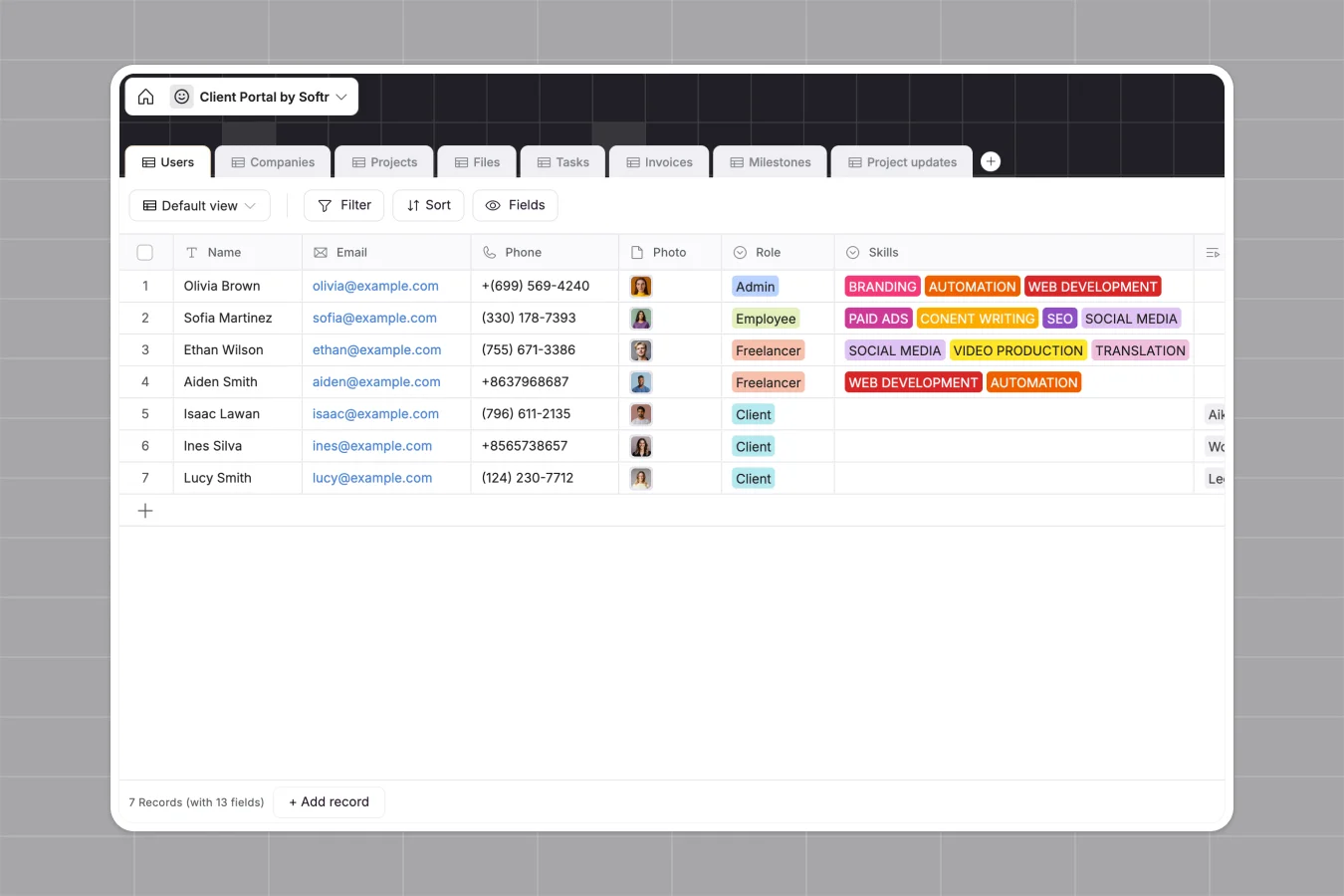
Your Client Portal database at a glance
This Client Portal database centralizes your operational workflow, reliably tracking everything from company details to individual project milestones.
It uses connected tables so every project automatically links to the assigned team members, pending tasks, and related invoices without manual data entry.
Why a client portal spreadsheet breaks down
Managing client deliverables, feedback, and billing in Google Sheets quickly becomes chaotic and error-prone as your agency grows.
What a structured database changes
A database enforces clear rules, meaning file attachments like signed contracts stay organized and invoice amounts calculate reliably.
You can securely link a single client to multiple projects and team members without relying on fragile VLOOKUPs. This is exactly what Softr Databases are designed for.
What you can do with this template
Monitor project health effortlessly by assigning tasks, tracking due dates, and securely storing deliverables in their dedicated records.
Track your financial status in real-time with automated rollups that summarize the total billed amounts natively per company and project.
-
Users
Manage team members and client contacts with roles, skills and profiles
-
Companies
Centralize client organization details including industry, size and website
-
Projects
Coordinate project lifecycles with timelines, members and financial summaries
-
Files
Store and categorize project deliverables and signed contract documents
-
Tasks
Track individual action items with assignees, deadlines and status logic
-
Invoices
Handle billing workflows with payment links, amounts and overdue tracking
Who is this Client Portal database for
This template provides a reliable tracking system for any service-based team.
- Agencies: Track multiple client projects, assign specific tasks to your team, and monitor progress across all active deliverables.
- Freelancers: Keep your ongoing tasks, pending invoices, and client feedback cleanly organized in one dedicated hub.
- Professional Services: Manage long-term client relationships, securely store signed contracts, and track milestone approvals seamlessly.
How to take it further
You can fully customize this database to fit your exact service offering. Easily modify the skill categories, adjust industry tags, or add new status tracking fields for your unique workflow.
Bring your existing client roster in immediately via CSV upload. You can also use the API to automatically sync new leads and projects directly from your existing CRM.
When your team is ready, use the interface builder to turn this database into a secure, branded external app. By configuring strict users and permissions, clients will only see their own projects and invoices, while your team sees everything. A well-structured database makes launching a professional portal completely effortless.
-
1
-
2
-
3
-
4
Frequently asked questions
-
What is a client portal database?
-
Why use a no-code database to manage client projects?
-
How can AI help managing data for client projects?
-
Can I build an app with this client portal database?
-
Is this Client Portal database free?
-
How is a structured database different from a client portal spreadsheet?
Start building today. It's free!
Build and launch your first app in under 30 minutes.