


Overview
This Client Onboarding Portal database helps you guide new clients through onboarding with clear tasks, resources, and ownership. Track client status from "Pending Contract" through "Active," assign tasks by timeframe (before starting work, first week, month 1, year 1), and link resources directly to relevant steps. Built-in feedback collection ensures you capture client input throughout the process.
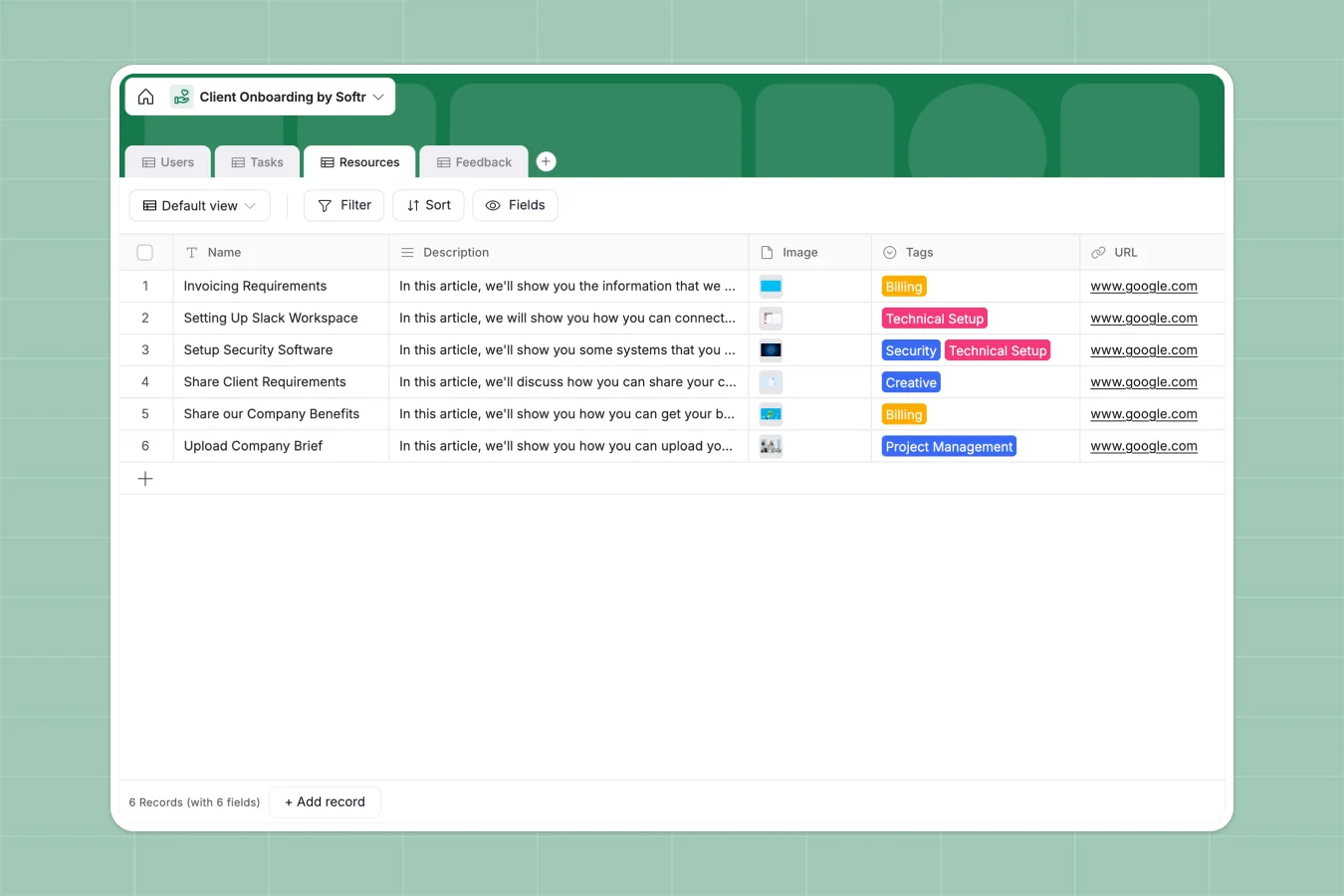
The database connects four tables: Users (clients and managers), Tasks (with owners and completion tracking), Resources (tagged by category like Creative, Technical Setup, or Security), and Feedback. Managers can assign themselves to clients, tasks link to specific users, and resources connect to related tasks—all through native relationships that keep data consistent and easy to navigate.
Why choose a client onboarding portal database over spreadsheets
Spreadsheets force you to create multiple tabs for clients, tasks, and resources—then rely on fragile VLOOKUPs to connect them. As your client list grows, navigation becomes painful, and one broken formula can derail your entire onboarding process. Spreadsheets also allow mixed data types in columns (dates next to comments, statuses mixed with notes), making reporting unreliable.
The power of Softr Databases
Softr Databases enforce structure: client status is always a select field, task timeframes are standardized choices, and dates are actual date fields. Native relationships replace VLOOKUPs—link clients to their onboarding managers, tasks to owners, and resources to related tasks without formulas. Lookups pull information across tables automatically (like manager emails on client records), and the one-table-per-object principle keeps your data clean and app-ready. You also get API access and the foundation to build full-stack apps on top.
Core features and functionality
This database tracks client progression through onboarding stages, assigns tasks with clear timeframes and ownership, and links resources by category so clients find what they need when they need it. Managers can monitor completion status, collect structured feedback, and maintain visibility across all active onboardings without switching between disconnected spreadsheets.
-
Users
Manage client profiles and internal managers during the onboarding lifecycle
-
Tasks
Organize essential steps and deadlines to ensure a smooth transition for clients
-
Resources
Centralize help documents and guides to assist clients in the setup process
-
Feedback
Capture client comments and early impressions to improve the onboarding flow
Who is this client onboarding portal for
This database works for teams that need structured, repeatable client onboarding:
- Professional services firms: Manage multiple client onboardings simultaneously with clear task assignments and progress tracking.
- Agencies: Standardize onboarding steps across creative, technical setup, billing, and project management categories.
- SaaS companies: Guide new customers through implementation with timeframed tasks and curated resources.
- Consulting teams: Assign onboarding managers to clients and track completion without manual status updates.
- Client success teams: Collect feedback at key milestones to improve the onboarding experience over time.
How to take it further
Customize the database. Adjust client status values to match your workflow (add "Implementation" or "Training" stages), modify task timeframes to fit your onboarding timeline, or expand resource tags to include categories specific to your services. As a native Softr Database, all fields are editable—add custom fields for contract dates, service tiers, or regional managers as your process evolves.
Import your existing data. Use CSV import to bring in current client lists, task libraries, and resource catalogs from spreadsheets. Connect via API to sync client data from your CRM automatically, ensuring new clients appear in the onboarding database without manual entry.
Build an app on top. Create a client-facing portal where new clients see only their assigned tasks, access relevant resources, and submit feedback—all powered by this database. Set up users and permissions so clients view their onboarding progress while managers see all clients and can reassign tasks or update statuses. Full-stack apps in Softr connect your database to interfaces and workflows seamlessly. A well-structured onboarding database makes building these portals straightforward—relationships between clients, tasks, and resources translate directly into intuitive app experiences.
-
1
-
2
-
3
-
4
Frequently asked questions
-
What is a client onboarding portal database?
-
Why use a no-code database to build a client onboarding system?
-
How is a client onboarding portal database different from spreadsheets?
-
Can I build an app with this client onboarding portal database?
-
Can I customize this client onboarding portal database?
-
Is this client onboarding portal database free?
Start building today. It's free!
Build and launch your first app in under 30 minutes.