


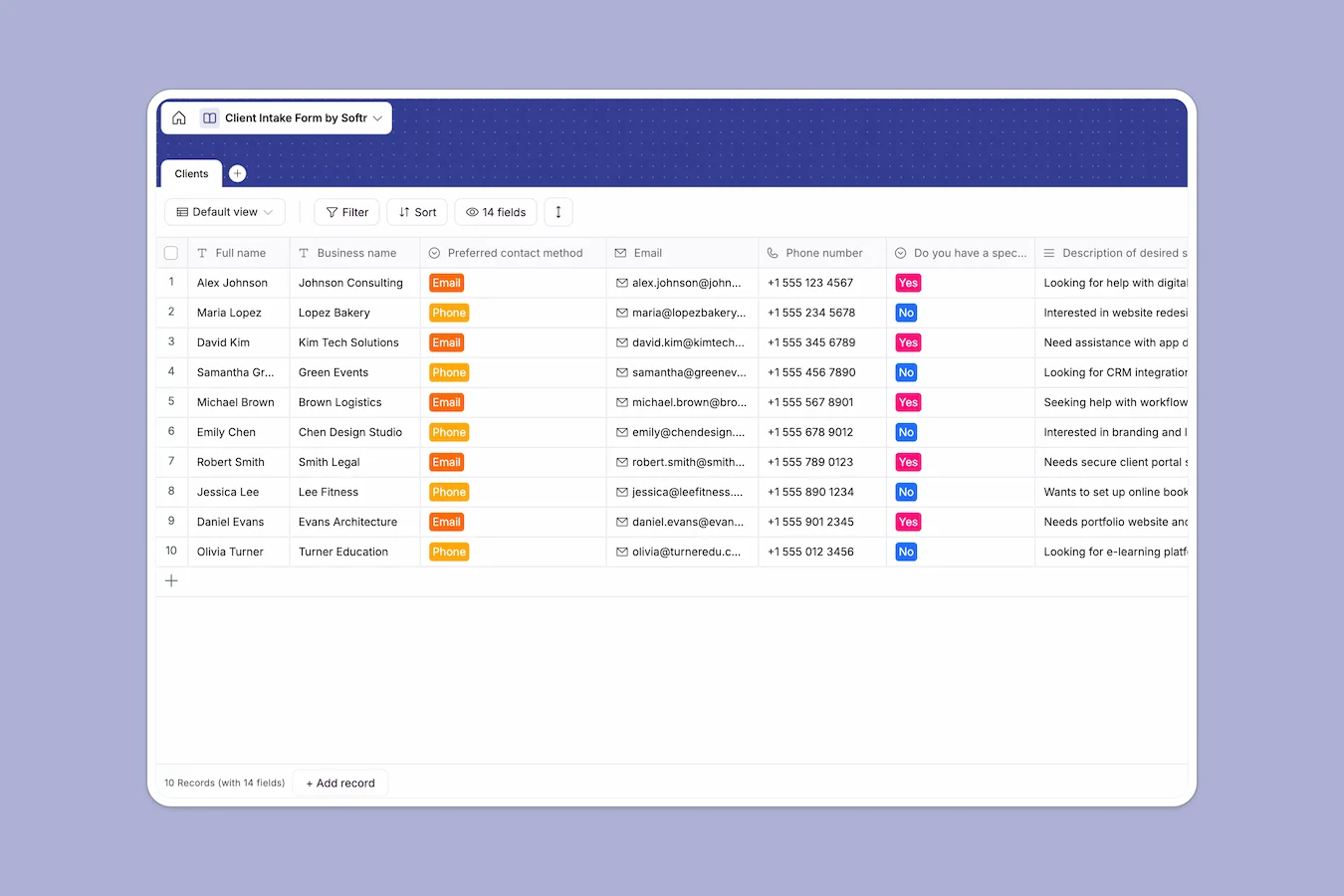
Your Client Intake Database at a glance
This Client Intake Database captures and organizes all your new prospect inquiries in one clear view. It replaces scattered emails and copied-over spreadsheet rows with a reliable, ready-to-use system.
Built entirely around a single Clients table, it tracks exactly what you need to assess new business. Every prospect's budget, requested services, timelines, and contact preferences are securely stored the second they enter the system.
Why managing client intake in spreadsheets breaks down
When you use a client intake spreadsheet, a supposedly simple tracking sheet eventually becomes a mess. Accidental row deletions, mixed formatting in budget columns, and text-heavy cells that overflow make it incredibly frustrating to review new leads.
What a structured database changes
With a database, your information stays perfectly formatted as your prospect list grows. A budget column only accepts currency, due dates remain calendar-selectable dates, and preferred contact methods standardize as strict dropdowns.
There is no copying and pasting across messy tabs or losing context about a primary competitor. This structured approach to handling leads is exactly what Softr Databases are designed for.
What you can do with this template
Start logging prospect details immediately with a clean format that ensures no important business context is missed. You can cleanly separate their stated problems from their overall business overview without cluttering the screen.
Your entire team gets instant visibility into who the newest leads are and exactly how they heard about you. It becomes effortless to prioritize outreach based on timelines and budget sizes.
-
Clients
Manage new customer intake with contact info, service needs and budgets
Who is this Client Intake Database for
This template provides a reliable starting base for any team capturing inbound business inquiries.
- Agencies: Keep track of incoming project scopes, budgets, and deadlines before scheduling discovery calls.
- Freelancers: Standardize how you collect prospect information like websites and competitors so you show up prepared for every meeting.
- Consulting firms: Log business overviews and specific client problems systematically to assess fit quickly.
- Sales teams: Maintain a clean, timestamped log of inbound leads to track where your highest quality opportunities come from.
How to take it further
Customize the database
You can easily tweak this template to fit your exact operational flow. Add new choices to the "Preferred contact method" dropdown or create a status column to track whether a prospect has been contacted.
Import your existing data
If you are migrating off an old spreadsheet, simply upload a CSV file with your historical leads. The rows will map perfectly to these structured columns in seconds.
Build a full app around it
When your volume grows, you can transform this database into a robust client portal using Softr's interface builder. Rather than purely looking at internal records, you can let clients log in securely, submit new requests, and view their project status.
Because your data is natively structured in a database, controlling users and permissions is effortless. You can ensure clients only ever see and interact with their own specific intake records.
-
1
-
2
-
3
-
4
Frequently asked questions
-
What is a client intake database?
-
Why use a no-code database to build a client intake tool?
-
How can AI help managing data for client intake?
-
Can I build an app with this client intake database?
-
Is this Client Intake Database free?
-
How is a client intake database different from a spreadsheet?
Start building today. It's free!
Build and launch your first app in under 30 minutes.