


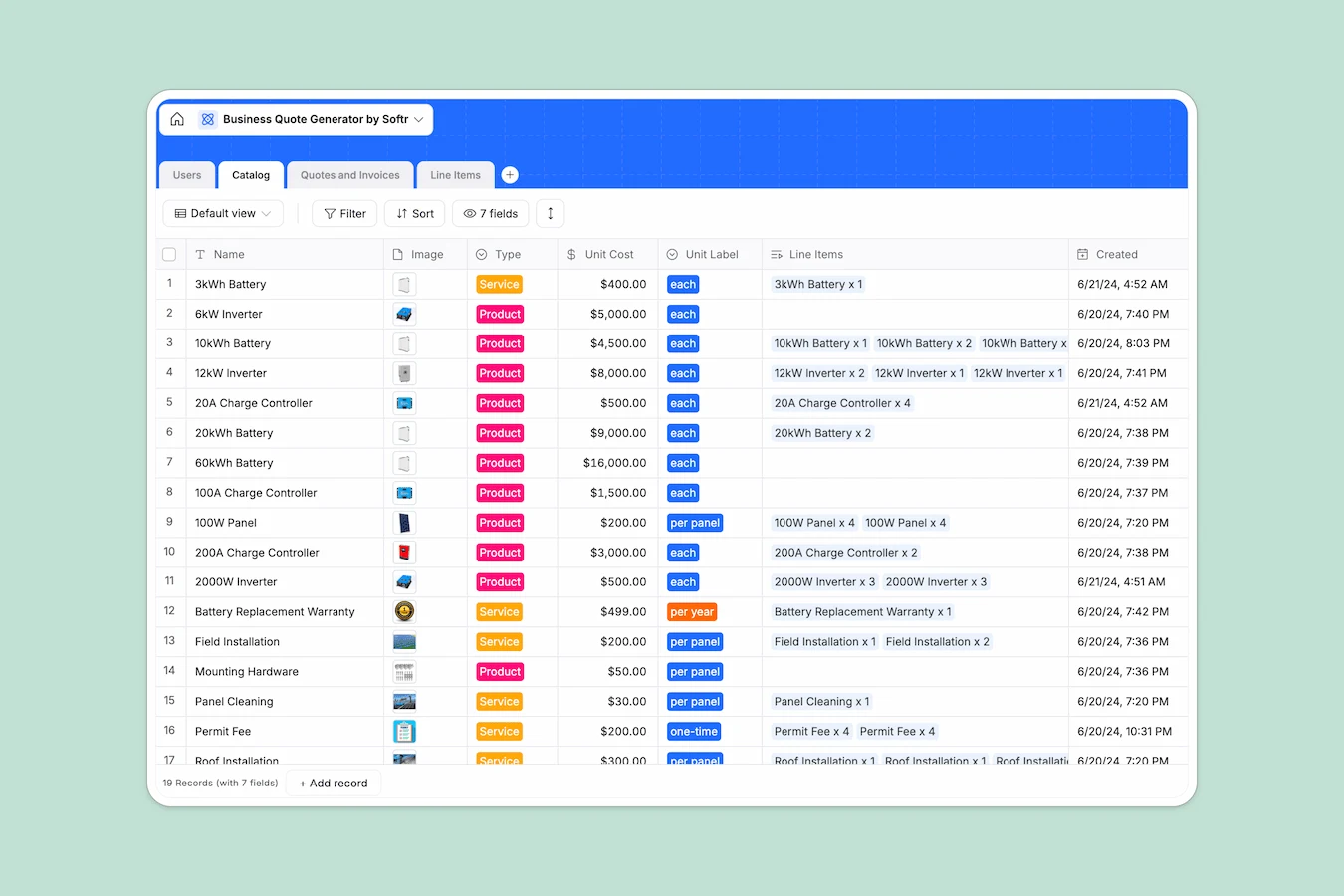
H2: Your Business Quote Database at a glance
This template gives you a centralized system to generate, track, and convert professional quotes into invoices instantly. It connects your customers, product catalog, and line items into a single workflow, ensuring every estimate is accurate and traceable.
Instead of manually calculating totals, you select products from your catalog, and the database automatically pulls unit costs and calculates subtotals, taxes, and final amounts. Everything is linked, so you can see exactly which customer requested which service and the current status of that deal.
H2: Why managing business quotes in spreadsheets breaks down
Spreadsheets work fine for a simple list, but they fail when you need to build complex estimates with multiple line items and variable pricing.
H3: What a structured database changes
In a spreadsheet, connecting a customer to a quote and then to multiple product line items usually requires complex, fragile VLOOKUPs. If you change a price in one tab, it often breaks formulas in another, leading to costly billing errors.
Softr Databases handle these relationships natively. A "Quote" record automatically links to a "Customer" record and multiple "Line Items" without you needing to write a single script or formula, keeping your data clean as you scale.
H3: What you can do with this template
You can track the entire lifecycle of a deal, moving records from "Draft" to "Sent," "Accepted," and finally "Paid" with a simple status update. The database enforces consistency, so you never have a "paid" invoice without a date or a signature.
Calculations for taxes and discounts happen automatically based on rollups from your line items. This means your sales team spends less time fixing math errors and more time closing deals.
-
Users
Store staff and customer profiles with roles, lead status, and budget info
-
Catalog
Maintain a list of solar products and services with pricing and unit specs
-
Quotes and Invoices
Manage the lifecycle of sales documents from initial request to paid status
-
Line Items
Detailed breakdown of products and quantities linked to specific invoices
#### H2: Who is this Business Quote database for
This template is designed for service-based businesses and sales teams who need better control over their pricing workflow.
- Field Service Managers: Create complex estimates for solar, roofing, or installation projects while on-site.
- Sales Representatives: Track leads, generate rapid quotes, and monitor approval status without administrative bottlenecks.
- Small Business Owners: Professionalize invoicing and maintain a clear history of every customer interaction and payment.
H2: How to take it further
1. Customize the database
Update the "Catalog" table with your specific services, such as cleaning, maintenance, or equipment options. You can also adjust the tax percentages to match your local requirements directly in the field settings.
2. Import your existing data
If you have a list of past clients or a product price list in a CSV file, you can import them directly. This populates your Users and Catalog tables instantly so you can start quoting immediately.
3. Build a full app around it
Turn this database into a secure client portal where customers can log in to view their quote history, approve estimates, and pay invoices. With the interface builder, you can create specific views for your team to manage deals and separate views for clients to see only their own documents.
By setting up users and permissions, you ensure sales reps only see their assigned leads while managers get a complete view of the pipeline.
-
1
-
2
-
3
-
4
Frequently asked questions
-
What is a business quote database?
-
Why use a no-code database instead of a business quote spreadsheet?
-
How can AI help managing data for business quotes?
-
Can I build an app with this quoting database?
-
Is this Business Quote template free?
Start building today. It's free!
Build and launch your first app in under 30 minutes.