


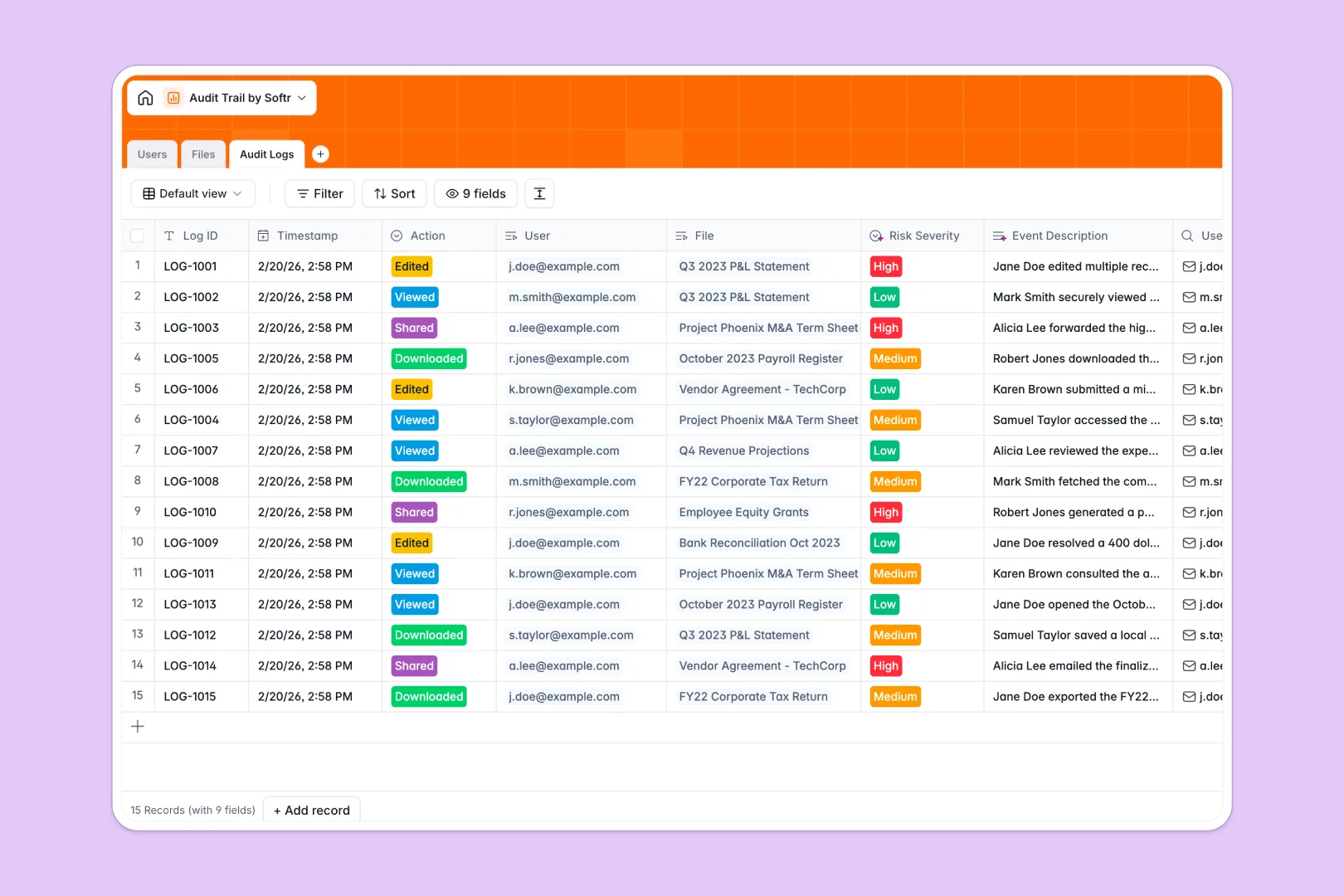
Your Audit Trail Database at a glance
This template is a secure ledger that tracks exactly who accesses, edits, or shares sensitive corporate records. It replaces messy tracking methods with an organized, automated compliance system.
It connects your directory of Users directly to your sensitive Files, securely recording every interaction in a dedicated Audit Logs table. No manual data entry or fragile lookup formulas are required to maintain the record.
Instead of reviewing logs line-by-line, built-in AI automatically writes narrative event descriptions for each action. It immediately evaluates and flags high-severity security risks the moment an action occurs.
Why tracking an audit trail spreadsheet breaks down
Managing compliance logs in an audit trail spreadsheet is inherently risky. Rows can be accidentally deleted, formulas break frequently, and proving real-time compliance is virtually impossible without strict structure.
What a structured database changes
A structured system ensures strict column types, meaning a timestamp stays a timestamp and critical records never slip through the cracks. Everything scales safely as your company's interaction history grows.
You can perfectly connect a user's action to a specific document without relying on fragile lookups that inevitably crash. This is exactly what Softr Databases are designed for.
What you can do with this template
Instantly record actions like views, edits, and downloads while safely categorizing them by department or document type. Every event is permanently tied to the exact user and file without messy duplicate entries.
Thanks to built-in Database AI agents, this template automatically evaluates risk severity for you. It reliably assigns Low, Medium, or High risk levels to every single file interaction to save you hours of manual review.
-
Users
Manage personnel profiles and permissions with access to sensitive records
-
Files
Store corporate documents with AI-generated descriptions for better context
-
Audit Logs
Track file access using AI to narrate events and assess security risk levels
Who is this Audit Trail Database for
This tracking system is built for teams handling sensitive information that require foolproof, automated compliance.
- Compliance Teams: Instantly pull reliable, immutable access logs during critical company audits.
- IT Administrators: Monitor high-risk actions like unexpected bulk file downloads and deletions automatically.
- Finance Managers: Protect tax records, payroll, and financial statements from unauthorized access.
- Department Heads: Ensure internal and restricted documents stay within approved channels effortlessly.
How to take it further
Customize the database in seconds to fit your exact security protocols and internal rules. Modify the allowed log actions, add native departments, or tweak file classification rules to match your policy perfectly.
Import your existing user directory or previous log history effortlessly. You can upload bulk data via CSV to hit the ground running, or connect via API to sync real-time user activity from external tools.
When your team is ready, transform this secure ledger into a robust internal compliance application. Using the Softr interface builder, you can create custom reporting dashboards for key stakeholders without writing a single line of code.
With robust users and permissions, you maintain total control over data visibility. You can ensure executives see global high-level reporting while department managers only view logs directly relevant to their teams.
-
1
-
2
-
3
-
4
Frequently asked questions
-
What is an audit trail database?
-
Why use a no-code database to build an audit trail system?
-
How can AI help managing data for audit trails?
-
Can I build an app with an audit trail database?
-
Is this Audit Trail Database free?
-
How is an audit trail database different from an audit trail spreadsheet?
Start building today. It's free!
Build and launch your first app in under 30 minutes.