


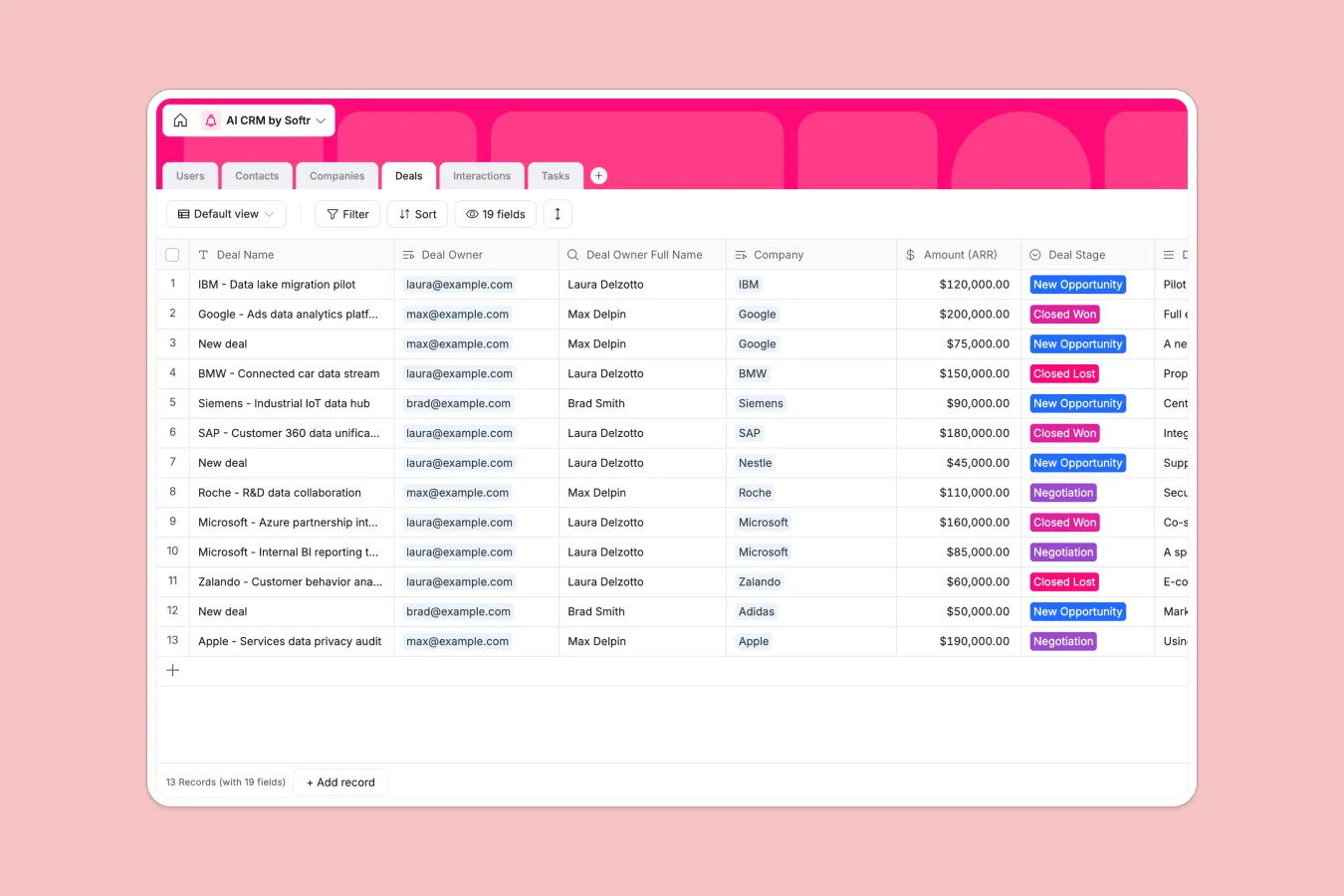
Overview
This template is a fully functional CRM designed to centralize your sales operations and eliminate manual data entry. It structures your ecosystem into connected tables for Users, Contacts, Companies, and Deals, ensuring that every interaction, task, and opportunity is linked to the right account rather than floating in isolated cells.
Unlike static lists, this system uses native relationships to create a 360-degree view of your business. When you view a company record, you instantly see all associated contacts, active deals, and historical interactions without needing complex lookup formulas.
To speed up your workflow, this template includes built-in AI automation. It automatically identifies industries, summarizes business activities, and finds employee counts based on company domains, keeping your data rich and up-to-date with zero effort.
Why choose an AI CRM database over an AI CRM spreadsheet
While an AI CRM spreadsheet might seem like an easy starting point, it often leads to data fragmentation and broken formulas as your pipeline grows. Spreadsheets lack the structural integrity needed to manage complex relationships between contacts, companies, and deals effectively.
The power of Softr Databases
Softr Databases enforce strict data types and relational integrity, which prevents the messy data often found in spreadsheets. Instead of relying on fragile VLOOKUPs that break when rows move, you can link multiple contacts to a single company naturally using native connections. This database structure ensures your CRM remains scalable and reliable, treating each table as a distinct object while maintaining seamless links between them.
Core features and functionality
The standout capability of this template is its embedded AI automation. Using Database AI agents, the system auto-fills the Industry, Activity Description, and Employee Count fields the moment you enter a website domain. This turns your CRM into an active research assistant that gathers market intelligence for you, a capability that standard spreadsheets simply cannot match.
-
Users
Manage team roles, contact information, and specific CRM record assignments
-
Contacts
Store individual prospect details with interaction history and ownership
-
Companies
Track client organizations with AI-powered industry and activity enrichment
-
Deals
Manage sales opportunities, pipeline stages, and document attachments
-
Interactions
Log communications and meetings between team members and external contacts
-
Tasks
Organize to-do items linked to deals with status tracking and due dates
Who is this AI CRM Database for
- Sales Teams: Track deal stages, manage pipelines, and log interactions to ensure no opportunity slips through the cracks.
- Business Founders: Centralize investor and partner networks while automating background research on new connections.
- Account Managers: Maintain a complete history of client communications, tasks, and meetings in one organized view.
- Business Development Reps: Rapidly qualify leads using AI-powered data enrichment to focus on the right prospects.
How to take it further
1. Customize the database
You can easily adapt this template to match your specific sales process. For instance, rename the "Deal Stage" select options to reflect your unique pipeline steps or add custom tags to the "Interactions" table. Since it is a native Softr Database, these changes apply instantly without breaking any connections.
2. Import your existing data
Migrating from your current tool is simple. You can bulk upload your existing contacts and companies via CSV, or use the API to sync data automatically. The relational structure ensures your imported data stays organized immediately.
3. Build an app on top
Once your data is in place, the logical next step is to wrap it in a professional interface builder. You can build a secure internal CRM tool where sales reps can only view and edit their own assigned leads. By configuring users and permissions, you turn this raw database into a robust, secure business application.
-
1
-
2
-
3
-
4
Frequently asked questions
-
What is an AI CRM database?
-
Why use a no-code database to build a CRM system?
-
How can AI help managing data for CRM?
-
Can I build an app with this CRM database?
-
How is this AI CRM database different from an AI CRM spreadsheet?
-
Is this AI CRM Database template free?
Start building today. It's free!
Build and launch your first app in under 30 minutes.