


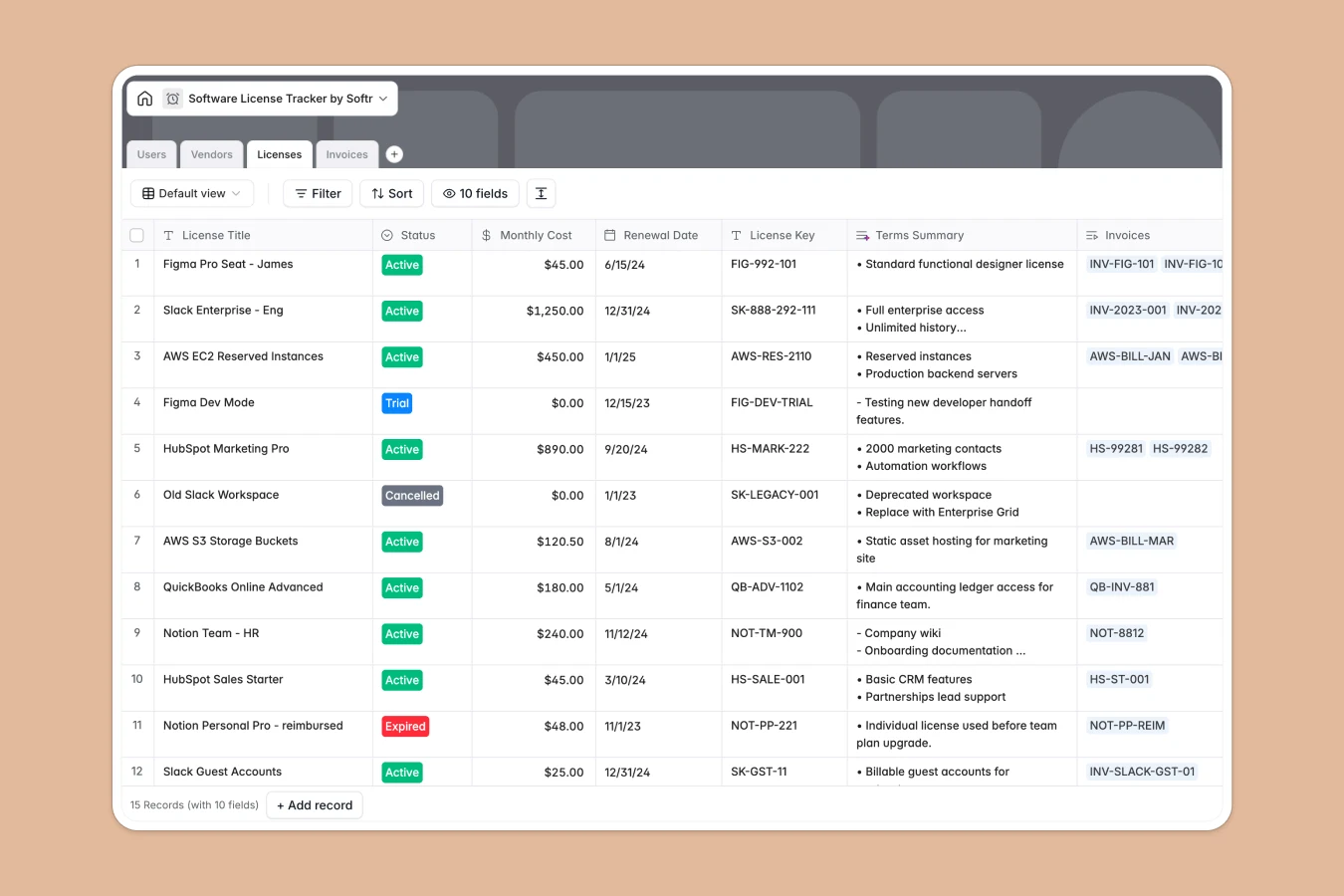
Your Software License Tracker database at a glance
This template gives your team a centralized system to manage every SaaS tool, subscription seat, and recurring renewal. It eliminates shadow IT and surprise renewals by keeping license keys, terms, and spending transparent across departments.
Four dedicated tables: Vendors, Licenses, Users, and Invoices, connect seamlessly to give complete visibility. When you view a vendor, you immediately see the active licenses, assigned team members, and cumulative monthly costs without manual recalculations.
Built-in AI fields research vendor websites, categorize tools automatically, and summarize license usage notes into clear takeaways.
Why tracking licenses in disconnected rows leaves spending unchecked
When subscriptions are managed in blank sheets or loose rows, license assignments lose connection to actual team members and billing dates. A renewal slips past unnoticed, orphaned licenses keep billing each month, and totals must be recalculated manually.
What a structured database changes
In a structured database, every attribute has a dedicated type, ensuring dates stay dates, costs calculate accurately, and license keys remain secure. Instead of retyping vendor names or pasting user emails into rows, records link directly across tables.
Linking a license to a user automatically updates their profile and rolls up overall software spend by department. This is exactly what Softr Databases are designed for: clean, relational architecture that stays reliable as your tool stack expands.
What you can do with this template
Track upcoming renewal dates and monitor payment statuses for every invoice in real time. You can view overall software costs per vendor or see every tool assigned to an individual team member instantly.
With native Database AI agents, your database researches vendor details from public URLs, categorizes software into departments, and summarizes usage terms automatically as records are created.
-
Users
Manage team members, roles, departments, and assigned software seats
-
Vendors
Catalog software vendors using AI web research and auto-categorization
-
Licenses
Track subscription seats, renewals, costs, and AI-summarized terms
-
Invoices
Manage billing documents, payment statuses, and license payment history
Who is this Software License Tracker database for
This template is tailored for operations, IT, and finance leaders managing multiple software tools:
- IT Managers: Maintain complete visibility over active seats, license keys, and user assignments.
- Finance Teams: Track recurring software spend, monitor invoice statuses, and forecast annual budgets.
- Department Leads: Oversee team software allocations and ensure tools match actual departmental needs.
- Operations Leads: Prevent accidental auto-renewals and standardize software onboarding workflows.
How to take it further
1. Customize the database
Adjust the predefined categories, departments, or license statuses to match your company's operational setup. Add custom fields for contract attachments, security compliance levels, or single sign-on requirements in just a few clicks.
2. Import your existing data
Quickly bring in historical software records using a CSV upload or sync data automatically via API. Your vendor lists, past invoices, and active user assignments will link together immediately.
3. Build a full app around it
When your team is ready, transform this database into a tailored software management portal. Use the AI app generator to generate an interactive internal app with granular users and permissions in one prompt. Employees can request software seats while department managers approve renewals directly through custom interfaces.
-
1
-
2
-
3
-
4
Frequently asked questions
-
What is a software license tracker database?
-
Why use a no-code database to build a software license tracker?
-
How can AI help managing data for software licenses?
-
Can I build an app with software license tracker database?
-
Is this Software License Tracker database free?
-
Can I connect automated workflows to this database?
Start building today. It's free!
Build and launch your first app in under 30 minutes.