


Overview
This Sales CRM Database helps you track every customer interaction from first contact to closed deal. It keeps companies, contacts, deals, and activities connected so nothing falls through the cracks—no more scattered spreadsheets or missed follow-ups.
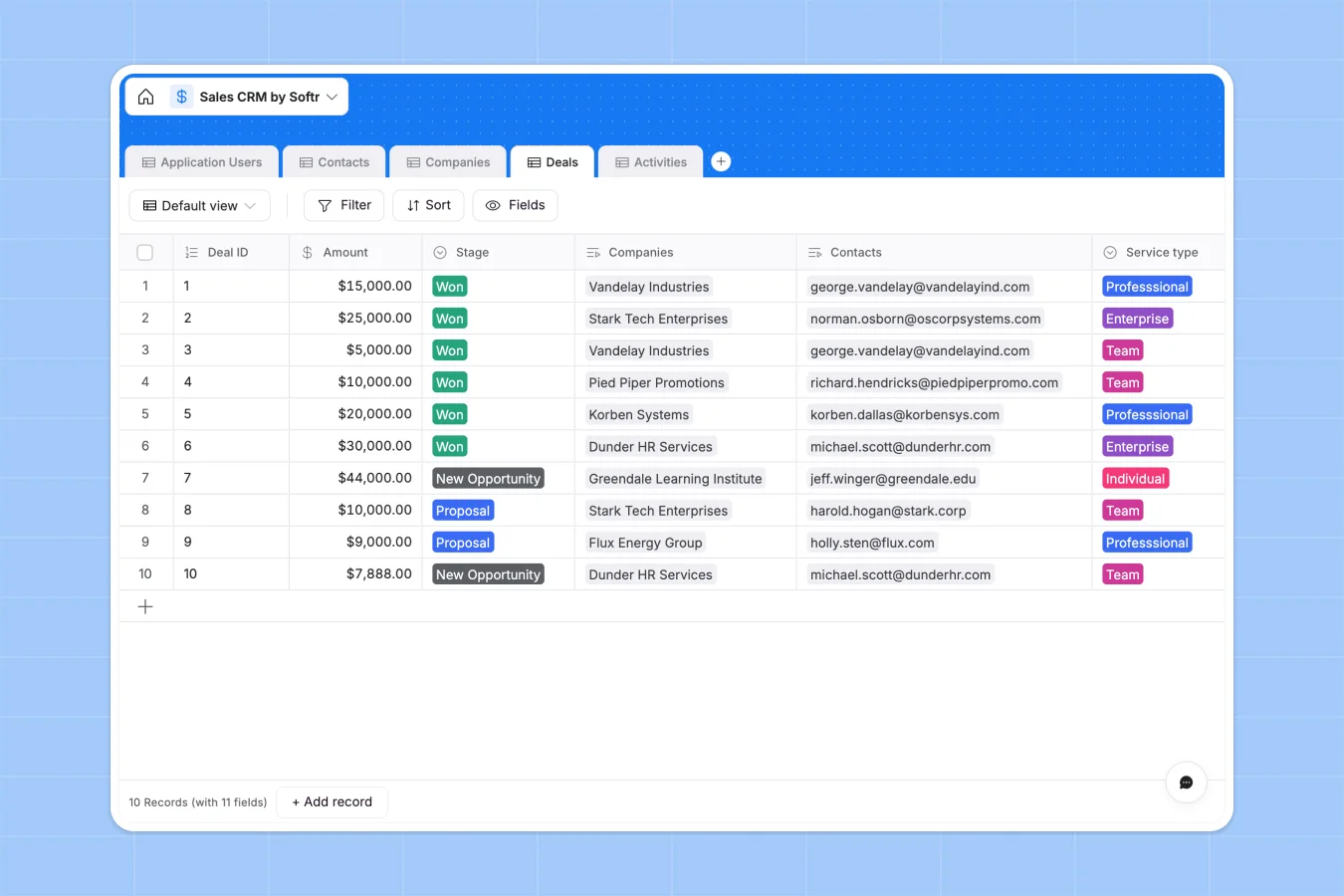
The database includes five connected tables: Companies store account details and industry information, Contacts link to their respective companies, Deals track pipeline stages and amounts, Activities log every touchpoint, and Application Users manage account ownership. Each table connects through native relationships—contacts automatically link to their companies, deals roll up to show pipeline value, and activities tie directly to the people involved.
Why use this Sales CRM database (instead of spreadsheets)
Spreadsheets quickly become unmanageable for sales tracking. Teams create multiple tabs for contacts, companies, and deals, then struggle with fragile VLOOKUPs that break when data changes. Columns mix dates with comments, deal stages get inconsistent, and finding a contact's full interaction history means jumping between tabs.
The power of Softr Databases
Softr Databases enforce proper structure with typed columns—currency fields for deal amounts, datetime fields for close dates, and select fields with consistent stage values. Native relationships replace fragile formulas: link a contact to their company once, and lookups automatically pull company details wherever needed. Rollups instantly count deals per account manager or sum pipeline value. Following the one table = one object principle, this database stays organized as your pipeline grows, and its relational structure makes it ready for building customer-facing portals or internal sales tools.
Core features and functionality
The database tracks deal progression through customizable stages (New Opportunity, Proposal, Won), connects every activity to specific contacts and companies, and assigns account ownership with automatic rollups showing workload distribution. Lookup fields pull relevant information across tables—see a contact's company website, account manager, and deal history in one view. This structure eliminates the guesswork of who owns which account, what stage each deal is in, and when the last touchpoint happened.
-
Application Users
Manage CRM access with roles, profile images, and linked sales performance
-
Contacts
Store individual lead details linked to companies and account managers
-
Companies
Organize client organizations by industry with logos and associated deals
-
Deals
Track sales opportunities and revenue through custom pipeline stages
-
Activities
Log communications and meetings with detailed notes and contact links
Who is this Sales CRM database for
This template works for any team tracking customer relationships and sales pipeline:
- Small sales teams: Centralize customer data and deal tracking without complex CRM software setup.
- Account managers: Monitor assigned companies, track activities, and see pipeline value in real time.
- Business development teams: Log every touchpoint, manage follow-ups, and never lose track of opportunities.
- Consulting firms: Track client relationships, proposal stages, and service types across multiple accounts.
- Agencies: Manage prospects, monitor deal progression, and coordinate team efforts on high-value opportunities.
How to take it further
Customize the database. Adjust the Stage select field values to match your actual sales process (Qualification, Demo Scheduled, Negotiation), modify Industry choices to reflect your target markets, or add Service Type options that align with your offerings. Since this is a native Softr Database, editing field values and adding columns takes seconds.
Import your existing data. Upload your current contacts, companies, and deals via CSV for bulk imports, or connect through API for automated sync. This gets your team working with real data immediately instead of starting from scratch.
Build an app on top. The logical next step is creating an interface for your sales team. Build a sales dashboard showing pipeline value by stage, create filtered views for each account manager to see only their assigned companies and deals, or design a client portal where customers check deal status and contract details. With users and permissions, account managers see only their accounts while admins get full visibility. Full-stack apps in Softr mean your database, interface, and workflows all connect seamlessly—and a well-structured database like this one makes app development straightforward because relationships and data types are already properly defined.
Can I build customer-facing portals with this database?
Yes, you can build external portals where clients log in to view their deals, check contract status, or update contact information. Set granular permissions so each client sees only their own company records and related deals—nothing from other accounts. This eliminates back-and-forth emails about deal status while keeping sensitive pipeline data secure.
-
1
-
2
-
3
-
4
Frequently asked questions
-
What is a sales CRM database?
-
Why use a no-code database to build a sales CRM?
-
How can AI help managing data for sales CRM?
-
Can I build an app with this sales CRM database?
-
Is this Sales CRM database free?
-
How is a sales CRM database different from spreadsheets?
Start building today. It's free!
Build and launch your first app in under 30 minutes.