


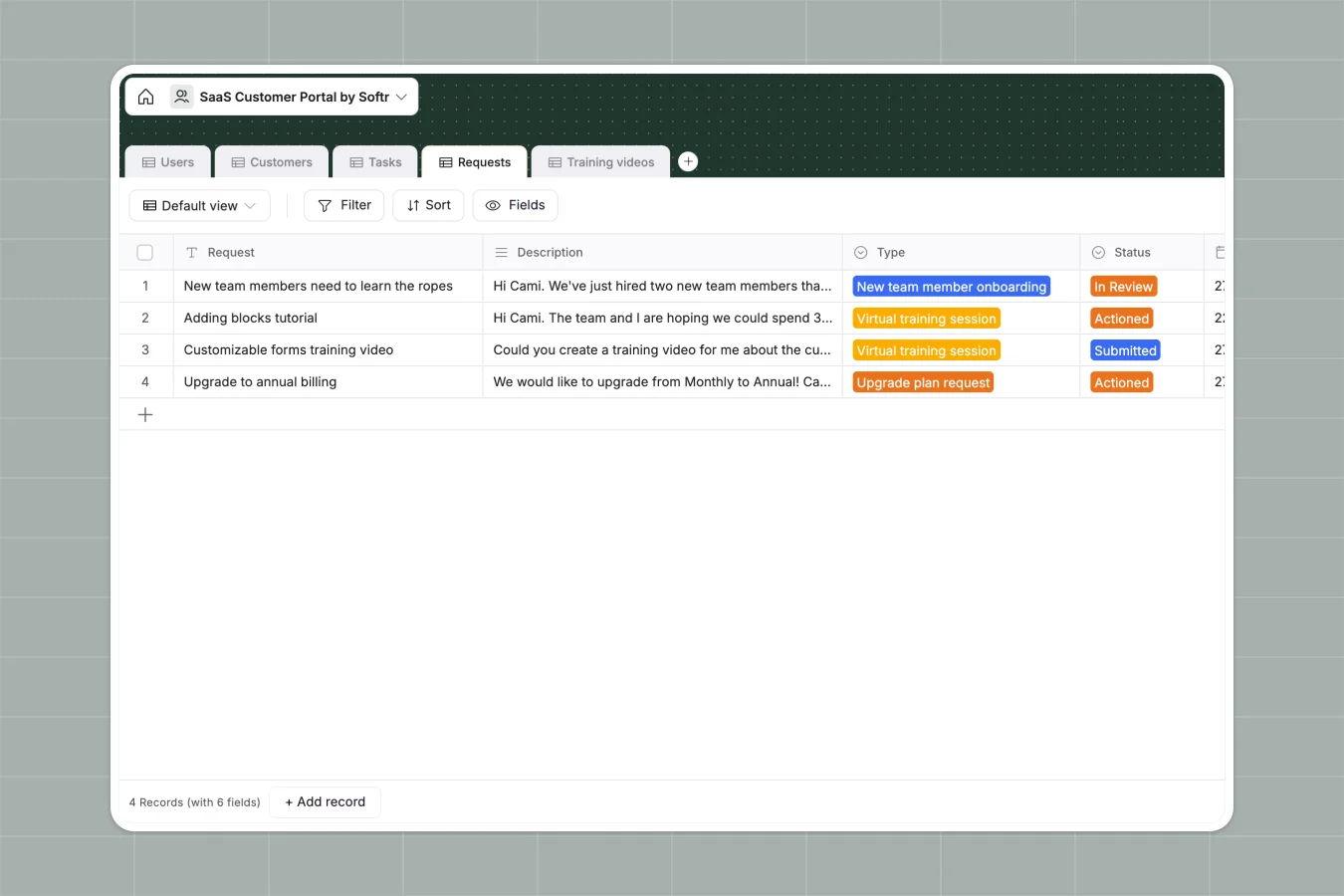
Your SaaS Customer Portal database at a glance
This template provides a central hub to manage your software clients, track their onboarding tasks, and organize support requests. It keeps your Customer Success Managers (CSMs) and clients perfectly aligned without manual follow-ups.
The database connects Users to specific Customers, linking them directly to their active Tasks and Requests. Every contract detail, training video, and help ticket is organized relationally, so nothing gets lost in the shuffle.
Why managing SaaS customer portals in spreadsheets breaks down
Tracking client onboarding, multiple contacts, and support tickets across scattered spreadsheet tabs quickly leads to broken formulas and lost details.
What a structured database changes
Spreadsheets force you to duplicate customer information every time a new support request or task is logged.
A structured database fixes this by giving every piece of data a specific home. You can link a training video directly to an ongoing onboarding task without copy-pasting links across rows.
This is exactly what Softr Databases are designed for. They enforce clean data types, ensuring your subscription plans stay as formatted categories and contracts remain securely attached.
What you can do with this template
Easily assign CSMs to dedicated customer accounts so everyone knows exactly who they are managing.
Track every onboarding task and help request by status, moving items from "Submitted" to "Actioned" with a simple dropdown.
Organize custom training videos and link them uniquely to specific clients or tasks for a highly personalized customer experience.
-
Users
Manage customer and staff profiles with contact info and system roles
-
Customers
Store company records including contract details and assigned success managers
-
Tasks
Track project milestones and implementation steps with completion status
-
Requests
Handle support and session inquiries with classification and review stages
-
Training videos
Centralize educational video links mapped to specific tasks and customers
Who is this SaaS Customer Portal database for
This template is built for software companies and agencies that need to structure their client success operations.
- Customer Success Managers: Track assigned accounts, monitor onboarding progress, and resolve incoming help requests efficiently.
- Operations Leads: Maintain accurate records of active contracts, subscription plans, and overall customer health.
- Support Teams: Process client tickets systematically by categorizing requests from virtual sessions to simple support queries.
How to take it further
Customize the database
You can easily tailor this template to fit your exact business model. Add new plan types to the dropdown field or create custom request statuses in just a few clicks.
Import your existing data
Bring your current client list right into the system. You can bulk upload your existing customers and contacts via CSV or connect an API to sync records directly from your CRM.
Build a full app around it
When your team is ready, you can transform this database into a secure, white-labeled client portal. By connecting an interface, you give customers a dedicated place to log in, view tasks, and submit requests.
Because this template ensures one table equals one object, setting up proper permissions is effortless. You can guarantee that clients only see their own company's data while your internal team sees the entire pipeline.
-
1
-
2
-
3
-
4
Frequently asked questions
-
What is a SaaS customer portal database?
-
Why use a no-code database to build a SaaS customer portal system?
-
How can AI help managing data for a SaaS customer portal?
-
Can I build an app with this SaaS customer portal database?
-
Is this SaaS Customer Portal database free?
-
How is a SaaS customer portal database different from spreadsheets?
Start building today. It's free!
Build and launch your first app in under 30 minutes.