


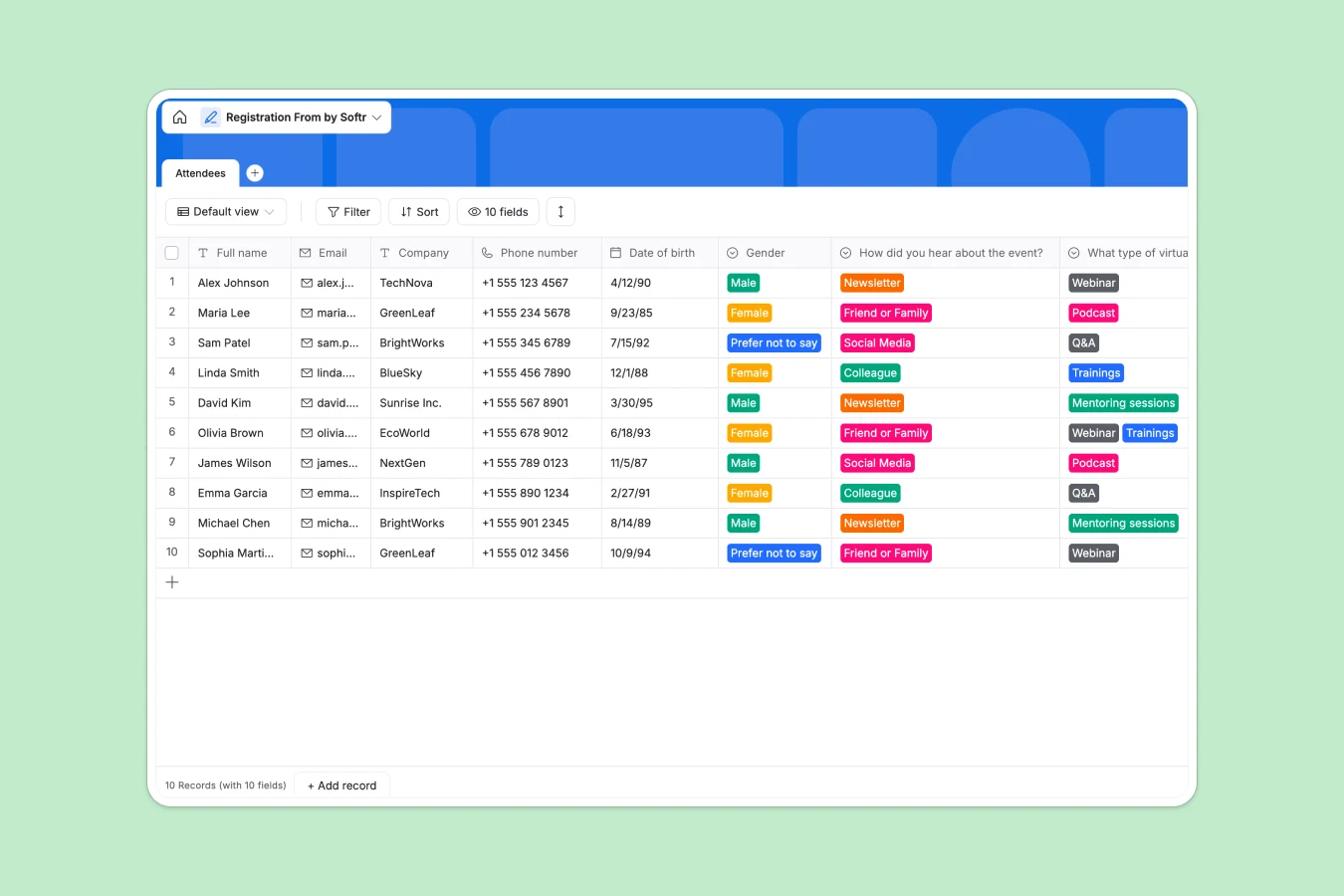
Your Registration Database at a glance
This template gives you a clean, structured way to collect new signups, manage attendee information, and track marketing channels in a single view.
The central Attendees table automatically captures essential contact details alongside automatically generated submission timestamps. Built-in dropdown fields make it easy to categorize how guests heard about you and what future events they want to attend.
Why managing registrations in spreadsheets breaks down
Tracking event signups in a spreadsheet quickly turns into a mess of deleted rows, inconsistent formatting, and scattered contact details.
What a structured database changes
In a proper system, data types are strictly enforced. Phone numbers stay properly formatted, emails remain clickable, and submission times are logged automatically without any manual data entry.
You can effortlessly filter your guest lists by acquisition channel or preferred future events without breaking fragile formulas. This is exactly what Softr Databases are designed for.
Everything stays perfectly organized as your attendee list scales from ten people to thousands.
What you can do with this template
Capture clean attendee profiles instantly with built-in validation for emails and phone numbers.
Track exactly where your audience comes from to see whether social media, newsletters, or referrals drive the most registrations.
Monitor terms and conditions agreements with simple checkboxes so your team stays compliant effortlessly.
-
Attendees
Manage event participant profiles with contact info and preference tracking
Who is this Registration Database for
This template provides a reliable foundation for any team hosting virtual or in-person events.
- Marketing Teams: Track acquisition channels and easily identify where your most engaged attendees come from.
- Event Organizers: Centralize guest lists, contact details, and content preferences to run smoother operations.
- Community Managers: Gather immediate insights on what future events, like Q&As or training sessions, your audience actually wants.
- HR Professionals: Manage internal workshop signups and keep employee attendance records neatly organized.
How to take it further
You can easily modify the dropdown choices to match your specific marketing channels or future event types. Adding new columns to track dietary restrictions, ticket types, or check-in status only takes a few clicks.
If you already have a list of past attendees, just upload a CSV file to bring everyone into your new workflow at once. You can also connect via API to sync registrations automatically from external landing pages.
When your operations grow, it becomes natural to use an interface builder to turn this data into a custom event portal. This allows you to give on-site staff a dedicated app to check attendees in on the day of the event.
By leveraging users and permissions, you ensure volunteers only see names and ticket statuses, while keeping sensitive contact info hidden. Because your database is already perfectly structured, building these tools takes minutes rather than weeks.
-
1
-
2
-
3
-
4
Frequently asked questions
-
What is a registration database?
-
Why use a no-code database to build an event registration tool?
-
How can AI help managing data for event registrations?
-
Can I build an app with this registration database?
-
Is this Registration Database free?
-
How is a registration database different from Google Sheets?
Start building today. It's free!
Build and launch your first app in under 30 minutes.