


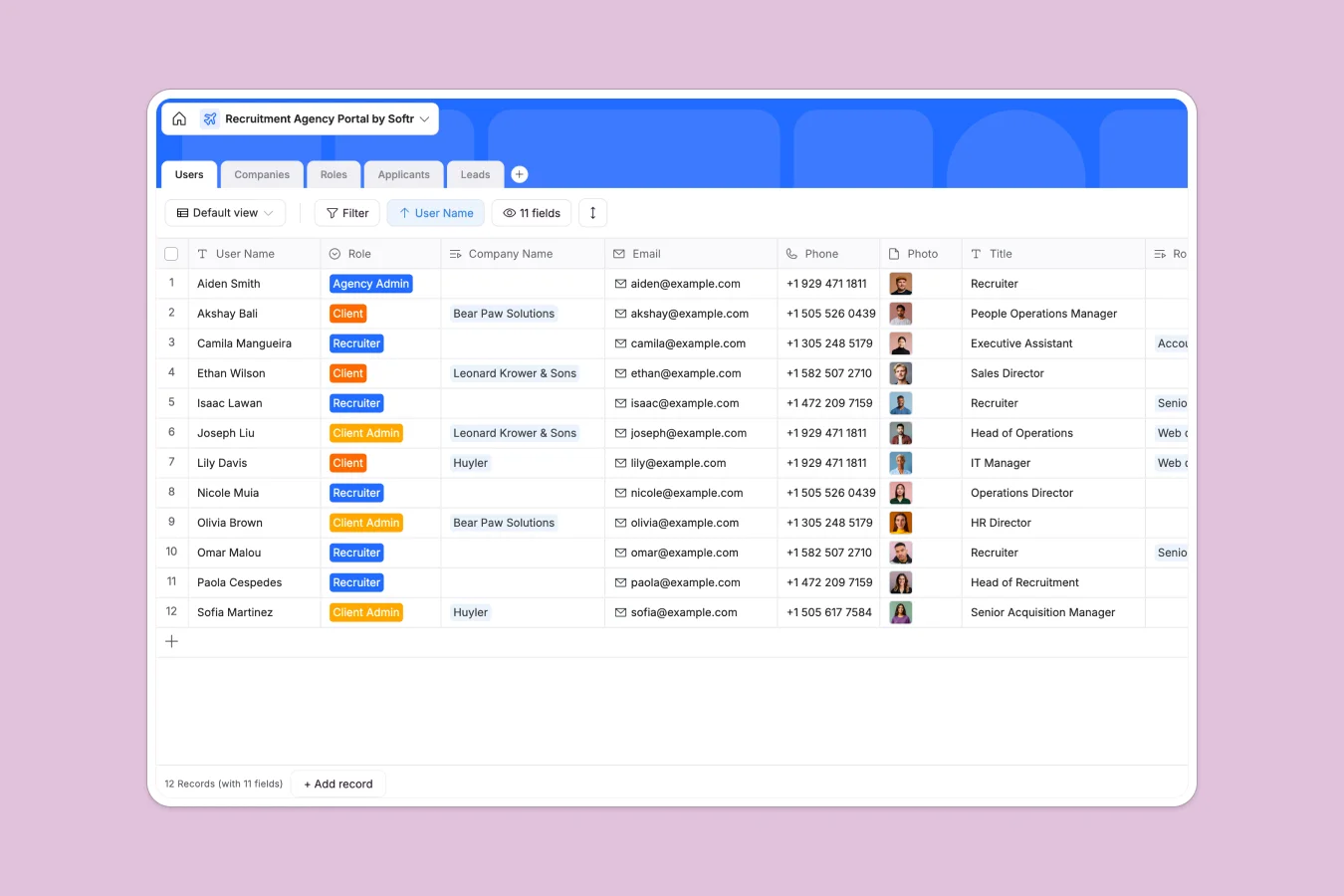
Your Recruitment Agency Portal database at a glance
This template gives your agency a centralized, ready-to-use system to track companies, job openings, and candidate pipelines. It brings structure to your hiring process so no applicant slips through the cracks.
The database seamlessly connects your core operations. When you view a Company record, you instantly see its associated Job Roles and the Applicants assigned to them, eliminating scattered data.
Why managing recruitment agencies in spreadsheets breaks down
Tracking hundreds of candidates across multiple companies and job openings quickly turns spreadsheets into an unmanageable mess. Fragile formulas break, and tracking applicant statuses across tabs becomes a manual nightmare.
What a structured database changes
A structured database enforces rules so your data stays clean as your agency scales. Resumes attach directly to applicant profiles, and interview statuses are restricted to standard dropdowns to prevent typos.
This is exactly what Softr Databases are designed for. You natively link an Applicant to a Role without copying and pasting information across multiple tabs.
What you can do with this template
Log incoming leads, manage client company details, and assign dedicated recruiters effortlessly. You can track every candidate from the initial phone screen to the signed offer.
The structure makes it simple to monitor exactly how many applicants are in the pipeline for specific open roles at any given time.
-
Users
Manage agency staff and client accounts with roles and contact details
-
Companies
Centralize client organization profiles with logos and linked job openings
-
Roles
Track specific job vacancies with status, location, and hire dates
-
Applicants
Monitor candidate progress through pipeline stages with resume storage
-
Leads
Manage prospective client inquiries and company size for business growth
Who is this Recruitment Agency Portal database for
This template is a ready-to-use foundation for teams that need a reliable system to manage hiring cycles.
- Recruitment agencies: Centralize leads, active roles, and candidate pipelines smoothly.
- Hiring managers: Track applicants clearly from the first phone screen to the final signed offer.
- HR departments: Maintain an organized, unified record of internal roles and resumes.
How to take it further
Customize the database
Adapt the structure to fit your exact workflow in seconds. You can easily add new candidate application statuses or adjust the dropdown options for job locations.
Import your existing data
Upload your current candidate rosters and company lists instantly via CSV. You can also connect via API to sync new leads directly from your agency's website.
Build a full app around it
When your team is ready, you can turn this database into a fully functioning portal for both clients and recruiters. A well-structured database makes app development incredibly fast and predictable.
By fully utilizing users and permissions, you can ensure external clients only view their specific job openings, while internal recruiters manage the entire pipeline.
-
1
-
2
-
3
-
4
Frequently asked questions
-
What is a recruitment agency portal database?
-
Why use a no-code database to build a recruitment agency portal?
-
How can AI help manage data for a recruitment agency portal?
-
Can I build an app with a recruitment agency portal database?
-
Is this recruitment agency portal database free?
-
How does this template replace recruitment spreadsheets?
Start building today. It's free!
Build and launch your first app in under 30 minutes.