


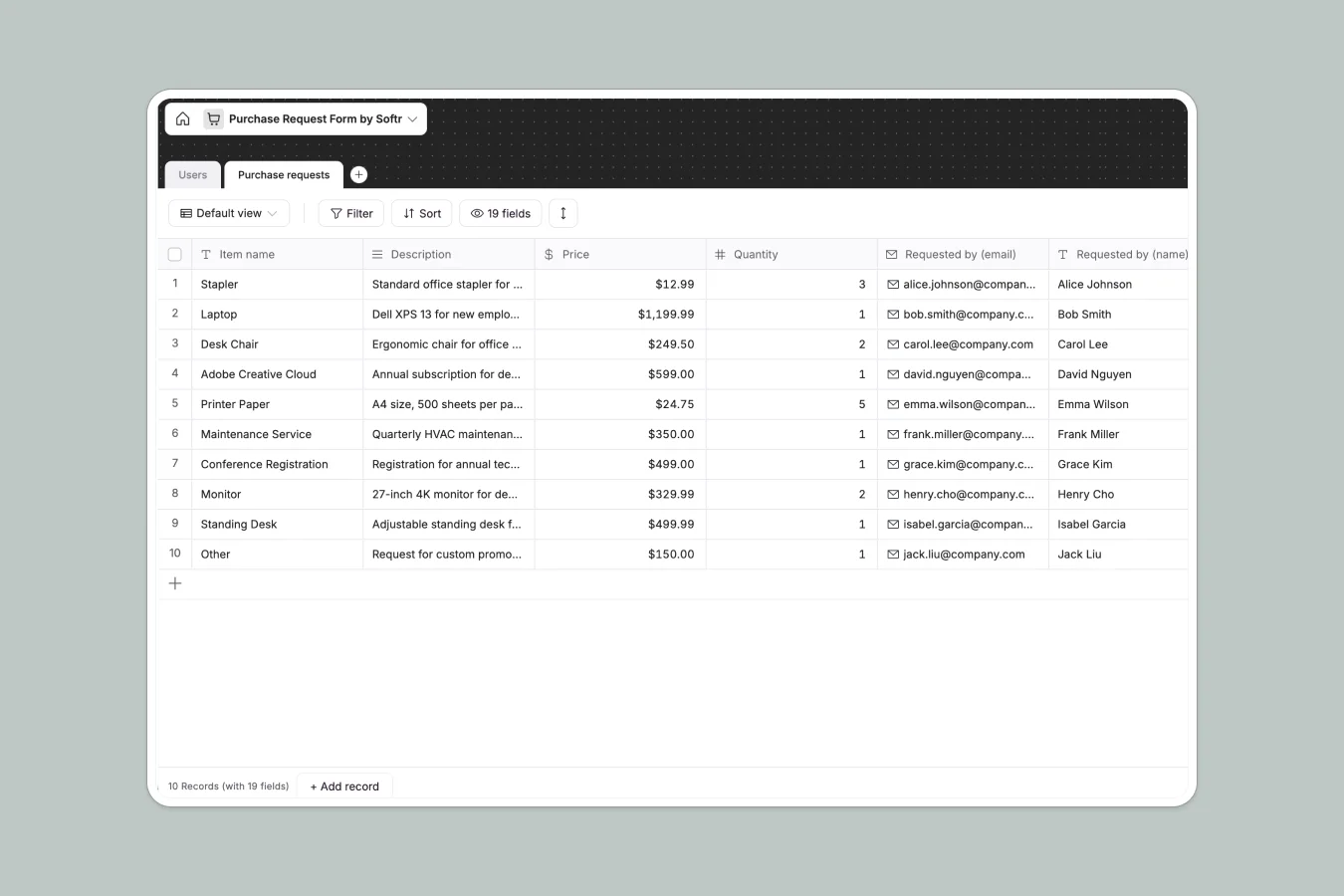
Your Purchase Request database at a glance
Centralize your team's spending requests, from software subscriptions to office supplies, to keep approvals fast and budgets visible.
This template links a Users table with a detailed Purchase requests table. Employees log item details and vendor quotes, while managers review attachments and seamlessly update statuses to "Approved."
Why managing purchase requests in spreadsheets breaks down
Tracking team expenses in spreadsheets usually ends in scattered email threads, missing vendor invoices, and delayed approvals.
What a structured database changes
Every column has a strict format, meaning prices stay currencies, receipts are stored as true attachments, and statuses are controlled via secure dropdowns.
You can automatically connect the requester's details to the purchase without relying on manual entry. This is exactly what Softr Databases are designed for.
What you can do with this template
Standardize how your team asks for budget by natively tracking specific vendor details, website links, and recurring subscription types.
Keep every receipt, comment, and item description securely attached to the exact request in one clear, easily filterable view.
-
Users
Manage employee profiles, contact details, and administrative access levels
-
Purchase requests
Log and track departmental procurement needs from submission to approval
Who is this Purchase Request database for
This template is designed for teams that need to organize spending and replace scattered email approvals.
- Operations Managers: Review and approve office supplies or equipment requests in one centralized queue.
- IT Departments: Track software subscription requests and maintain a clear record of recurring costs and links.
- Finance Teams: Keep a clean log of vendor details, attachments, and approved prices for easy reconciliation.
How to take it further
Easily customize the database to your specific needs by adding new department categories to the tracker. You can also edit the dropdown options to match your exact internal approval workflows.
If you already track purchases elsewhere, securely upload a CSV file to bring all historical expenses and vendor records into the system. You can even connect via API for an automated sync with your core financial tools.
When your team is ready, you can build an app directly on top of this structure to create a secure internal portal.
By setting up users and permissions, you can ensure employees only see their own requests while admins review all company spending. Starting with a well-structured database makes building this interface incredibly straightforward.
-
1
-
2
-
3
-
4
Frequently asked questions
-
What is a purchase request database?
-
Why use a no-code database to build a purchase request system?
-
How can AI help managing data for purchase requests?
-
Can I build an app with this purchase request database?
-
Is this Purchase Request database free?
-
How is a purchase request database different from spreadsheets?
Start building today. It's free!
Build and launch your first app in under 30 minutes.