


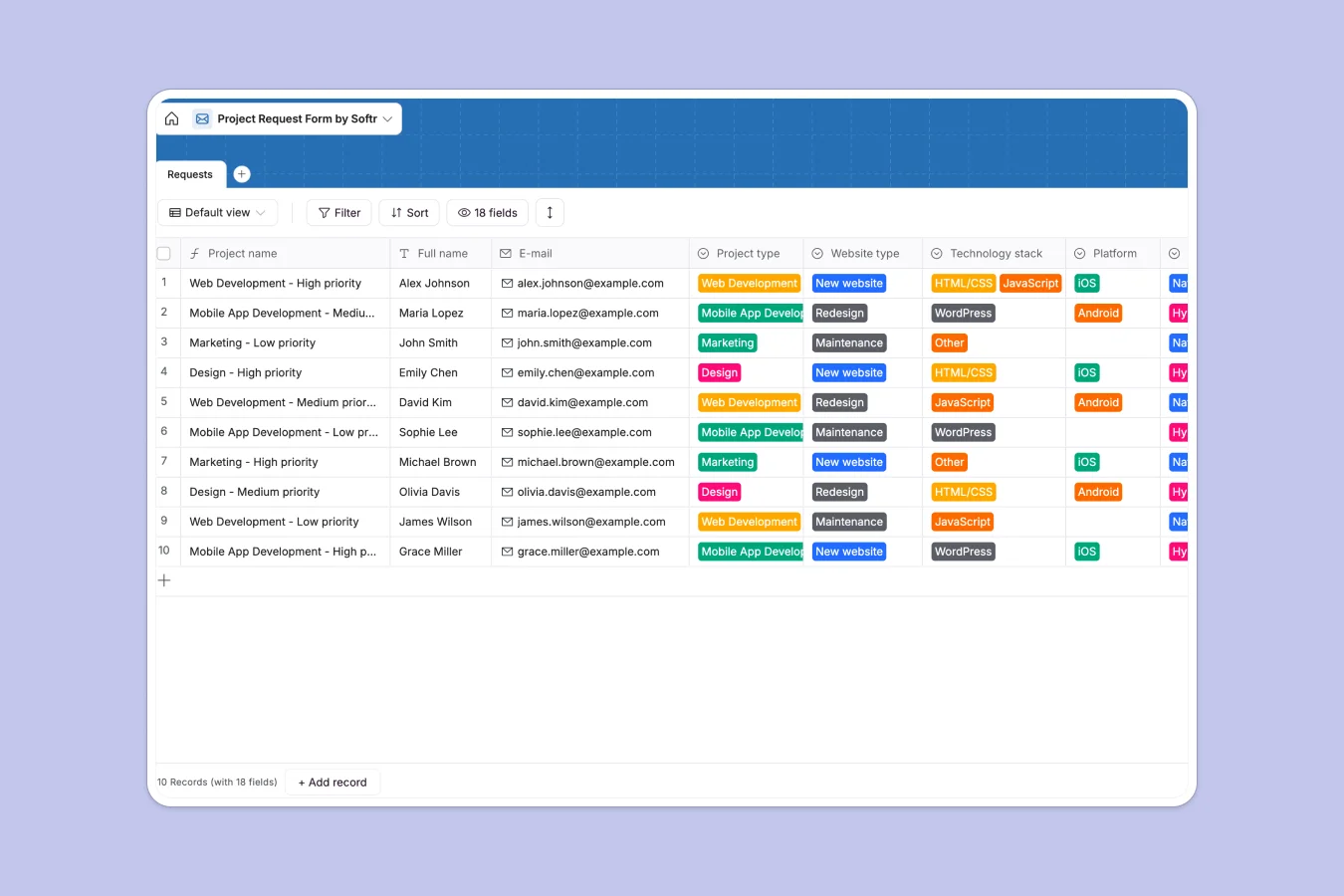
Your Project Request Database at a glance
Capture new requests effortlessly with clear categories for Web, App, Marketing, or Design. This template keeps project scopes, budgets, and file attachments properly structured.
Every submission automatically generates a distinct project name based on its type and priority. You can easily sort by deadline, review specific technology stacks, and update task priority.
Why managing project requests in spreadsheets breaks down
When work requests pour in through emails or basic forms, spreadsheets quickly become chaotic. Mix-ups happen easily when long descriptions, budget numbers, and file attachments get crammed into endless rows.
What a structured database changes
With a true database, every field serves a clear purpose. Budgets stay as numbers, deadlines stay as distinct dates, and attached files remain neatly organized without breaking the layout.
This strict formatting prevents critical project details from getting lost or accidentally deleted across the team. This is exactly what Softr Databases are designed to solve.
What you can do with this template
Immediately categorize incoming work with predefined tags for campaign types, required assets, and platforms. You can adjust these drop-downs in seconds to strictly match your unique operational workflows.
Because your scope details and deadlines are locked into reliable formats, you can clearly track your intake pipeline from initial submission to final delivery.
-
Requests
Capture incoming project briefs with requirements, budget, and priority levels
Who is this Project Request database for
This template provides a reliable foundation to intake and categorize work across various teams:
- Agency Managers: Review requested scopes, budgets, and technical stacks before approving new client work.
- Creative Directors: Organize incoming design tasks by branding, UI/UX, and required assets without missing deadlines.
- Marketing Leads: Track pending campaigns, print requests, and social media initiatives in a single organized view.
- Operations Teams: Maintain a strict pipeline of all cross-departmental requests and their specific priority levels.
How to take it further
Start by customizing the exact fields you need to collect. You can immediately adjust the options for platform types, technology stacks, or priorities to align perfectly with your team's existing services.
If you already have a backlog of pending requests, simply import them via CSV upload. This brings all historical project data directly into your newly structured workflow.
When your team is ready, you can transform this workflow into a functional internal portal using Softr's interface builder. This allows requesters to submit tasks securely via forms and track their own project status.
By defining specific users and permissions, you ensure clients only see their own requests while your operators view the entire pipeline. Starting with a well-structured database makes this eventual app-building process effortless.
-
1
-
2
-
3
-
4
Frequently asked questions
-
What is a project request database?
-
Why use a no-code database to build a project request system?
-
How can AI help managing data for project requests?
-
Can I build an app with this project request database?
-
Is this project request template free?
-
How do I customize the project types in this template?
Start building today. It's free!
Build and launch your first app in under 30 minutes.