


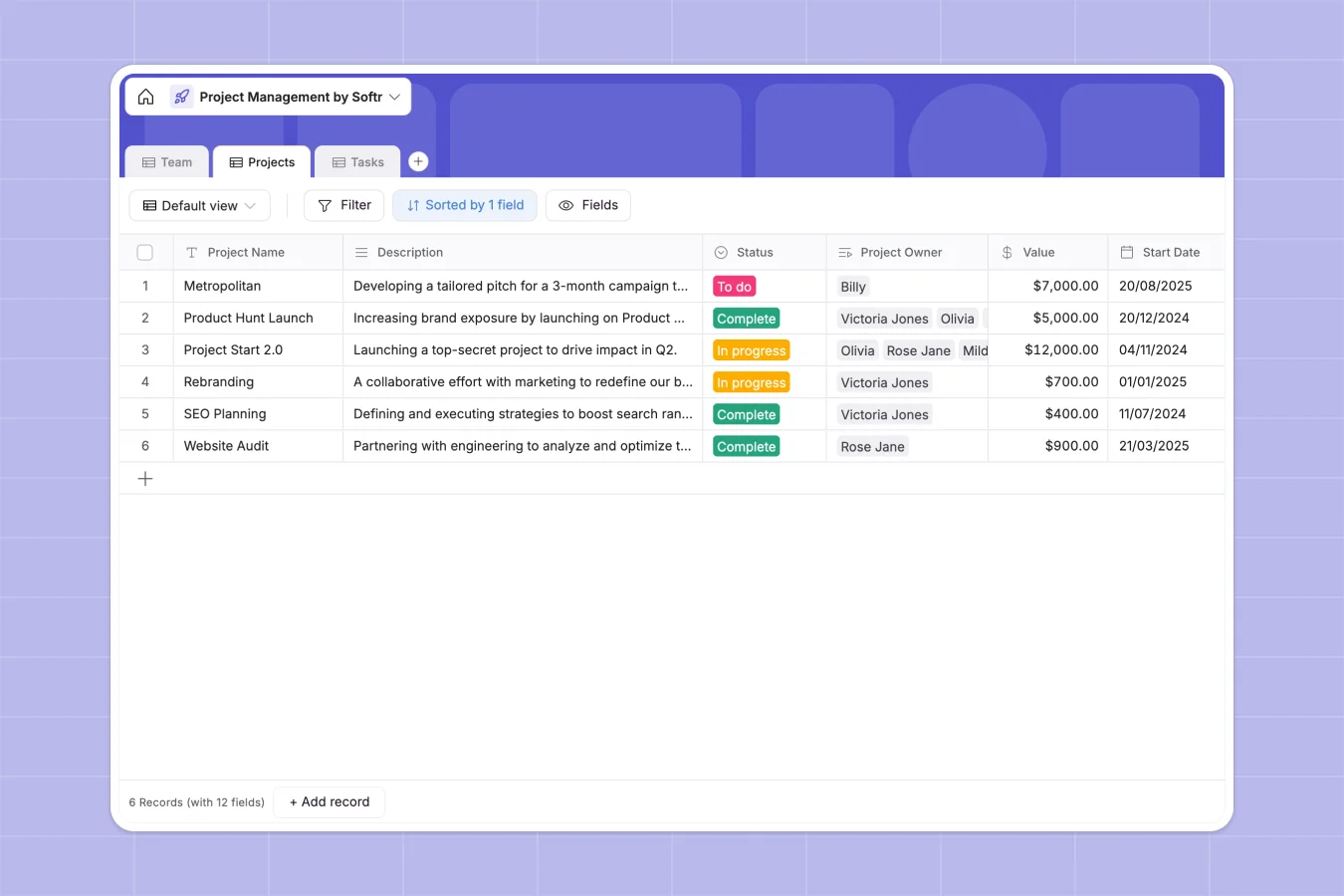
Your Project Management Database at a glance
This template lets you track multiple projects, assign tasks, and monitor deadlines effortlessly. Get a clear overview of every team member's workload in real time.
It features connected tables for Team, Projects, and Tasks. When you assign a task to someone, it automatically groups into their workload and rolls up to the main project status.
Why managing projects in spreadsheets breaks down
Tracking tasks and team workloads in spreadsheets quickly becomes chaotic. Rows get accidentally deleted, deadlines are missed, and formatting breaks when you try to link tasks to specific projects.
What a structured database changes
A true database gives every piece of information a strict format. Due dates stay as selectable calendars, priorities are locked to specific labels, and team names never get misspelled.
Instead of copying and pasting data across tabs, tables connect natively. You can link a task directly to a project owner—which is exactly what Softr Databases are designed for.
What you can do with this template
Instantly start logging project milestones, setting priority levels, and tracking project statuses from "To do" to "Complete".
Manage your team's bandwidth effortlessly. Roll up all tasks assigned to an employee to see exactly what they are working on across all active projects.
-
Team
Manage team members with roles, contact details and project assignments
-
Projects
Track project milestones, ownership, financial value and overall status
-
Tasks
Organize specific project actions with priorities, deadlines and assignees
Who is this Project Management database for
This database is designed for operators and team leads who need clear visibility into daily work.
- Operations Managers: Track project values, deadlines, and specific owners in one central view.
- Department Heads: Monitor the bandwidth of employees across distinct departments like Sales, Design, or Engineering.
- Project Managers: Assign priority levels to specific tasks and push them through a clear status pipeline.
How to take it further
Customize the database to fit your specific workflow perfectly. Add new status options for tasks or create new select fields to tag projects by external clients.
Import your existing data cleanly and efficiently. Bring in your current task lists and team directories via a simple CSV upload or API sync.
Build a full app around it when your team needs a dedicated, user-friendly workspace. You can easily drag and drop a custom internal tool using a visual interface builder.
Just connect this database, and use distinct users and permissions to ensure employees only see the tasks assigned directly to them. This keeps managers informed while protecting sensitive project value data.
-
1
-
2
-
3
-
4
Frequently asked questions
-
What is a project management database?
-
Why use a no-code database to build a project management tool?
-
How can AI help managing data for projects?
-
Can I build an app with this project management database?
-
Is this Project Management Database free?
-
How is a project management database different from spreadsheets?
Start building today. It's free!
Build and launch your first app in under 30 minutes.