


Overview
This project budget tracking database helps teams monitor hour budgets across projects, track actual time logged against allocations, and identify budget risks before they become problems. It centralizes project budgets, employee allocations, and time logs in a structured system that shows utilization rates and status indicators at a glance.
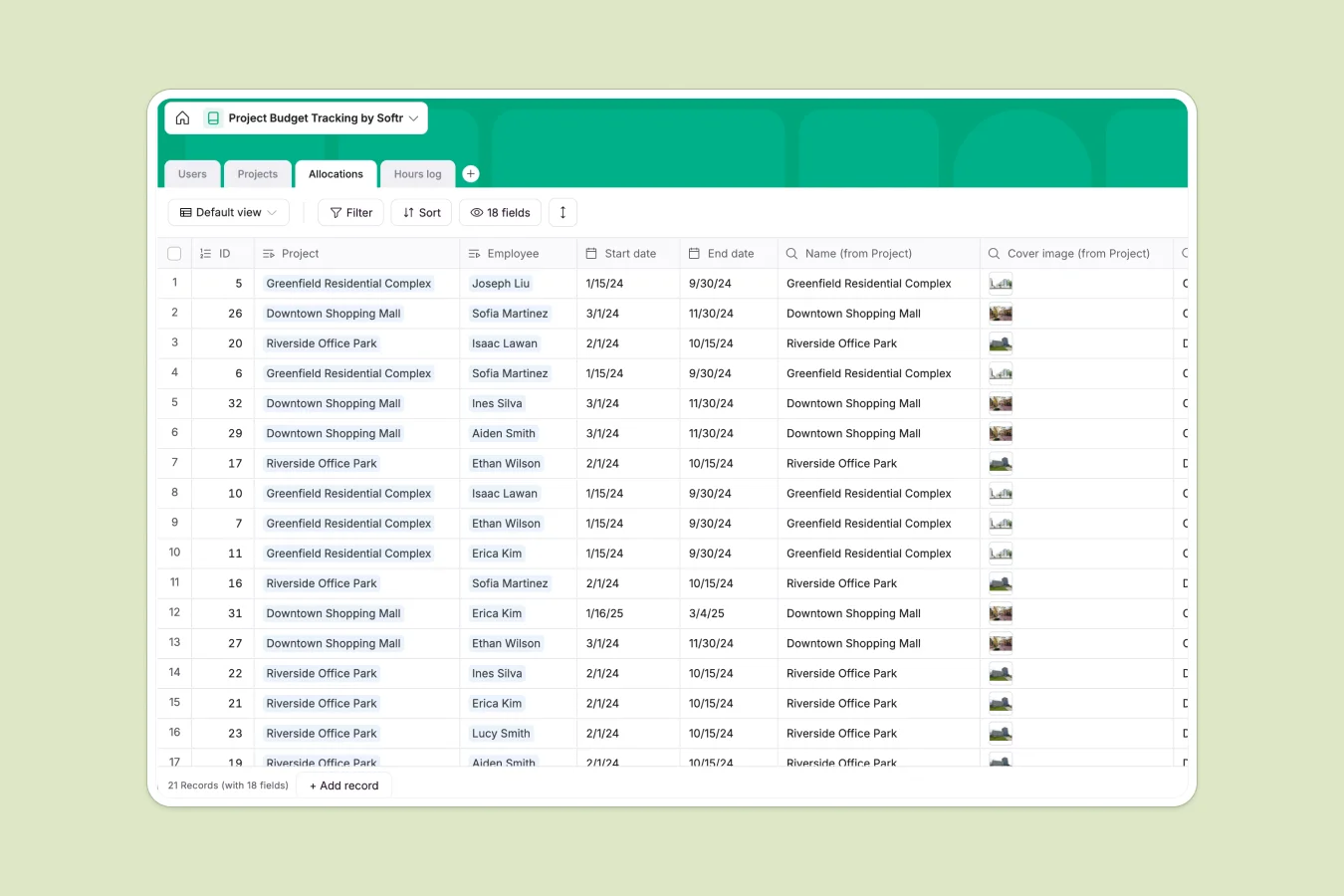
The database connects four tables: Projects hold budget hours and deadlines, Users represent team members who log time, Allocations assign employees to projects with specific hour budgets, and Hours log captures daily time entries. These tables work together through native relationships—logged hours automatically roll up to show project utilization, allocation status, and employee workload. Formulas calculate utilization percentages and flag projects as "On track," "At risk," or "Off track" based on actual spend against budget.
Why use this project budget tracking database (instead of spreadsheets)
Tracking project budgets in spreadsheets becomes unwieldy as projects multiply. Teams often create separate sheets for each project or period, making it difficult to see total utilization across all work or catch allocation conflicts.
The power of Softr Databases
Softr Databases enforce proper structure with typed columns—number fields for hours, date fields for timelines, and formula fields for utilization calculations that update automatically. Native relationships between Projects, Allocations, and Hours log eliminate fragile VLOOKUPs and ensure data consistency. When an employee logs time, it automatically updates project utilization and allocation status through lookups and rollups. This relational structure follows the principle of one table per object type: Projects are projects, not mixed with employee data or time entries, making the database ready to power reporting interfaces and resource planning tools.
Core features and functionality
The template tracks budget hours at the project level and allocated hours per employee assignment, then compares both against actual logged time. Utilization formulas calculate spend rates and automatically flag status (on track, at risk, off track) so managers can intervene before budgets blow out. Lookup fields pull employee details and project information into allocation records, giving each assignment complete context. The Hours log table captures daily entries that feed into project and employee totals, creating a complete audit trail from individual task to overall project health.
-
Users
Manage team profiles with role definitions, contact info, and total hours logged
-
Projects
Monitor project lifecycle status, timelines, and budget utilization performance
-
Allocations
Assign team members to specific projects and monitor their hourly capacity
-
Hours log
Record detailed daily time entries linked to specific projects and team tasks
Who is this project budget tracking database for
This database works for teams who need to monitor project costs in hours and catch budget issues early:
- Project managers: See budget vs. actual across all projects and identify overruns before they escalate.
- Resource managers: Track employee allocations to prevent overbooking and balance workload across the team.
- Finance teams: Monitor project spend in hours to forecast costs and report on budget health.
- Agencies and consultancies: Bill accurately by tracking logged hours per client project and employee.
- Engineering teams: Manage sprint budgets and ensure story point estimates align with actual effort.
How to take it further
Customize the database
Adjust the Status select field values in Projects to match your workflow stages, or modify Title choices in Users to reflect your team structure. Add custom fields like billing rates to calculate cost alongside hours, or create lookup fields to pull client information into project records.
Import your existing data
Upload historical project budgets, employee records, and time logs via CSV to immediately populate the database with your real data. Use the API to sync time entries from existing time tracking tools or pull allocation data from resource planning systems.
Build an app on top
Create an interface for employees to log hours with a simple form, while managers access dashboards showing project utilization and budget status. Set permissions so employees only see their own allocations and time logs, while project managers view all data for their projects, and finance teams access company-wide reports. Because Projects, Allocations, and Hours log are already structured with proper relationships, the interface automatically displays accurate utilization rates and allocation status without complex configuration.
-
1
-
2
-
3
-
4
Frequently asked questions
-
What is a project budget tracking database?
-
Why use a no-code database to build a project budget tracking system?
-
How can AI help managing data for project budget tracking?
-
Can I build an app with this project budget tracking database?
-
Is this project budget tracking database free?
-
How is a project budget tracking database different from spreadsheets?
Start building today. It's free!
Build and launch your first app in under 30 minutes.