


Overview
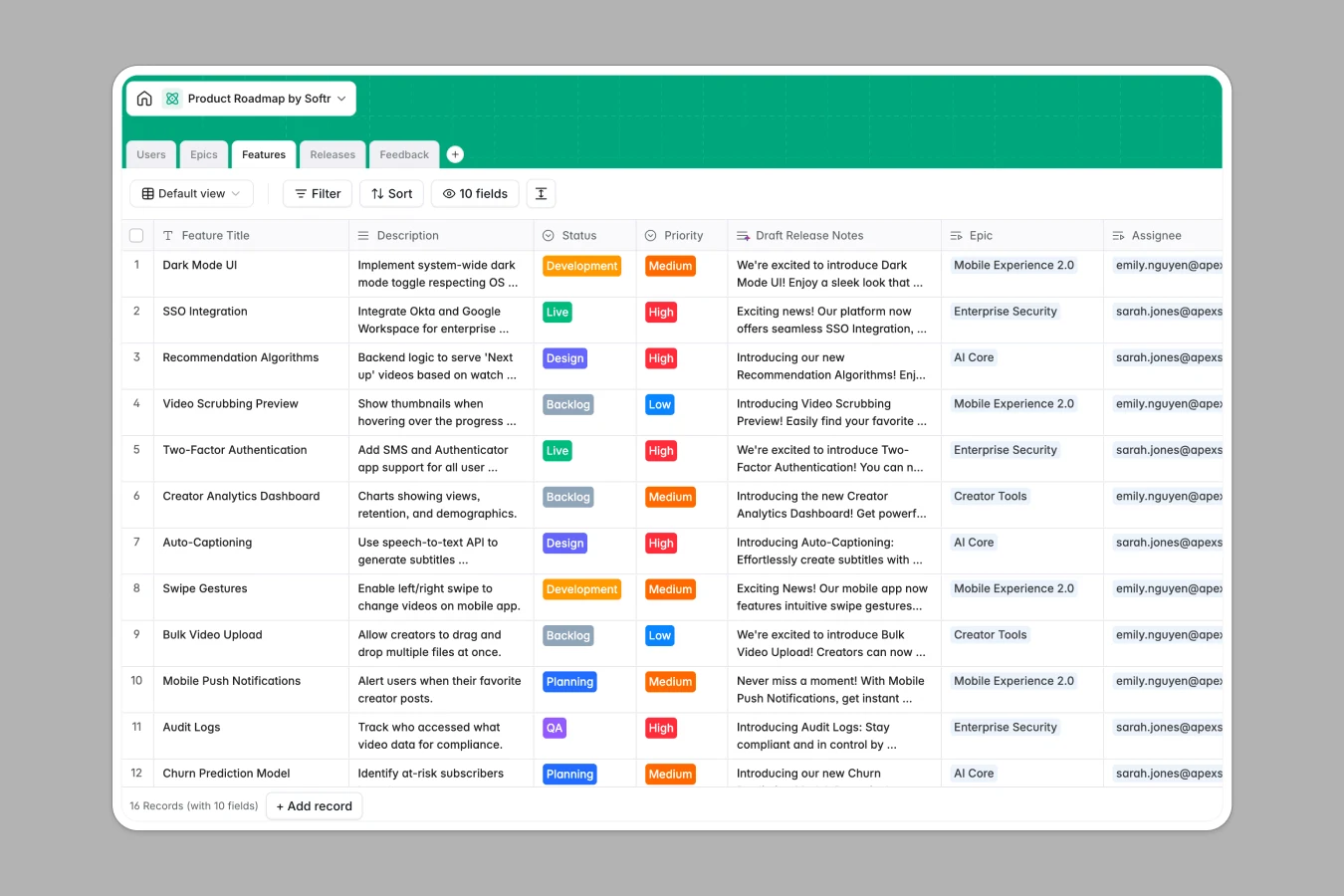
This Product Roadmap database centralizes your entire product lifecycle, connecting high-level strategy to daily execution. It enables teams to track deliverables against strategic goals while maintaining a clear view of progress across versions and deadlines.
The system relies on structured relationships between Epics, Features, Releases, and Feedback tables. You can link individual user feedback items directly to potential features, group those features into broader epics, and assign them to specific release versions. This relational design ensures that every development task is traceable back to a user need or strategic objective.
Integrated AI capabilities facilitate data management by automatically analyzing feedback sentiment, categorizing requests, and researching technical stacks for new features directly within your records.
Why use this Product Roadmap database (instead of spreadsheets)
Spreadsheets often fail to capture the multidimensional nature of product management, leading to broken formulas and disconnected lists. Softr Databases solve this by enforcing a relational structure where a single feature can be linked to an owner, an epic, and a release simultaneously. This ensures that when a release date shifts, every associated feature reflects that change instantly without manual updates.
Core features and functionality
This template leverages Database AI agents to automate administrative overhead. Agents can browse the web to research tech stacks for new features, parse raw user feedback to determine sentiment, and auto-generate draft release notes based on feature descriptions, allowing product managers to focus on strategy rather than data entry.
-
Users
Manage team members and stakeholders with roles and assigned work items
-
Epics
Track strategic themes with AI-generated summaries to group related features
-
Features
Organize roadmap items using AI for release notes and tech stack research
-
Releases
Plan deployment versions and track launch timelines for grouped features
-
Feedback
Collect user ideas and analyze sentiment and categories using AI automation
Who is this Product Roadmap database for
This template is built for product teams seeking to align strategy with execution.
- Product Managers: consolidate backlogs, prioritize features based on user feedback, and track epic progress.
- Developers: view assigned features, understand technical requirements, and access linked specifications.
- Stakeholders: monitor high-level goals and release statuses without needing to navigate complex development tools.
- Customer Support: submit user feedback directly and see which features are addressing specific customer pain points.
How to take it further
1. Customize the database
You can easily adapt the prioritization signals to match your methodology, such as adding RICE or MoSCoW scoring columns to the Features table. Additionally, try modifying the "Status" choices to reflect your specific workflow stages like "Code Review" or "UAT."
2. Import your existing data
If your current backlog exists in Jira, Asana, or spreadsheets, use the CSV import feature to populate your Features and Epics tables instantly. This allows you to migrate historical data and immediately start building relationships between disconnected items.
3. Build an app on top
Transform this database into a functional internal tool or public portal using the interface builder. You could create a public-facing roadmap where customers vote on features, while keeping detailed specs visible only to your team. With users and permissions, you can granulary control who can edit roadmaps and who can only view release schedules.
-
1
-
2
-
3
-
4
Frequently asked questions
-
What is a product roadmap database?
-
Why use a no-code database to build a product management system?
-
How can AI help managing data for product roadmaps?
-
Can I build an app with this Product Roadmap database?
-
Is this Product Roadmap template free?
-
How does this database handle user feedback?
Start building today. It's free!
Build and launch your first app in under 30 minutes.