


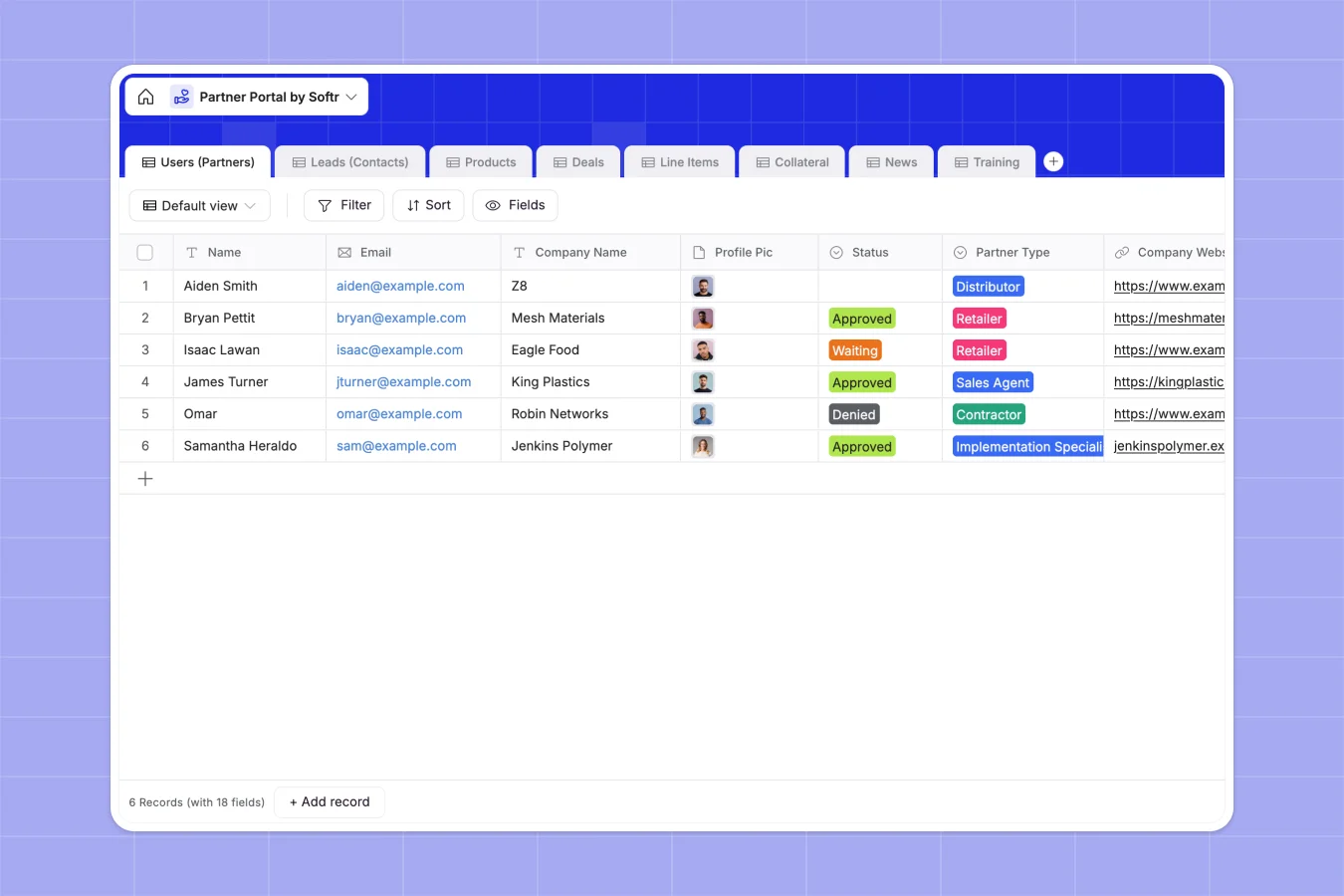
Your Partner Portal database at a glance
This template provides a complete foundation for managing your channel sales and partner network. It helps you track partner applications, monitor deal pipelines, and share essential resources neatly in one place.
Built as a relational system, the database automatically connects your partners to their specific leads and deals. Rollup fields calculate total pipeline values instantly, while dedicated tables manage your product catalog, marketing collateral, and training materials.
Why managing partner networks in spreadsheets breaks down
Trying to run a partner program across multiple spreadsheets quickly turns into a logistical nightmare. Instead of clear pipelines, you get buried in duplicate lead entries, broken formulas, and poor communication.
What a structured database changes
In a structured system, everything stays connected through clean relationships instead of fragile VLOOKUPs. When a partner submits a new lead, that contact is effortlessly tied to the partner's profile and future pipeline.
This is exactly what Softr Databases are designed for. As your channel network grows, your product records, line items, and partner statuses stay perfectly organized without manual cleanup.
What you can do with this template
Instantly start tracking partner progression from initial application to approval. You can maintain a clean, active list of distributors, sales agents, and retailers while giving them structured deals to focus on.
Keep everyone equipped and aligned with zero friction. You can organize your branding collateral, company news updates, and video training links in centralized tables that are incredibly easy to update.
-
Users (Partners)
Manage partner profiles, contact information, status, and sales metrics
-
Leads (Contacts)
Track potential customers with contact details linked to partner owners
-
Products
Store 3D printing material details, pricing, and unit specifications
-
Deals
Organize sales opportunities with status tracking and total value rollups
-
Line Items
Break down specific product quantities and sub-totals for each active deal
-
Collateral
Centralize marketing assets and branding downloads for partner use
Who is this Partner Portal database for
This template is strictly built for channel managers and operations teams who need to organize and scale their partner programs without the chaos.
- Channel Managers: Track pipeline performance and calculate total deal values per partner automatically.
- Sales Operations: Keep product catalogs, individual line items, and deal statuses flawlessly structured.
- Partner Enablement Teams: Centralize training videos, company news, and physical branding collateral in one hub.
How to take it further
Customizing this database to match your exact program requirements is effortless. Add new partner types like implementation specialists, adjust the product types, or create custom rollout fields to track commission structures.
Bringing your existing partner network into the system takes only minutes. Just import your current partners, leads, and product lists via CSV to instantly populate your tables and start working.
When your team is ready, you can seamlessly build an app directly on top of this data to create an actual portal. By utilizing native permissions, you can ensure each logged-in partner only sees their own leads, deals, and authorized training content. A well-structured database makes launching a secure, partner-facing portal incredibly fast.
-
1
-
2
-
3
-
4
Frequently asked questions
-
What is a partner portal database?
-
Why use a no-code database to build a partner tool?
-
How can AI help managing data for partner portals?
-
Can I build an app with this partner portal database?
-
Is this Partner Portal template free?
-
How is a partner portal database different from spreadsheets?
Start building today. It's free!
Build and launch your first app in under 30 minutes.