


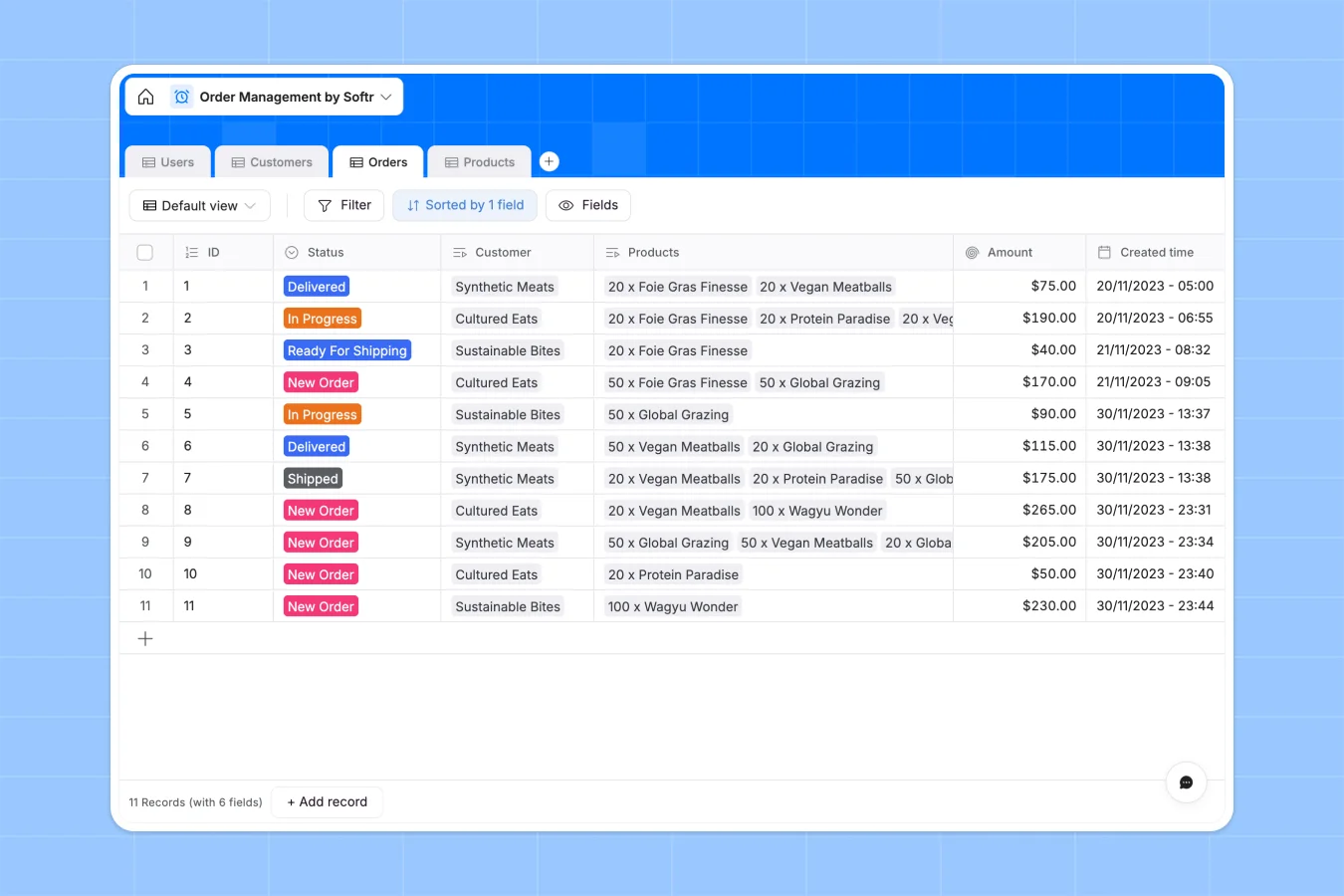
Your Order Management Database at a glance
This template gives you a complete system to track orders from creation to delivery. It keeps your sales, warehouse, and fulfillment teams perfectly aligned.
Customers, orders, and products are naturally connected through linked tables. When a new order is logged, it automatically links to the right customer profile and calculates the total amount using built-in rollups.
Why managing orders in spreadsheets breaks down
As your order volume grows, spreadsheets quickly become unreliable. Formulas break when rows are accidentally deleted, and tracking fulfillment across different tabs causes costly shipping errors.
What a structured database changes
Every piece of data has a strict format, from automated order IDs to specific delivery statuses. You can link multiple products directly to an order without relying on fragile VLOOKUPs.
This ensures accurate total amounts and real-time inventory counts as you scale up. This is exactly what Softr Databases are designed for.
What you can do with this template
Track exactly which products belong to which order and smoothly monitor statuses from "New Order" to "Delivered".
You can also configure Database AI agents to automatically categorize incoming requests, flag low inventory levels, or summarize order specific notes.
-
Users
Manage internal staff and customer accounts with specific access roles
-
Customers
Store client company details including locations and primary contacts
-
Orders
Track purchase statuses from placement through delivery and final billing
-
Products
Monitor stock availability, unit pricing, and product sales frequency
Who is this Order Management database for
This template is built for teams that need to handle order fulfillment efficiently.
- Sales Representatives: Track customer order history and verify stock availability before closing deals.
- Warehouse Managers: Monitor incoming orders and seamlessly update statuses as items are picked, packed, and shipped.
- Operations Leads: Keep an eye on overall order volumes and automated sum totals to ensure smooth supply chains.
How to take it further
Start by customizing the database to fit your exact workflow. You can easily modify the order status dropdowns to match your fulfillment stages or add new fields for tracking numbers.
Next, import your existing customer and product data to start working immediately. You can upload a CSV file or set up an API connection to sync with your current inventory tools.
When your team is ready, you can build an app on top of this data to create a custom customer portal. Using integrated users and permissions, you can ensure clients only see their own order history while your warehouse staff sees the entire queue.
-
1
-
2
-
3
-
4
Frequently asked questions
-
What is an order management database?
-
Why use a no-code database to build an order management system?
-
How can AI help managing data for order fulfillment?
-
Can I build an app with this order management database?
-
Is this Order Management Database free?
-
How does this template calculate order amounts?
Start building today. It's free!
Build and launch your first app in under 30 minutes.