


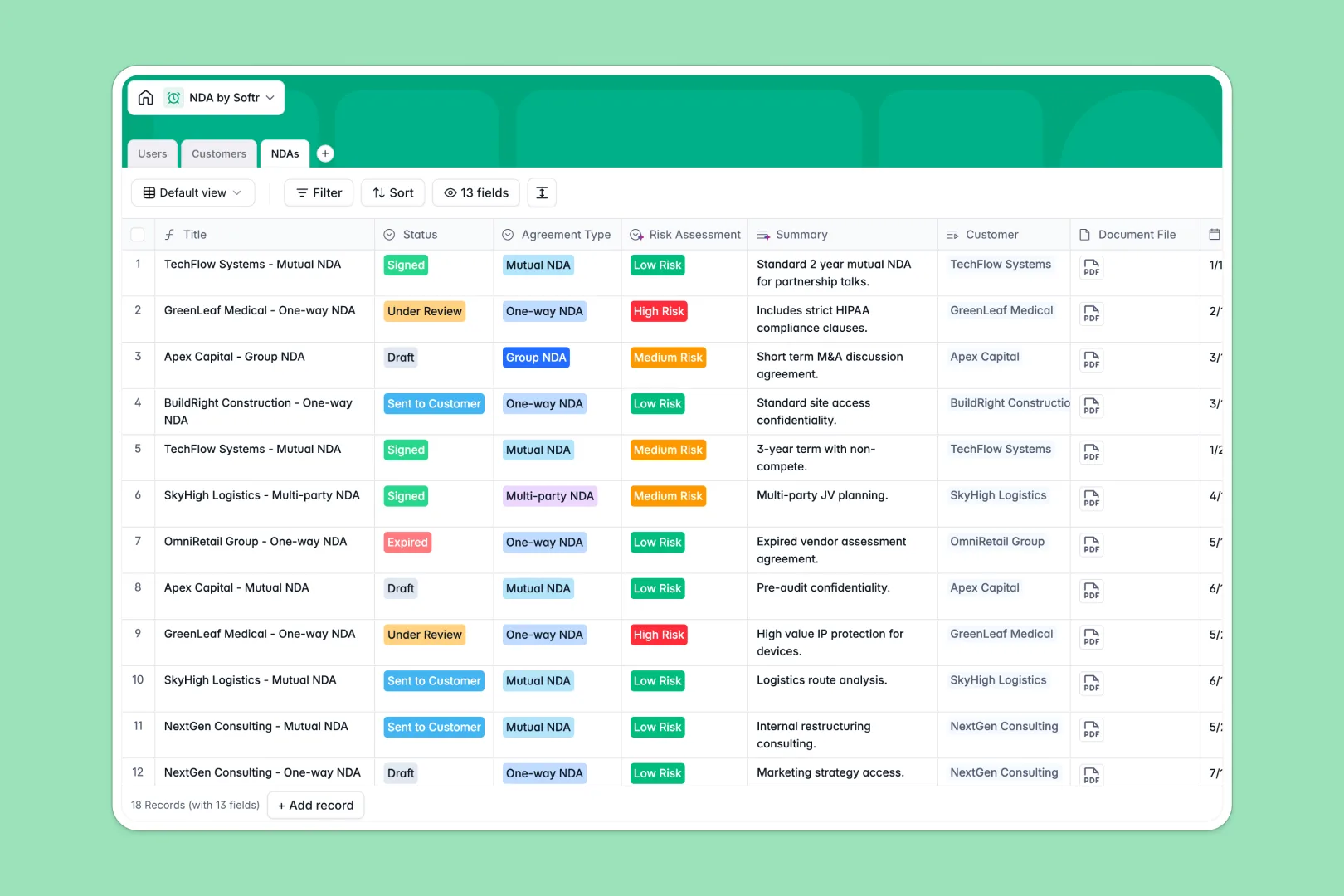
Your NDA Database at a glance
This template centralizes your non-disclosure agreements, giving your team immediate visibility into contract statuses, effective dates, and expirations. You can securely store documents and assign specific reps to each agreement natively.
It connects three core tables: Users, Customers, and NDAs. When you log a new agreement, you simply link it to an existing customer and assign an internal owner, keeping all related data perfectly synchronized without copy-pasting.
Built-in AI automatically categorizes the industry of your clients via web search and summarizes special terms. It even categorizes the legal risk level of each contract as Low, Medium, or High based on the conditions.
Why managing legal agreements in spreadsheets breaks down
Tracking NDAs across disconnected tabs inevitably leads to missed expirations, lost attachments, and compliance blind spots.
What a structured database changes
A relational system ensures every piece of data lives exactly where it belongs. Dates stay formatted, documents remain securely attached to their respective records, and customer details are never duplicated.
Instead of relying on fragile VLOOKUP formulas to see which client signed what, you simply link records together. This is exactly what Softr Databases are designed for, keeping your legal pipeline clean and scalable.
What you can do with this template
You can instantly see how many active NDAs a customer has and filter agreements by status, from "Draft" to "Expired".
Thanks to native AI workflows, you will automatically generate risk assessments and company profiles the moment a new client is added to the system.
-
Users
Manage internal staff members with system roles, departments and assigned NDAs
-
Customers
Store client profiles with AI-powered business descriptions and industry categorization
-
NDAs
Centralize legal agreements with AI risk assessments and automated text summaries
Who is this NDA Database for
This template gives legal and sales teams a reliable foundation for tracking confidentiality agreements securely.
- Legal Teams: Maintain centralized control over contract statuses, document versions, and risk assessments.
- Sales Representatives: Instantly check if an active mutual or one-way NDA is in place before sharing sensitive data.
- Operations Managers: Monitor pending signatures and ensure no agreement expires without proper renewal.
How to take it further
You can easily customize this database to match your exact legal workflows. Add new agreement types to the select menus, adjust the AI risk assessment prompts, or create custom views for your sales team.
If you currently track contracts elsewhere, simply import your existing data via CSV. You can instantly populate your customers and active agreements so your team does not miss a beat.
When your process grows, you can transform this database into a fully functional internal tool using a flexible build an app. A full-stack application seamlessly connects your database, interfaces, and automated workflows.
By configuring users and permissions, you can ensure sales reps only see their assigned NDAs while the legal team maintains global access. Because everything is built on a perfectly structured database, adding an app layer takes mere minutes.
-
1
-
2
-
3
-
4
Frequently asked questions
-
What is an NDA database?
-
Why use a no-code database to build an NDA tracking tool?
-
How can AI help managing data for NDAs?
-
Can I build an app with this NDA database?
-
Is this NDA database free?
-
How is this NDA database different from Google Sheets?
Start building today. It's free!
Build and launch your first app in under 30 minutes.