


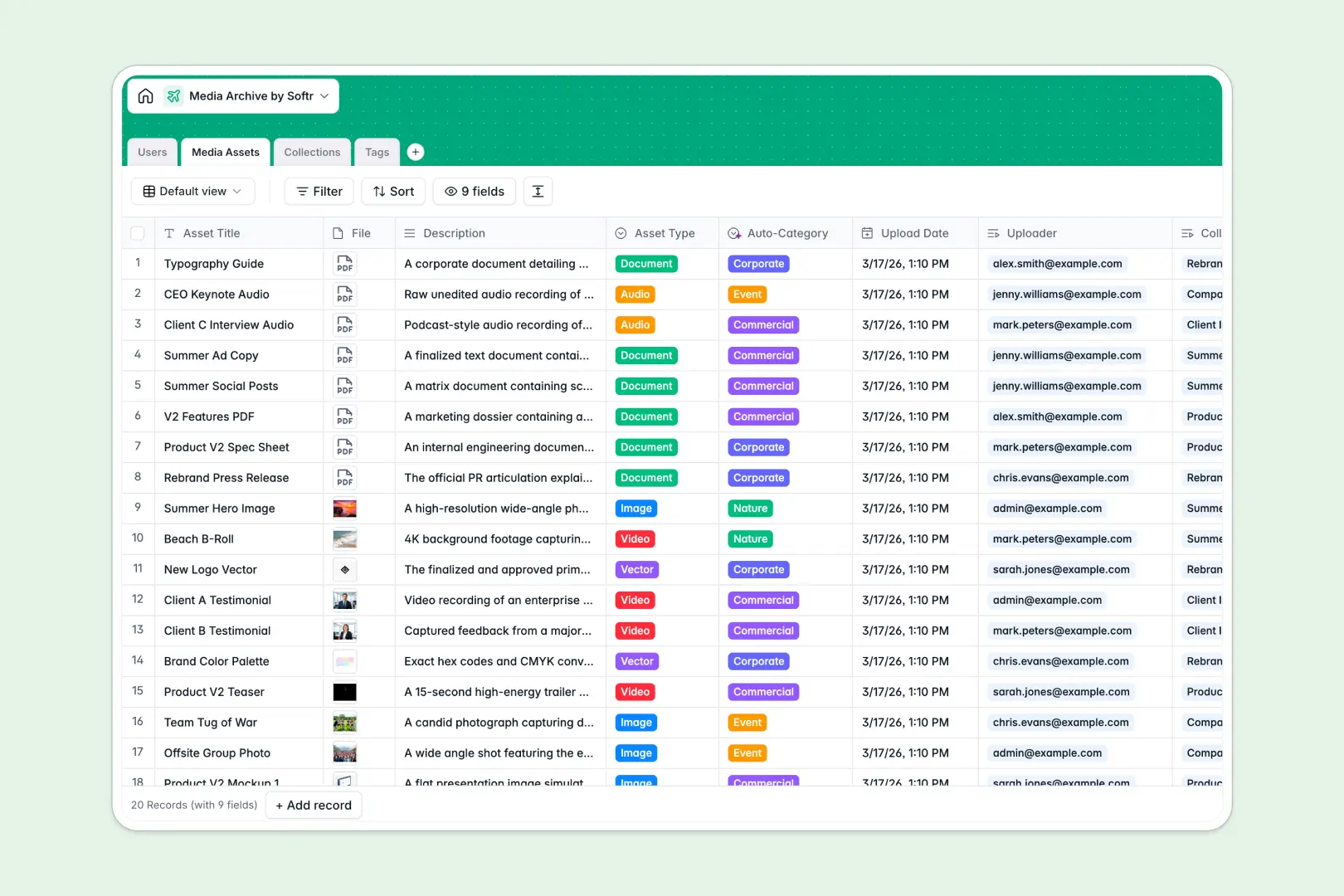
Your Media Archive database at a glance
This template centralizes your brand assets, photography, video files, and documents in one structured hub. It helps creative teams catalog digital assets, manage curated collections, and keep archival taxonomy consistent across projects.
Everything links together cleanly across dedicated tables for Media Assets, Collections, Tags, and Users. Individual files connect directly to their uploaders, assigned collections, and descriptive tags without messy duplicates.
Built-in AI automatically classifies media asset categories based on their descriptions, summarizes multi-item collections, and researches tag definitions directly from the live web.
When loose files and cloud folders scatter across teams
Storing creative assets across ad-hoc cloud folders or generic spreadsheets inevitably causes broken links, missing metadata, and lost files. Without relational structure, you cannot easily group assets into collections or track who uploaded which version.
What a structured database changes
A structured database enforces clean field types so high-resolution attachments stay attached, upload dates remain exact, and asset types stay consistent. Relational links connect each media file to its collection manager and tag taxonomy without copy-pasting data across rows.
This is exactly what Softr Databases are designed for: giving your creative library a reliable foundation that scales gracefully as your asset count grows.
What you can do with this template
You can track asset formats, assign collection managers, and monitor total file rollups instantly across campaigns.
With native Database AI agents, your archive categorizes image contents, drafts collection summaries, and looks up taxonomy definitions automatically on upload.
-
Users
Manage user accounts, system roles, uploaded assets, and collections
-
Media Assets
Store digital media files with automated AI categorization and tags
-
Collections
Curate groups of media assets with automated AI collection summaries
-
Tags
Organize archival taxonomy with web-enabled AI generated definitions
Who is this Media Archive database for
This database is designed for teams that need clear organization and fast retrieval for their digital asset libraries.
- Creative Agencies: Keep client project deliverables, brand photography, and video cuts organized by campaign.
- Marketing Teams: Catalog brand assets, collateral, and promotional media for fast team distribution.
- Content Creators: Track raw footage, audio stems, and finished media assets across personal projects.
- Archivists and Librarians: Maintain structured metadata, tag taxonomies, and collection records accurately.
How to take it further
Customize your database structure. Add custom fields to match your production workflow, such as licensing expiration dates, resolution specs, or custom brand tags. Modify select options like asset types or user roles with a single click.
Import your existing asset lists. Bring your current file registries into the database immediately using simple CSV imports or connect automated sync pipelines via the native database API.
Build a full app around it. When you are ready, use Softr to build an app on top of this database. You can generate custom client review portals or internal asset download hubs with tailored users and permissions so freelancers and team members only access approved media.
-
1
-
2
-
3
-
4
Frequently asked questions
-
What is a media archive database?
-
Why use a no-code database to build a media archive system?
-
How can AI help managing data for media archives?
-
Can I build an app with media archive database?
-
Is this Media Archive template free?
-
Can I customize the taxonomy and tag structure in this template?
Start building today. It's free!
Build and launch your first app in under 30 minutes.